Need help?
Do you have a question about the Foxpro Hammerjack and is the answer not in the manual?
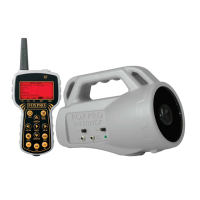
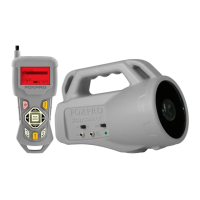
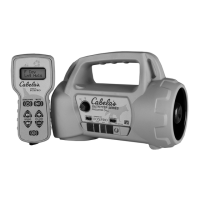
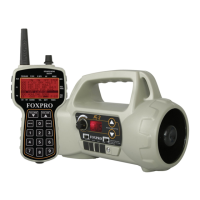
Visual overview of the HammerJack game call components.
Details the battery requirements for the HammerJack unit.
Visual overview of the TX915 remote control components.
Details the battery requirements for the TX915 transmitter.
Explains how to turn on devices and play sounds using the TX915 transmitter.
Details how to create and use preset shortcuts for sounds and volume.
Explains the integrated harness for connecting the Fox Jack 4 decoy.
Guides on connecting and operating the Fox Jack 4 decoy with the HammerJack.
Describes the main screen layout and navigation of the TX915 transmitter.
Explains how to access and navigate the TX915 transmitter's main menu.
Details the FOXBANG feature, which reacts to firearm muzzles blasts.
Configures the User button for quick access to specific functions.
Allows customization of volume adjustment increments on the transmitter.
Sets the playback mode for sounds (repeat, single play, jukebox).
Ensures presets play immediately even if the unit is muted.
Adjusts the intensity of the TX915 transmitter's backlight.
Sets the timeout duration for the transmitter's backlight.
Adjusts the screen contrast for optimal readability on the transmitter.
Selects between normal and inverse display modes for the transmitter screen.
Configures the automatic power-down timer for the transmitter.
Tracks the duration of a calling stand.
Sets a visual alarm to notify the user after a specific time.
Guides the process of downloading sound lists to the transmitter.
Configures the auxiliary jack operation (momentary or latched).
Sets how sounds are displayed on the transmitter (general or category listing).
Displays information about the transmitter's version and health.
Enables automatic prompts for sound list updates when a cable is connected.
Step-by-step instructions for manually creating custom FOXCAST sequences.
Guides users on purchasing and downloading new sound files from the FOXPRO website.
Instructions for connecting the HammerJack to a computer for programming.
Explains where sound files are stored and how to manage them.
Steps for using the programming utility to load sounds into the HammerJack.
Provides essential tips and notes for successful sound programming.
Details the process of transferring sound lists and FOXCAST sequences to the TX915.
 General
| Type | Electronic Game Call |
|---|---|
| Remote Control | Yes |
| Brand | Foxpro |
| Model | Hammerjack |
| Remote Display | Yes |
| External Speaker Jack | Yes |
| Power Source | Battery |
| Durability | Weather-resistant construction |


 To Next Page