4
1. Getting Started
Congratulations on your purchase of the FOXPRO HammerJack digital game call! To avoid personal injury
and product damage, be sure to read all operating instructions before using the FOXPRO HammerJack.
1-2 HammerJack: First Glance
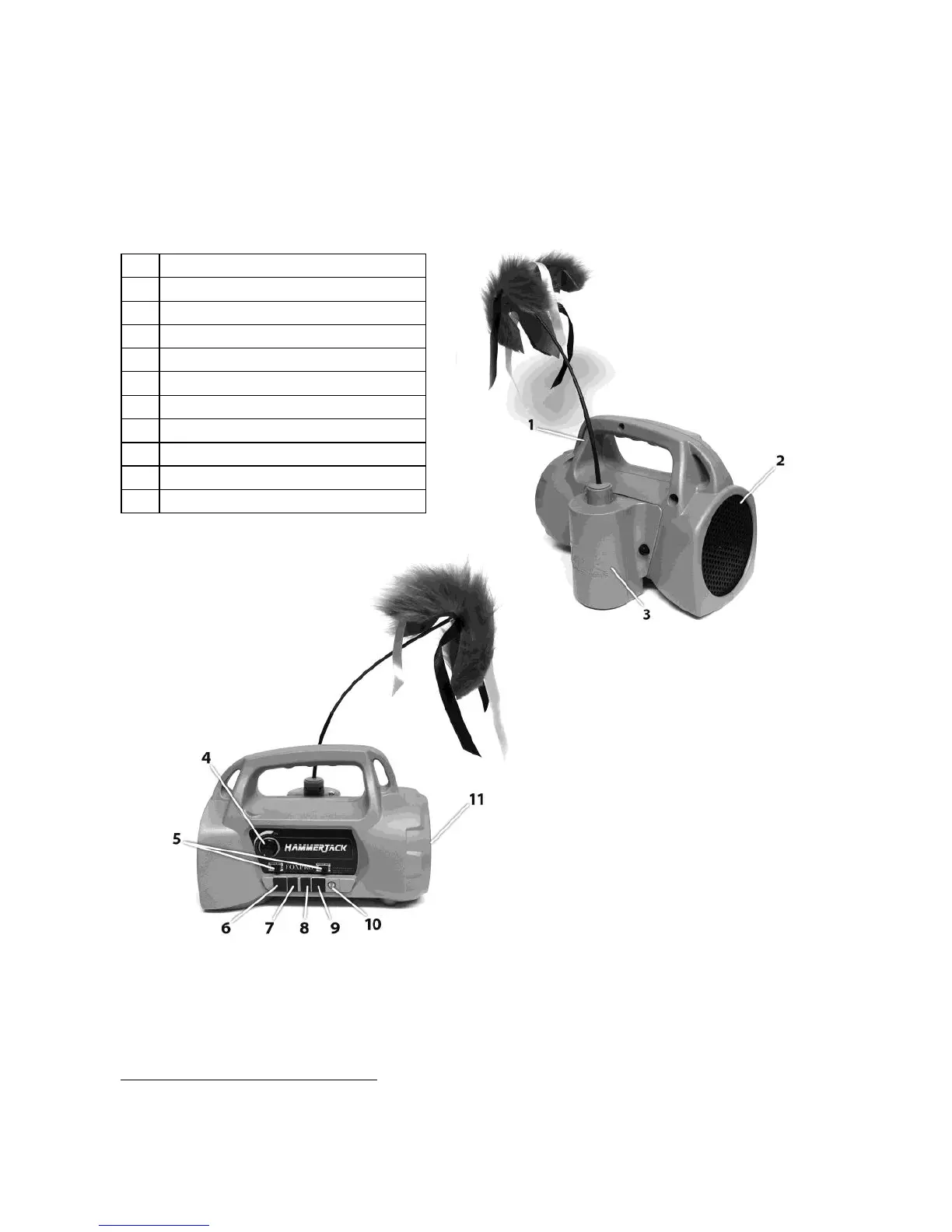
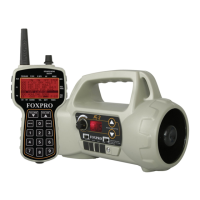
The following chart corresponds to a graphic of the HammerJack game call bellow. Certain aspects of the
HammerJack are marked with a number that corresponds to the chart defining that particular element.
Internal speaker on/off switches
Rear external speaker jack
Front external speaker jack
1-3 HammerJack: Power
Requirements
The HammerJack is shipped without batteries. It requires 8 ‘AA’ batteries. You may use alkaline batteries to
get started, but it is recommended that you use high capacity rechargeable NiMH (nickel metal hydride)
batteries or one of FOXPRO’s optional rechargeable battery packs.
Installing Batteries in the HammerJack
1. Access the battery compartment by removing the Fox Jack 4 from the back of the HammerJack.
The Fox Jack 4 is secured with a knurled thumbscrew. Notice that the Fox Jack 4 has an interface
wire attaching to a wiring harness inside the back of the HammerJack. You can disconnect this



 To Next Page