15
each category name features a list of sounds indented just beneath it. This represents the sounds that are in
each category.
To add a new sound into the correct category, first locate the sound on the column to the left. It should be
near the end of the list. After you have located it, click on it one time to highlight it. Next, locate the
appropriate category on the right that you want to place that sound into. Click on the category name to
highlight it. To place the sound into that category, click on the “Insert Selected” button in the middle of the
screen. You should now see the new sound appearing under the category name selected on the right.
When finished, click on the “Save & Exit” button to commit the changes to the categories. To finish
programming, you will now need to update the playlist on your remote which is covered in the next section.
8-3 Updating the Transmitter Playlist
You will need a 3.5mm male-to-male stereo cable for this process. This cable is included with the X1 when
purchased.
1. Disconnect the X1 from your computer if it is still connected.
2. Disconnect all accessories from the X1 (i.e. speakers or decoy) and make sure that it is turned
off.
3. Turn on the TX433 transmitter.
4. Connect one end of the 3.5mm cable to the sound upload jack on the top of the TX433. You will
see a message displayed on the screen stating, “Turn caller off. Connect to AUX jack on call.”
5. Connect the other end of the 3.5mm cable to the AUX jack on the X1 game call. Select “OK” on
the TX433.
6. Power on the X1 to initiate the transfer process. The display on the remote updates as the
transfer progresses. It displays the number of sounds transferred. When complete, the screen
returns to the normal view. If there is an error in the programming, the transfer will fail. If that
occurs, you will need to connect the X1 to your computer and review the programming for
errors. Watch for duplicate sound numbers or missing numbers.
7. When the transfer completes, unplug the cable from the transmitter and X1. Browse through the
sound list to view the changes.
Maximizing Remote Range
Remote range can be affected by many factors. Some of these factors can be controlled while others
cannot. In order to achieve the best possible remote range with your X1 digital game call system, it is
recommended that the following points be observed:
• Fully extend the telescopic antenna on the TX433 remote control.
• Raise the antenna on top of the X1.
• Always use a high-quality alkaline or lithium battery in the remote.
• Always maintain clear line of sight between the remote control and the X1. Any obstructions—
no matter how significant or insignificant—can adversely affect the radio signal.
• Keep the remote control a minimum of six inches away from your body, gun barrel, and metal
shooting sticks as these things can detune the remote control.
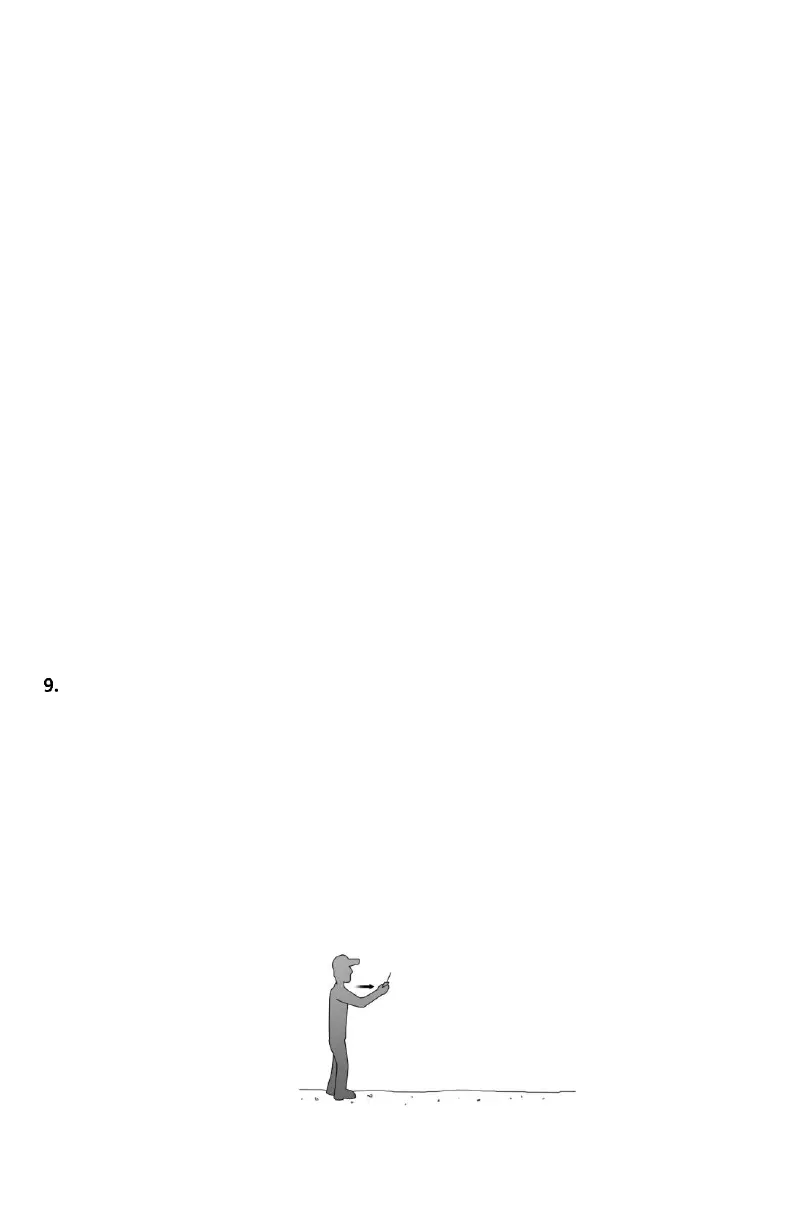
• Hold the remote control vertically with the antenna pointing skyward (see image below):



 To Next Page