VIII.Installation Guide
Mounting the Control Panel
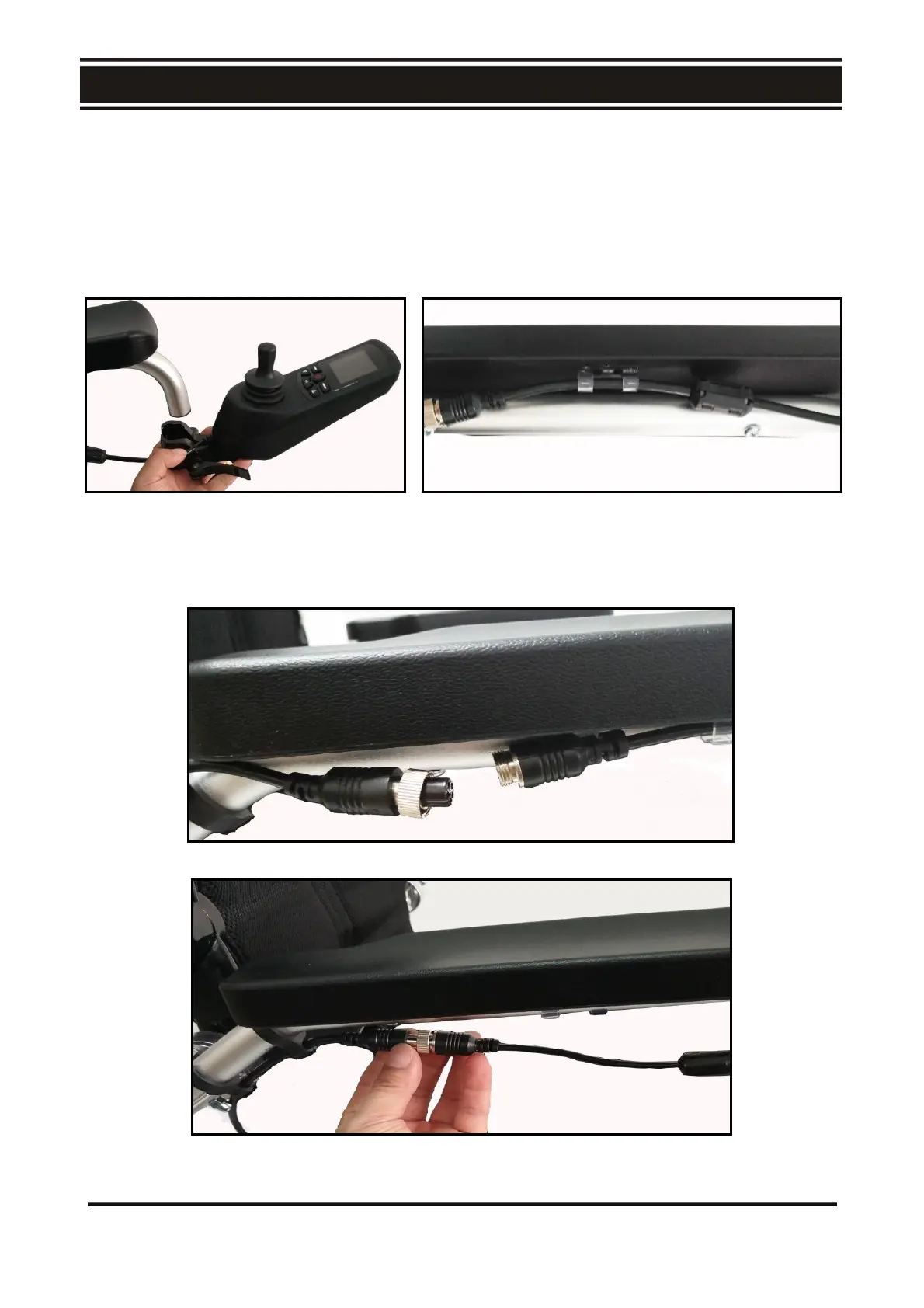
The control panel can be mounted on the right or left armrest. As shown in Fig. D1, put the quick
release clamp of the control panel onto the metal grab bar and lock the quick release handle tightly
and securely.
1. As shown in Fig. D2, route the control panel cable through the cable clip
D1 D2
2. As shown in Fig. D3, plug the four – pin control plug of the control panel into the socket at
either side.
D3
17



 To Next Page