IX.Operation Guide
Control Panels
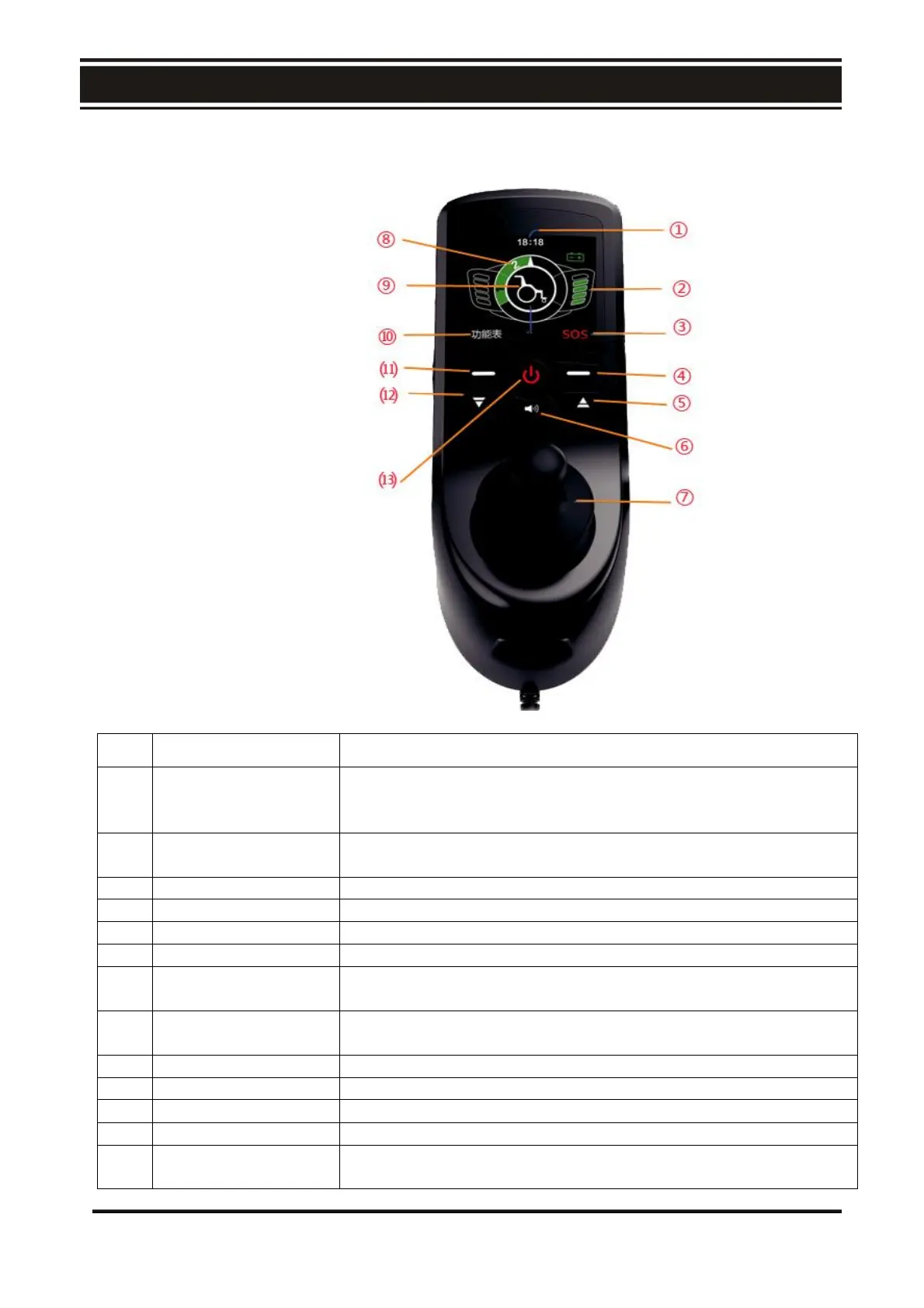
The Control Panel comprises of the following:
The current time is displayed by LCD, Beijing time is displayed
by default. If the time display is different from your time zone,
you can modify the time in the setting menu.
Electric quantity
display
The use of color LCD display shows the remaining battery
capacity, you can clearly understand the remaining battery power.
Increase the speed of the chair,Max. speed: 6 km/hr (3.75 m/hr).
Control the direction and speed of the chair. Push the
joystick towards the desired direction.
With 5 LED lights on, the chair at its max. speed. 1 LED light on,
the chair is at its lowest speed.
Decrease the speed of the chair.
Pressing this button will power on the chair.
Pressing this button will power off the chair.



 To Next Page