10
NT415 EPB Service Tool Manual_English_V1.01
3. Connect a correct adapter to the data cable according to the vehicle being serviced and plug it
into the vehicle DLC.
4. Switch the ignition key to the ON position.
5. The EPB service tool automatically boots up.
IMPORTANT
Never try to provide power for the EPB service tool from USB connection when the EPB service
tool is communicating with a vehicle.
3.1.2 Connecting to Personal Computer with
USB Cable
The EPB service tool also receives power through the USB port when it is connected to a PC for
updating software and transferring saved files.
To connect to PC:
1. Insert the small end of the USB cable to the USB port at the right side of the EPB service tool
and the large end to a computer.
2. Press the power switch of the EPB service tool to power it on.
3.2 Application Overview
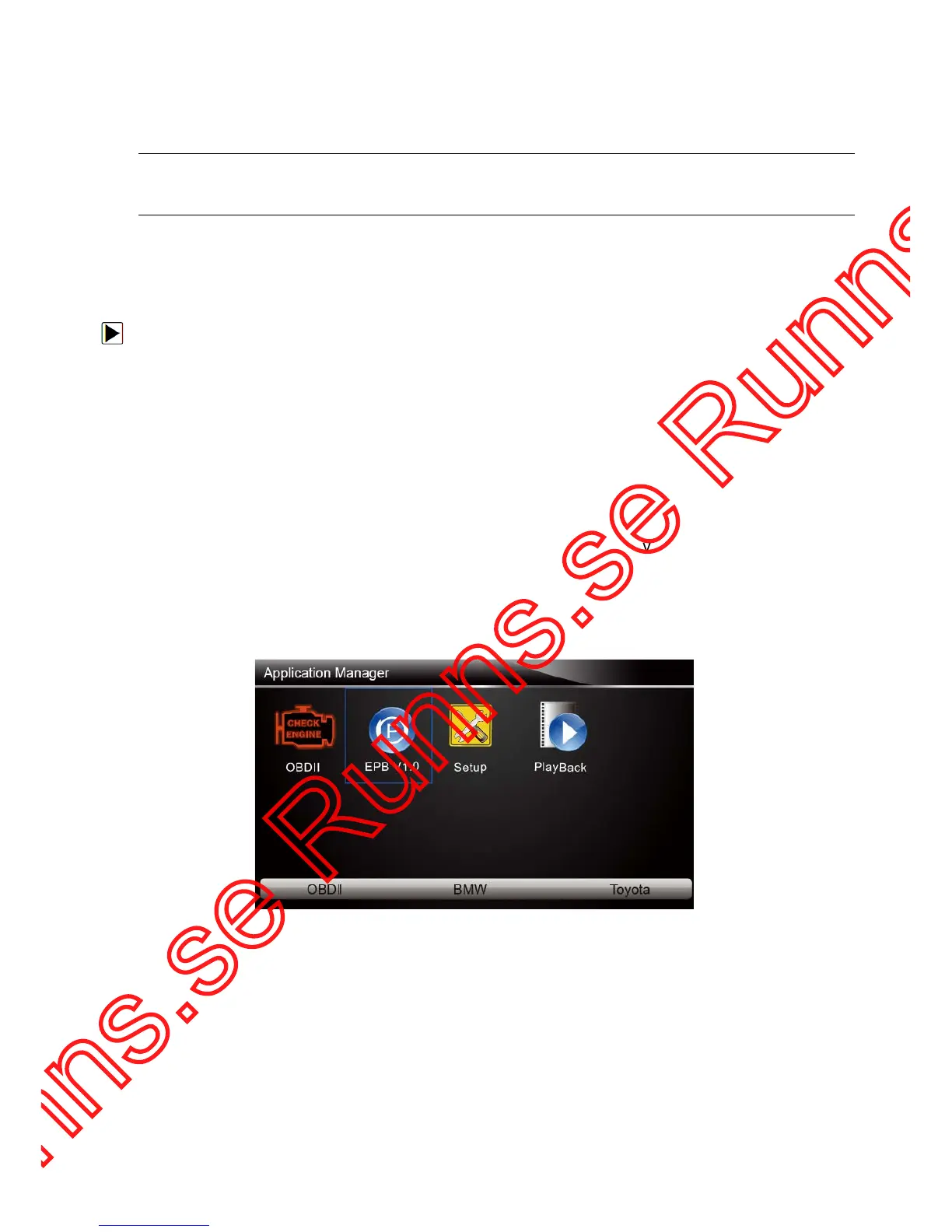
When the EPB service tool boots up, the home screen opens. This screen shows all applications
loaded on the unit.
Following applications are preloaded into the EPB service tool:
● OBDII/EOBD – leads to OBDII screens for all 9 generic OBD system tests.
● EPB – leads to screens for diagnostic trouble code information, live datastream, ECU
information, special functions of electric parking brake systems on 13 vehicle makes sold
worldwide.
● Setup – leads to screens for adjusting default settings to meet your own preference and view
information about the EPB service tool.
● Playback – leads to screens for access saved data files.
Figure 3-1 Sample Home Screen
3.3 Input Dialog Box
This section illustrates how to use the tool to input letters and numbers, such as VIN number,
channel number, test values and DTC number. Typically, you may be required to input letters or
numbers when you are doing any of the following operations.
● VIN entry
● input channel number
● set adaptation value
● look up DTCs



 To Next Page