14
NT415 EPB Service Tool Manual_English_V1.01
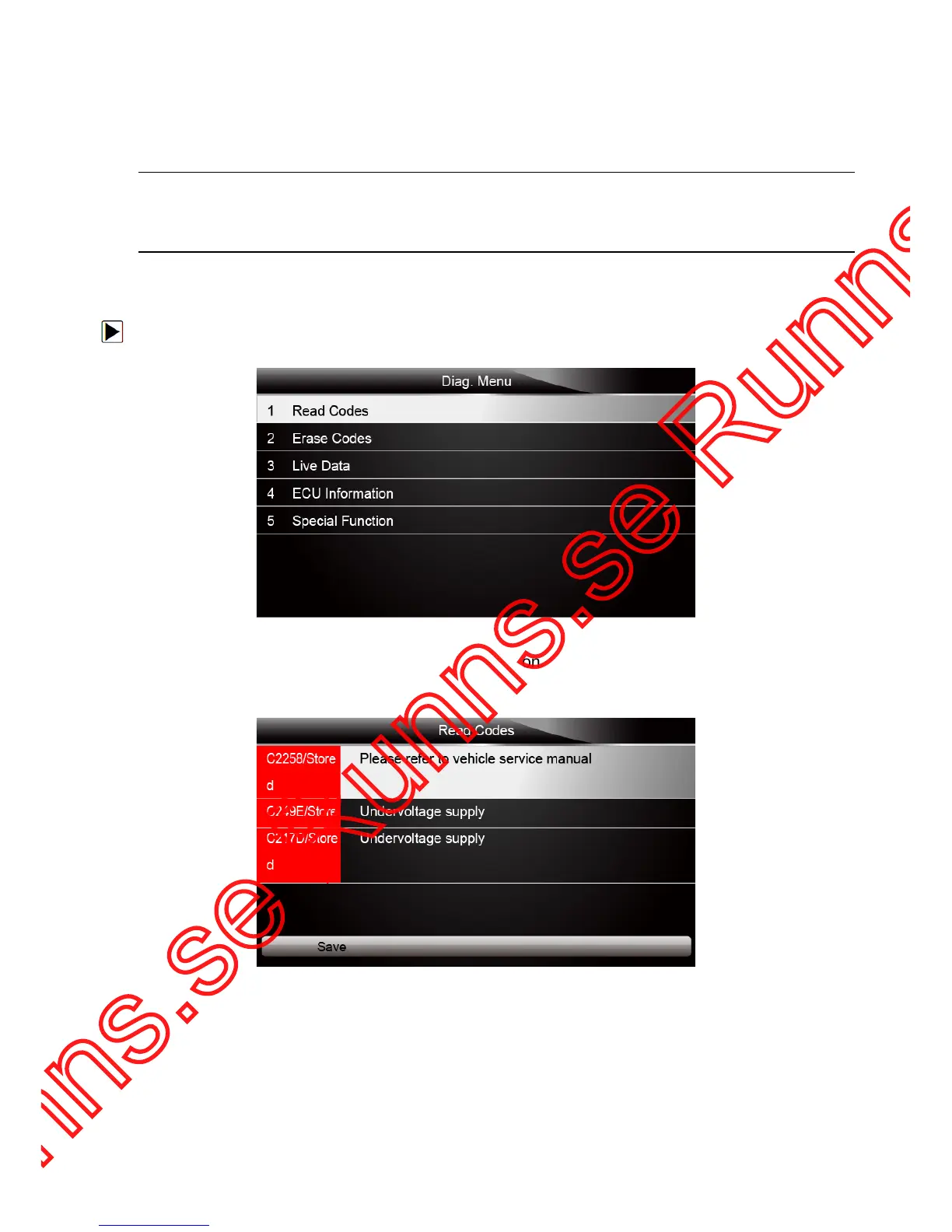
● Read Codes
● Erase Codes
● Live Data
● ECU Information
● Special Function
NOTE
Not all function options listed above are applicable to all vehicles. Available options may vary by
the year, model, and make of the test vehicle. A “The selected mode is not supported!” message
displays if the option is not applicable to the vehicle under test.
4.2.1 Read Codes
Read Codes menu lets you read trouble codes found in the control unit.
To read codes from a vehicle:
1. Scroll with the arrow keys to highlight Read Codes from Diag. Menu and press the ENTER key.
Figure 4-5 Sample Function Menu Screen
2. A code list including code number and its description displays. Use the up and down arrow keys
to scroll through data to select lines, and left and right arrow keys to scroll back and forth
through different screens of data.
Figure 4-6 Sample Code Screen
3. Press function key
Save to store DTC information. Or use the BACK key to exit.
3. If there is no trouble code, the following screen displays. Press any key to return to the function
menu.



 To Next Page