11
NT415 EPB Service Tool Manual_English_V1.01
The tool provides 4 different types of keyboard to meet your specific needs. Depending on the
needs of text entry, it automatically shows the most suitable keypad.
● classic QWERTY keyboad for input of texts that contain both letters and numbers
● numeric keyboard for input of numbers
● alphabet keyboard for input of letters
● hexadecimal keyboard for special functions.
To input text with the EPB service tool:
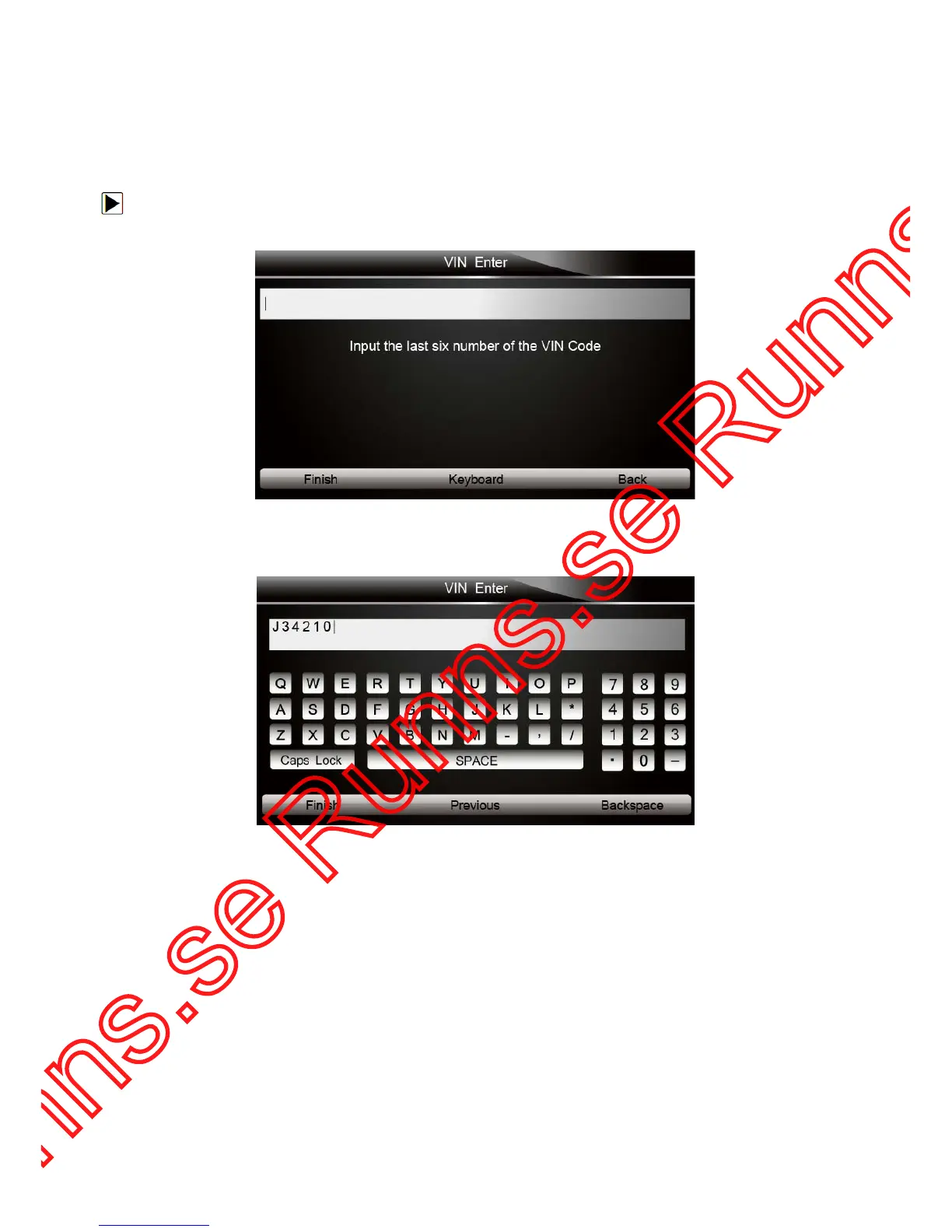
1. When you are requested to input text, press the function key Keyboard, and the keyboard
displays.
Figure 3-2 Sample Input Text Screen
2. Scroll with the arrow keys to highlight your desired letter or number and press the ENTER key
to confirm.
Figure 3-3 Sample Numeric Keyboard Screen
3. To delete a letter or number, use the function key Previous to move the cursor to it and then
press the
Backspace button.
4. When finished the entry, press Finish key to continue.
4 Diagnostic Operations
This section illustrates how to use the EPB service tool to read and clear diagnostic trouble codes,
and view “live” data readings and ECU information on Electronic Parking Brake systems of 13
vehicles and also save “recordings” of the data readings.
4.1 Vehicle Identification
The vehicle identification information presented is provided by the ECM of the vehicle being
tested. Therefore, certain attributes of the test vehicle must be entered into the tool to ensure the



 To Next Page