錯誤! 使用 [常用] 索引標籤將 Heading 1 套用到您想要在此處顯示的文字。 28
Multi SSID Isolation: If On is selected, it will prevents your devices from communicating across
the Main and Guest Wi-Fi's.
Allow Guest Wi-Fi users to access the web interface: If the box is checked, users on the
Guest Wi-Fi also can access the Web User Interface.
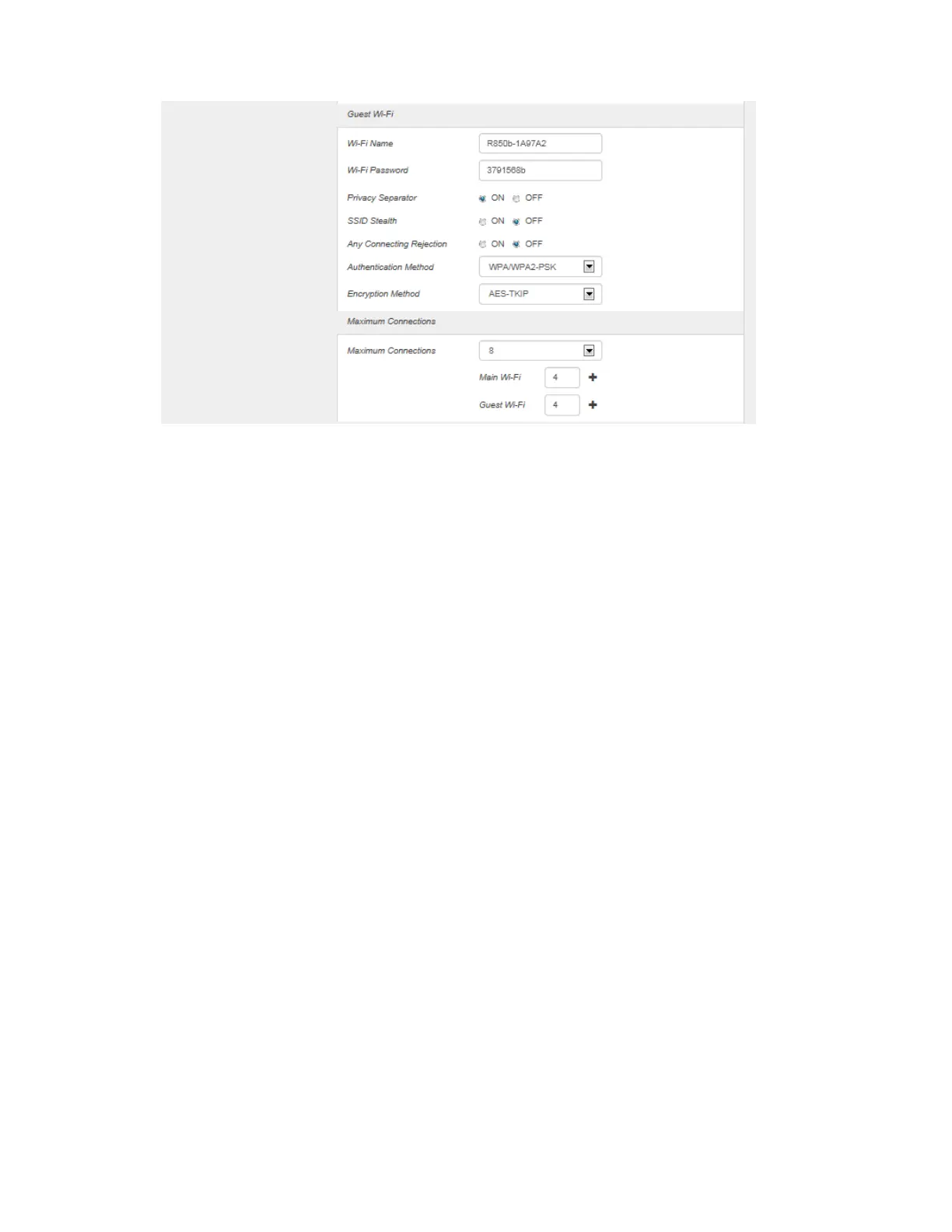
Wi-Fi Name: Service Set Identifier (SSID). To change it, enter a string less than 32 characters as
the name for your wireless local area network (WLAN).
Wi-Fi Password: To change, enter the new Wi-Fi password. The password needs to be at least
8 characters long.
Privacy Separator: If ON is selected, your devices on the same Wi-Fi Name can't make Local
Area Network communication. (Note: if you connect WLAN printer to your R910, Privacy
Separator should be OFF to send file from your PC to the printer.)
SSID Stealth: If OFF is selected, the Wi-Fi name won't be found by other device around it. s.
You need to manually ether Wi-Fi name and connect.
Any Connection Rejection: Any Connecting Rejection is a function of not returning Probe
Response in response to Probe Request in which SSID is not specified (null) or Probe Request
(SSID: any) which are transmitted from the client. (If SSID is set to "any" in the device, the device
must respond to Probe Request (SSID: any).)
Authentication Method: Use this setting to select the desired type of Wi-Fi security used to
encrypt the wireless network. WPA2 is the latest and most secure method and should be used
whenever possible..
Open : Authentication and encryption won't be performed. There are risks that private info
will be intercepted or network will be used by unauthorized individuals
SHARED : Authentication via Shared Key protocol.
WPA2-PSK : WPA-PSK is the securer version of WPA with implementation of the 802.11i
standard.



 To Next Page