14
Guest Networks
Create a separate Guest Wi-Fi network that you can share with temporary users.
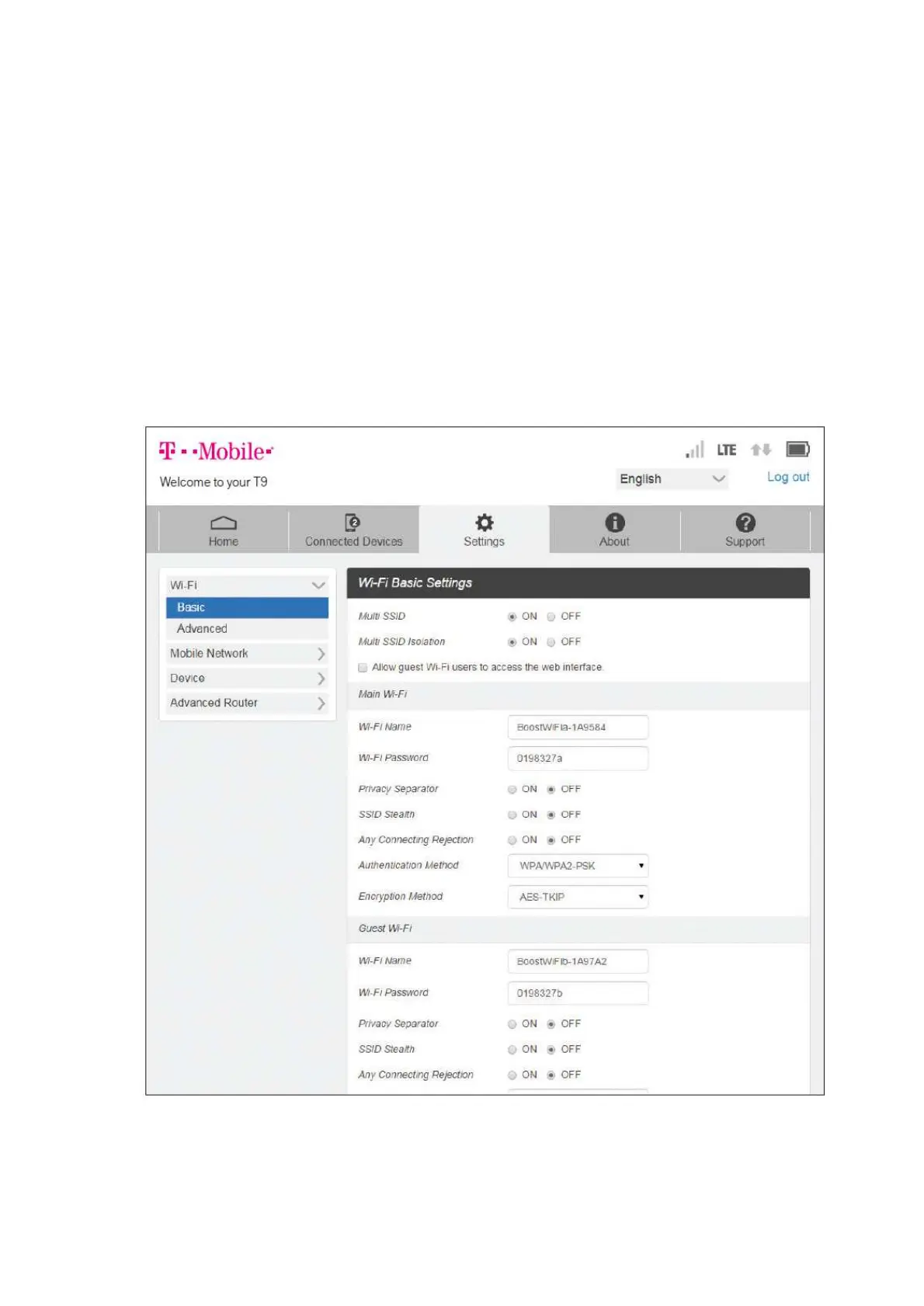
● Set Up a Guest Network
Log in to the Hotspot Manager.
Click the Settings tab.
Using the drop down menu, select Wi-Fi > Basic
Next to Multi SSID, select ON.
Under Guest Wi-Fi, enter a new WI-Fi name and password and adjust additional network
settings as desired.



 To Next Page