aPbox Manual
© 2022 FranklinWH Energy Storage Inc. All rights reserved.
All information in this Manual is subject to the copyright and other intellectual property rights
of FranklinWH Energy Storage Inc. This manual may not be modified, copied or reproduced, in
whole or in part, without the prior written permission of FranklinWH Energy Storage Inc.
Please visit www.franklinwh.com/support for the latest Franklin Home Power documents.
All brands and trademarks mentioned in this document are the property of their respective
owners, and their use in this document does not imply the sponsorship or recognition of their
products or services.
Please read this document carefully to ensure the best reliability of the product and your
warranty eligibility. For further information about warranty, please refer to the Franklin Home
Power Limited Warranty.
This document is intended for use by professional installation and maintenance service
providers only and no statements, information or recommendations in this document
constitute any express or implied warranty.
Please read this document carefully before installing or using the Franklin Home Power
equipment. Failure to follow any instructions or warnings in this document may result in
damage to the equipment, personal electric shock, severe injury, or even death.
Product Information
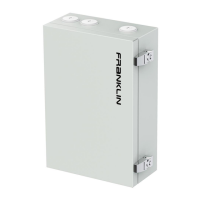
The FranklinWH aPbox comes in two models — RC65 and RM65. The RC65 has the functions
of an electrical meter and the ability to remotely disconnect from and connect to PV systems,
controlled by the aGate. The RM65 provides only the functions of an electrical meter.
FranklinWH Energy Storage Inc. (“FranklinWH”) reserves the right to make any improvements
to the product, and the contents in this document shall be subject to updates without further
notification.
All images and pictures provided in this manual are only for demonstration purposes and may
differ in detail from the product, based on the product version.


 To Next Page