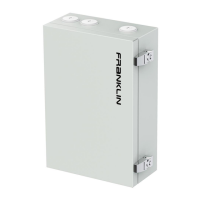
aPbox Manual
CONTENT
Safety Statements ............................................................................................................................... 1
Important Information .................................................................................................................................... 1
Safety Symbols ................................................................................................................................................. 1
Safety Instructions .......................................................................................................................................... 1
Warranty Statement ............................................................................................................................ 4
Service and Maintenance .................................................................................................................... 5
Service ............................................................................................................................................................... 5
Maintenance ..................................................................................................................................................... 5
Product Overview ............................................................................................................................... 6
RC65 .................................................................................................................................................................. 6
Specifications ........................................................................................................................................... 6
Components ............................................................................................................................................. 7
RM65 ................................................................................................................................................................. 8
Specifications ........................................................................................................................................... 8
Components ............................................................................................................................................. 9
Application ......................................................................................................................................... 10
PV on the load side of the FHP ................................................................................................................. 10
PV on the line side of the FHP .................................................................................................................. 12
aPbox Installation .............................................................................................................................. 13
Preparation .................................................................................................................................................... 13
Installation...................................................................................................................................................... 14
Unboxing ................................................................................................................................................ 14
Open the aPbox door .......................................................................................................................... 15
Cable Access ......................................................................................................................................... 16
aPbox wall installation......................................................................................................................... 18
Wiring ............................................................................................................................................................. 20
Make AC power connections ............................................................................................................ 20
Make communication connections ................................................................................................... 23
App settings ....................................................................................................................................... 26
Technical Support .............................................................................................................................. 29


 To Next Page
 Loading...