18
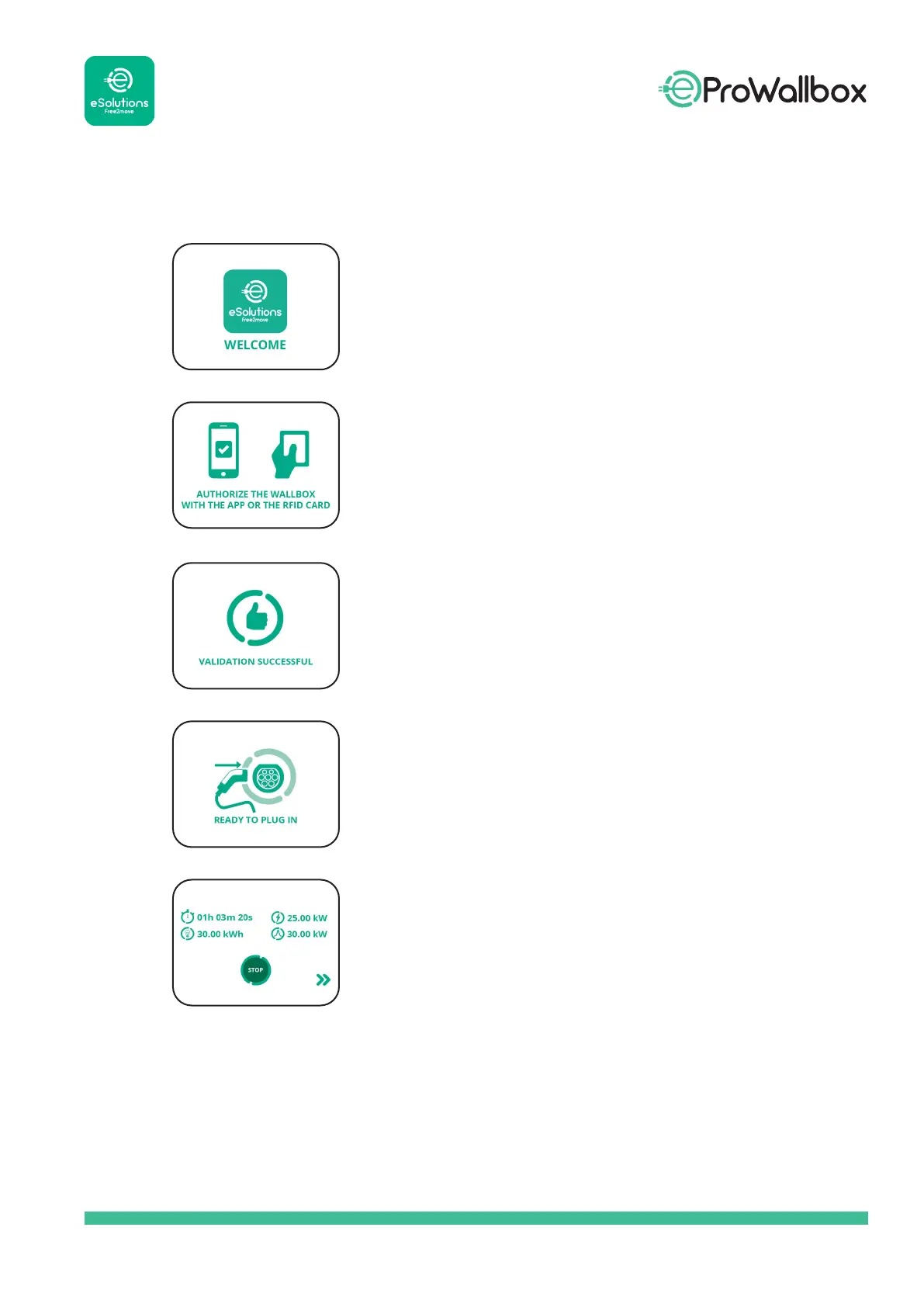
Welcome message.
If the Authentication Operating Mode is
congured, this display will indicate that to start
charging, you need to authorise the wallbox via
RFID or app.
Authorisation successful.
To start charging, the wallbox must rst be
authorised via RFID or app.
When this screen is displayed, you can stop the
charging session by touching the “stop” button at
the bottom of the screen.
The following information about the charging
session is shown:
charging time
absorbed energy
current power
peak power



 To Next Page