5
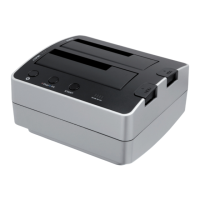
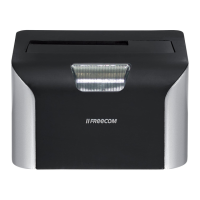
FREECOM HARD DRIVE DOCK
Precautionary Measures and General Notes
• Make sure the label side of the hard drive is ahead, and the hard drive connector is
d
ownward before it is inserted. Otherwise, the hard drive can not be inserted.
• Do not eject the hard drive while it is working.
• H
old the hard drive with its front edge instead of the PCB at the bottom side.
• Hard drives are precise equipment. Read the user manual attached with the hard
drive before using.
• D
o not put anything inside the product except 2.5" or 3.5" SATA I/II hard drives.
• F
reecom warranty this product against defects of materials and workmanship under
normal use, Freecom cannot be made responsible for any damage caused by accident,
abuse, misuse etc, nor any hardware/software damage or data loss.
EN
The surface temperature of hard drive may reach 50°C, please mind and be
careful, altough it is not hot enough to burn people.
Note: If you are connecting the Hard Drive Duplicator via eSATA, the main
board of your computer must support the “Port Multiplier” mode for SATA,
so that both hard disks will be recognised simultaneously by your computer.
If this is not the case, only one hard disk will be recognised by the computer.
In this case, use the USB connection, so that both hard disks are displayed.
If at any point during installing and/or configuring your HD Dock you need
assistance or have questions, please contact the Freecom Support Center for
your country. See www.freecom.com for details.
Freecom offers free unlimited helpdesk support.


 To Next Page