Notice:
Do not connect power before assembly completion
ASSEMBLY STEP 1
:
ASSEMBLY STEP 2
:
ASSEMBLY STEP 3:
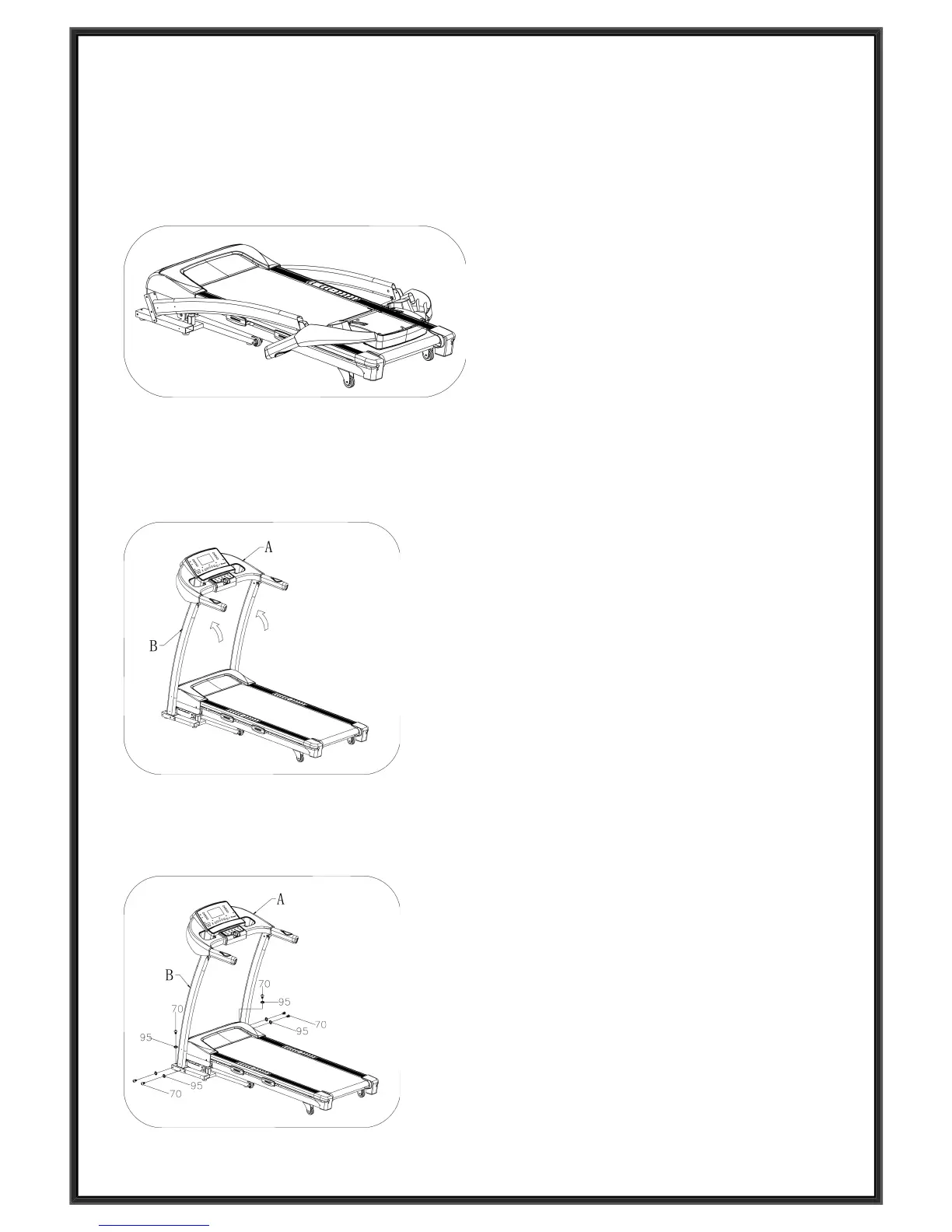
Lift up the console (A) and Upright tube
(B) towards the arrow direction.
Notice: When you pull up them, make sure
do not press the wires inside the upright
tube; keep touch the upright and computer
by hand to prevent falling down.
Use the 5# Allen wrench(65) and M8*15
bolt(70) and lock washer (95), lock the
upright tube(B) onto MAIN FRAME .
Open the carton , take out the above
spare parts and put the MAIN FRAME on
the level ground.


 To Next Page