EasyManua.ls Logo

Freemotion t 6.4 - User Manual

Freemotion t 6.4
40 pages
Print Icon
To Next Page IconTo Next Page
Loading...
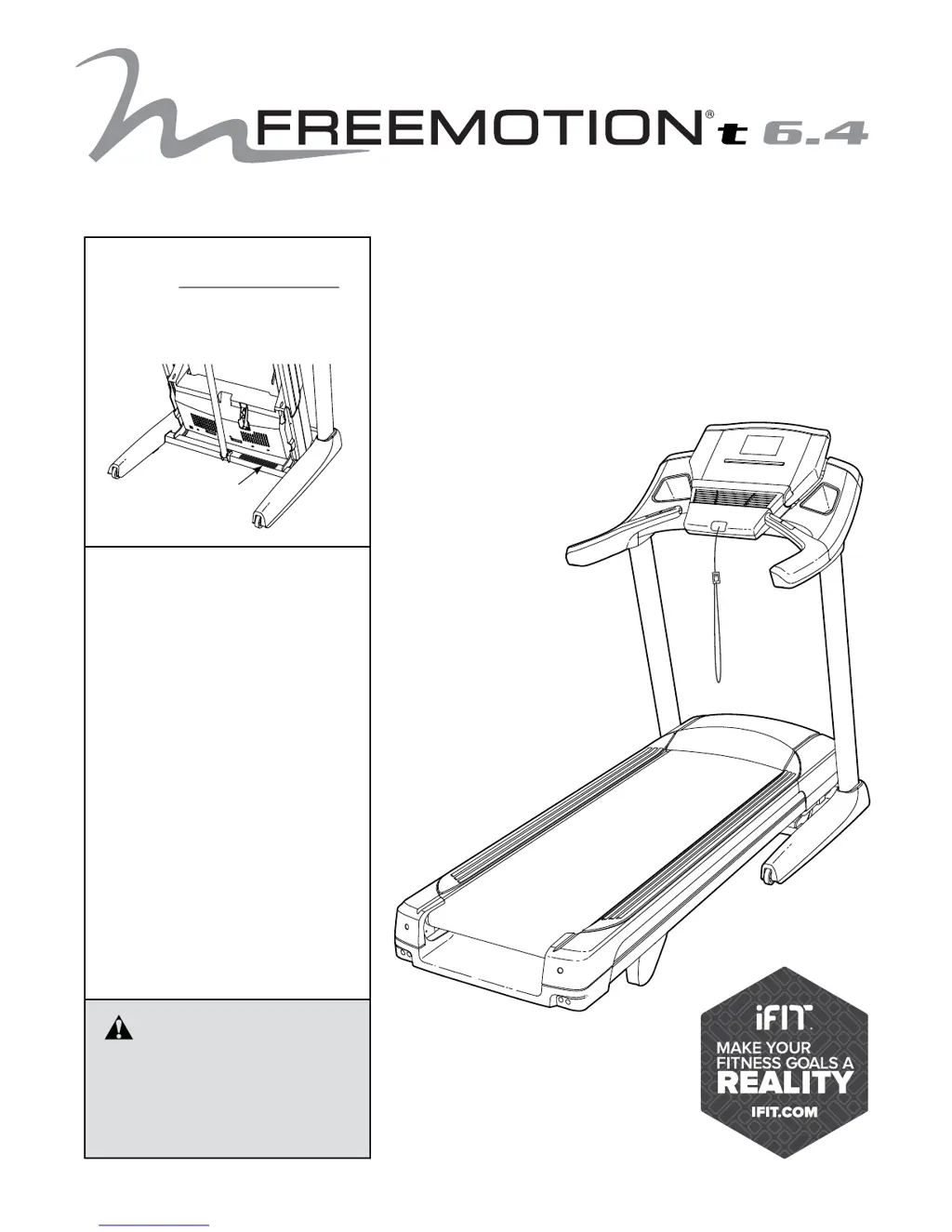
Serial Number
Decal
Model No. SFTL81413.0
Serial No.
Write the serial number in the space
above for reference.
CAUTION
Read all precautions and instruc-
tions in this manual before using
this equipment. Save this manual
for future reference.
USER’S MANUAL
www.freemotionfitness.com
QUESTIONS?
If you have questions, or if parts
are damaged or missing,
please see HOW TO CONTACT
CUSTOMER CARE on the back
cover of this manual.

Questions and Answers

Summary

Warning Decal Placement

Important Precautions

iFIT Features and Benefits

Lose Weight with iFIT

Offers progressive weight loss programs with trainers like Jillian Michaels.

Map Your Route with Google Maps

Simulates terrain and Street View for routes during workouts.

Compete with Others

Allows users to push limits with real-time virtual races.

Extended Service Plan Options

Getting Started

Part Identification Chart

Illustrates and labels small parts used for assembly.

Assembly Instructions

Heart Rate Monitor Guide

How to Put on the Heart Rate Monitor

Details proper placement and adjustment of the heart rate monitor sensor and strap.

Care and Maintenance

Provides guidelines for cleaning and storing the heart rate monitor.

Troubleshooting Heart Rate Monitor

Offers solutions for common issues with heart rate monitor function.

Treadmill Operation

How to Connect the Power Cord

Explains proper connection of the power cord, emphasizing surge suppressor use.

Console Features and Operation

How to Turn On the Power

Step-by-step guide for powering on the treadmill console and its components.

How to Use the Touch Screen

Explains navigation and interaction with the console's color touch screen.

Console Setup and Configuration

Connect to Your Wireless Network

Steps to connect the console to a wireless network for iFIT and internet access.

Calibrate the Incline System

Procedure to calibrate the treadmill's incline system for accurate adjustments.

Create an iFit Account

Instructions for signing up for an iFIT membership and account.

Manual Mode Operation

Onboard Workout Guide

Set-a-Goal Workout Guide

iFIT Workout Guide

Equipment Settings and Updates

How to Use the Equipment Settings Mode

Explains how to adjust language, units, timezone, and update settings.

How to Use the Wireless Network Mode

Guides connection to a wireless network for iFIT and internet features.

Maintenance and Network Mode

How to Use the Maintenance Mode

Accesses diagnostic information and firmware updates for the console.

Sound System and Internet Browser

Folding and Moving the Treadmill

How to Fold the Treadmill

Step-by-step process to fold the treadmill into its compact storage position.

How to Move the Treadmill

Guidance on safely moving the folded treadmill using its wheels.

How to Lower the Treadmill for Use

Instructions for unfolding the treadmill from its storage position.

Maintenance and Troubleshooting

Maintenance Procedures

Basic cleaning and upkeep recommendations for the treadmill.

Troubleshooting Common Issues

Solutions for power, console, incline, and belt problems.

Exercise Guidelines

Exercise Intensity and Zones

Guidance on using heart rate to determine optimal intensity for fat burning and aerobic exercise.

Workout Guidelines

Advice on warming up, training zone duration, and cooling down.

Exercise Frequency

Recommendations for workout scheduling to improve fitness.

Part List

Exploded Drawing A

Exploded Drawing B

Exploded Drawing C

Exploded Drawing D

Exploded Drawing E

Customer Support and Warranty

How to Contact Customer Care

Provides phone numbers and email addresses for customer support inquiries.

Limited Warranty Information

Outlines the warranty terms, coverage periods, and exclusions for the treadmill.

Freemotion t 6.4 Specifications

General IconGeneral
BrandFreemotion
Modelt 6.4
CategoryTreadmill
LanguageEnglish

Related product manuals