EasyManua.ls Logo

Freemotion XTR 90 - User Manual

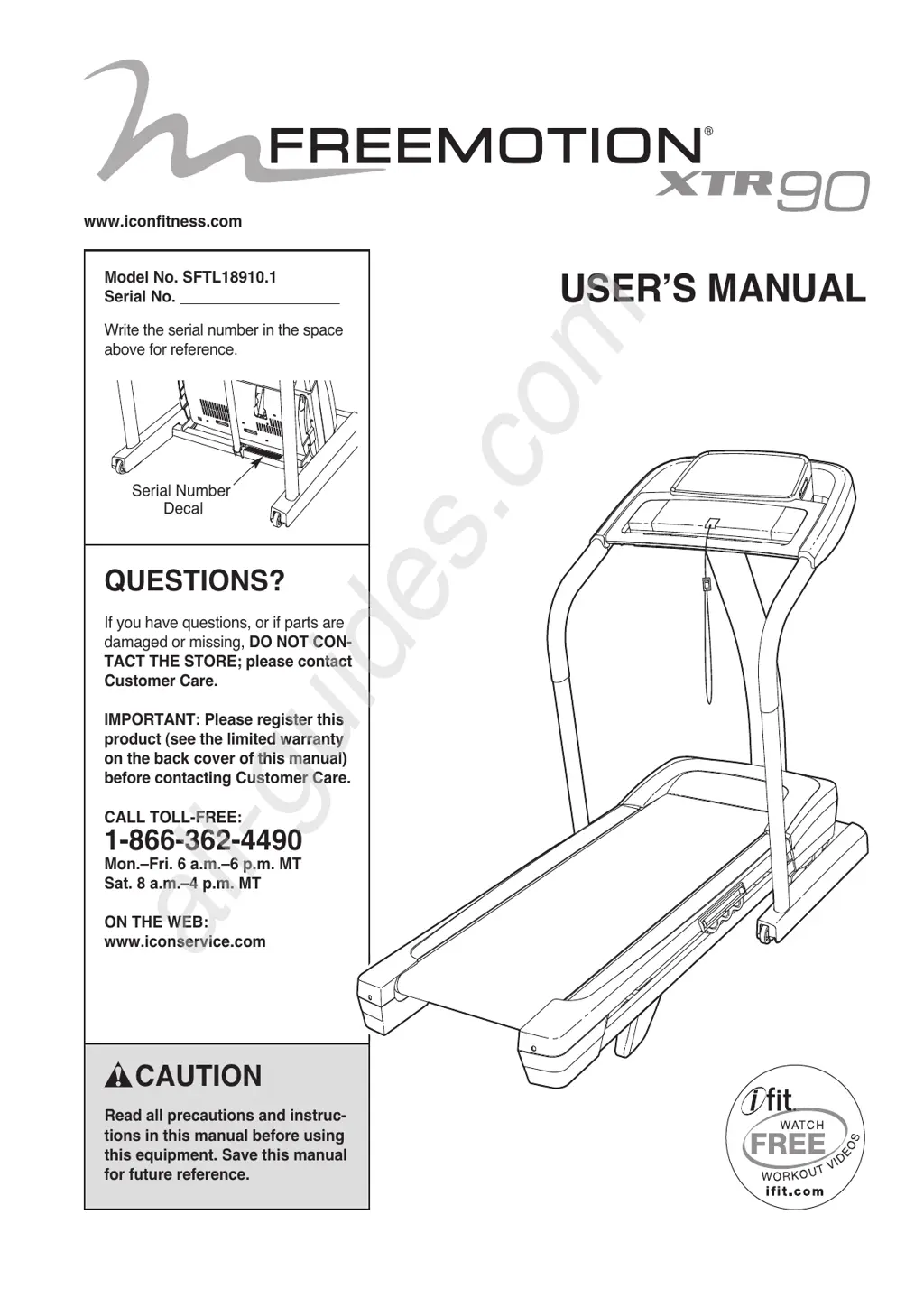
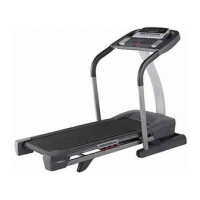
Freemotion XTR 90
32 pages
Print Icon
To Next Page IconTo Next Page
Loading...
Serial Number
Decal
Model No. SFTL18910.1
Serial No.
Write the serial number in the space
above for reference.
CAUTION
Read all precautions and instruc-
tions in this manual before using
this equipment. Save this manual
for future reference.
QUESTIONS?
If you have questions, or if parts are
damaged or missing, DO NOT CON-
TACT THE STORE; please contact
Customer Care.
IMPORTANT: Please register this
product (see the limited warranty
on the back cover of this manual)
before contacting Customer Care.
CALL TOLL-FREE:
1-866-362-4490
Mon.–Fri. 6 a.m.–6 p.m. MT
Sat. 8 a.m.–4 p.m. MT
ON THE WEB:
www.iconservice.com
USERʼS MANUAL
w
ww.iconfitness.com
All manuals and user guides at all-guides.com
all-guides.com

Questions and Answers

  • S
    Susan JeffersonAug 9, 2025
    How to fix Freemotion XTR 90 Treadmill when the power does not turn on?
    • D
      David BondAug 9, 2025
      To address a Freemotion Treadmill that won't turn on, ensure the power cord is plugged into a surge suppressor that meets the specifications described on page 13 and that the suppressor is plugged into a properly grounded outlet. Note that the treadmill is not compatible with GFCI-equipped outlets. Also, verify that the key is inserted into the console and check the power switch located on the treadmill frame; if it protrudes, wait five minutes, then press it back in to reset.
  • H
    Hannah BellAug 15, 2025
    Why is the walking belt off-center or slips when walked on Freemotion XTR 90 Treadmill?
    • E
      Ernest RiveraAug 15, 2025
      If the walking belt of your Freemotion Treadmill slips or is off-center, first remove the key and unplug the power cord. For an off-center belt, turn the left idler roller bolt clockwise (if the belt shifted left) or counterclockwise (if shifted right) by 1/2 turn. To fix slipping, turn both idler roller bolts clockwise by 1/4 turn. Ensure the belt isn't too tight—you should be able to lift each edge 2 to 3 inches. Then, plug in the power cord, insert the key, and walk on the treadmill for a few minutes. Repeat adjustments until corrected.
  • H
    hensonelizabethAug 21, 2025
    What to do if Freemotion Treadmill walking belt slows when walked on?
    • H
      hughesashleyAug 21, 2025
      If the walking belt on your Freemotion Treadmill slows down when you walk on it, ensure you are using a single-outlet surge suppressor that meets the specifications described on page 13. Also, check if the walking belt is overtightened. If it is, unplug the power cord and turn both idler roller bolts counterclockwise by 1/4 turn. The belt should allow you to lift each edge 2 to 3 inches off the platform. Plug the treadmill back in and run it to test. Repeat adjustments as needed.
  • J
    Joshua PetersAug 27, 2025
    What to do if my Freemotion XTR 90 power turns off during use?
    • L
      Lisa WilsonAug 27, 2025
      If your Freemotion Treadmill's power turns off during use, first check the power switch and reset it if tripped by waiting five minutes before pressing it back in. Ensure the power cord is securely plugged in; if it is, unplug it, wait five minutes, and plug it back in. Also, try removing and reinserting the key from the console.
  • B
    Brian HamiltonSep 2, 2025
    Why do console displays remain lit when I remove the key from the Freemotion XTR 90 Treadmill console?
    • C
      Corey WalkerSep 2, 2025
      If the console displays on your Freemotion Treadmill remain lit after removing the key, the demo mode is likely activated. To disable it, hold down the Stop button for a few seconds. If the displays are still lit, refer to THE INFORMATION MODE on page 19 to turn off the demo mode.

Summary

Important Precautions

Assembly

Operation and Adjustment

Connecting the Power Cord

Instructions on how to properly plug in the treadmill's power cord using a surge suppressor.

Turning On the Power

Using Manual Mode

Using Onboard Workouts

Using iFit Live Workouts

Folding and Moving the Treadmill

Folding the Treadmill

Procedure for safely folding the treadmill for storage.

Troubleshooting

Exercise Guidelines

Freemotion XTR 90 Specifications

General IconGeneral
BrandFreemotion
ModelXTR 90
CategoryTreadmill
LanguageEnglish

Related product manuals