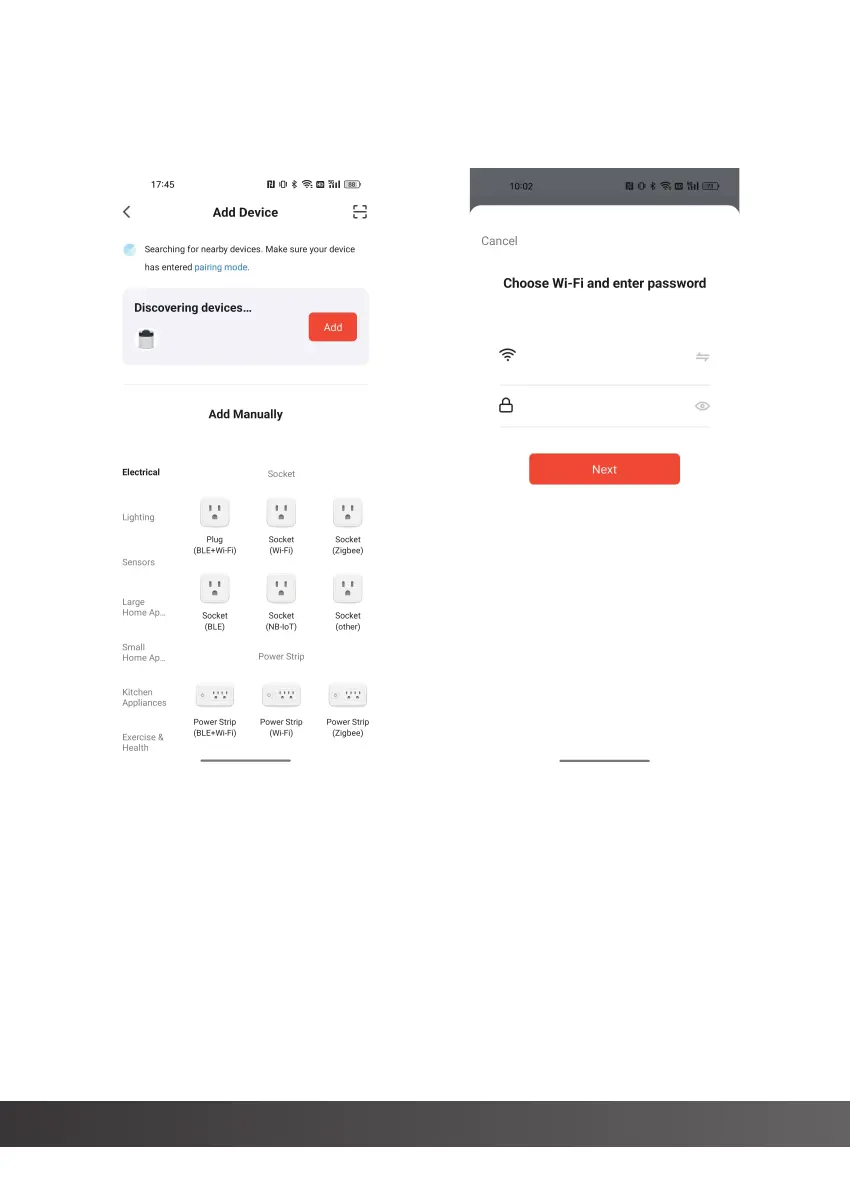
The APP is matched to the device, click "Add" (as shown in Figure 3), select
the 2.4G WIFI network, and enter the WIFI password to configure the
network (as shown in Figure 4).
www.freezimer.com 15
(Figure 3) (Figure 4)
2.4G WiFi
********
Select the WIFI network, enter the password, the ice maker will enter the
network configuration state (as shown in Figure 5).
After the network distribution is successful, click the icon in the upper
right corner (as shown in Figure 6) to enter the APP operation interface
(as shown in Figure 7),


 To Next Page