10 11
MENU
MENU
Control Panel Operation
The TM Menu
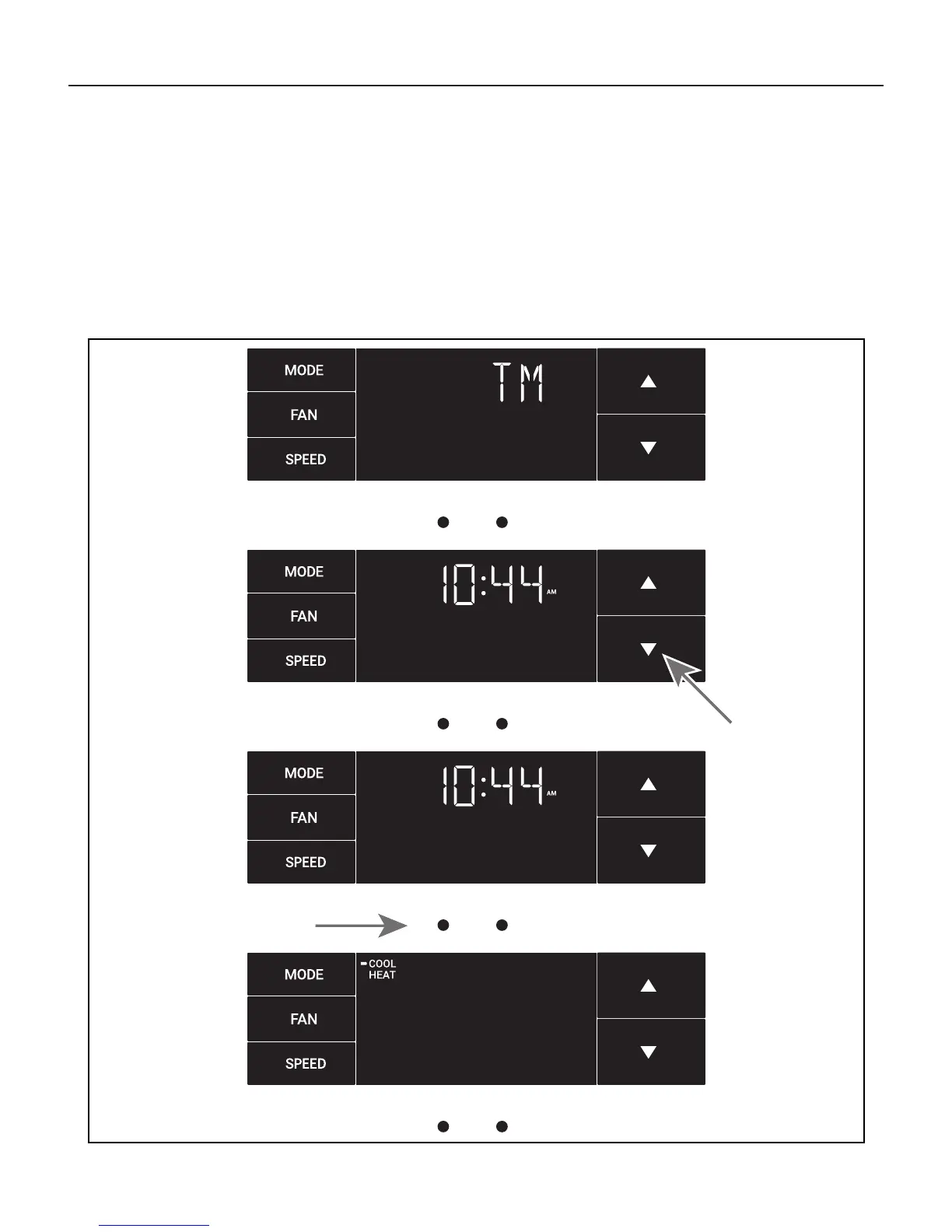
This is the TM menu used to set a timer. See Figure 14.
In the menu, you set the current time using the arrow buttons. See Figure
15. (Note: These two “set clock” steps will be skipped if the unit is already
connected to Wi-Fi.)
First, set the hour.
Figure 14
MENU
Figure 15
MENU
Figure 16
Figure 17
Using the leftmost button, you switch to the minutes and complete setting
the time. See Figure 16.
You select your mode. Either cool, heat, or auto. Toggle these using the
arrow buttons. See Figure 17. (Note: cooling-only models skip this step.)
The process is the same for all three modes. Auto mode will be shown as
the example.



 To Next Page