22
J. STARTUP AND OPERATION
J.3 Control Panel Operation
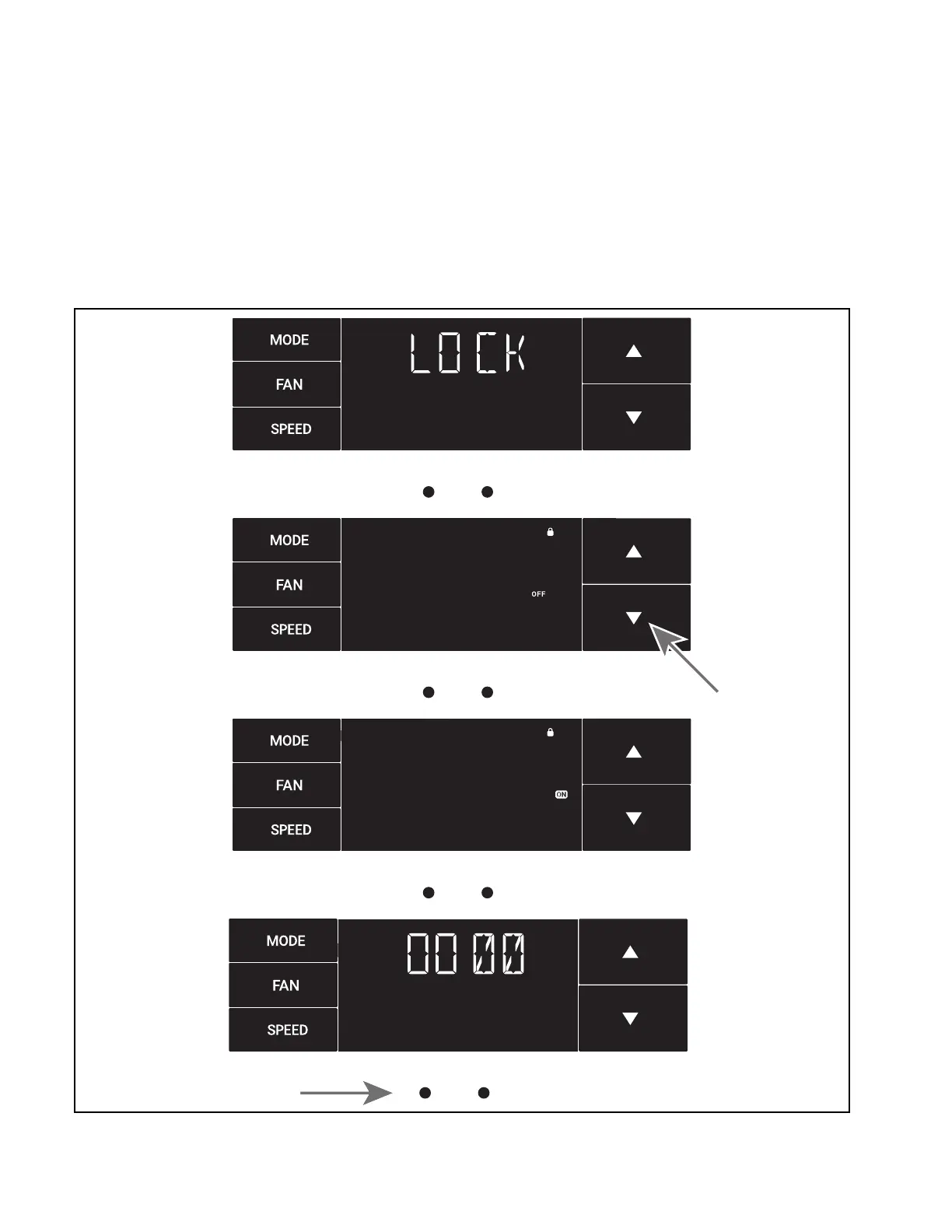
The Lock Menu
This menu is used to lock the changing setting with a password.
This is the Lock Menu. See Figure J.3.26
The default is the off setting. Use the arrows to toggle between off and
on. See Figure J.3.27
Figure
J.3.26
MENU RETURN
Figure
J.3.27
MENU RETURN
Figure
J.3.28
MENU RETURN
Figure
J.3.29
MENU RETURN
This is LOCK on. See Figure J.3.28
Set the rst digit of the password using the arrow buttons. Use the button
to proceed to the next digit. See Figure J.3.29






 To Next Page