28
M. TROUBLESHOOTING
M.1. Troubleshooting Tips
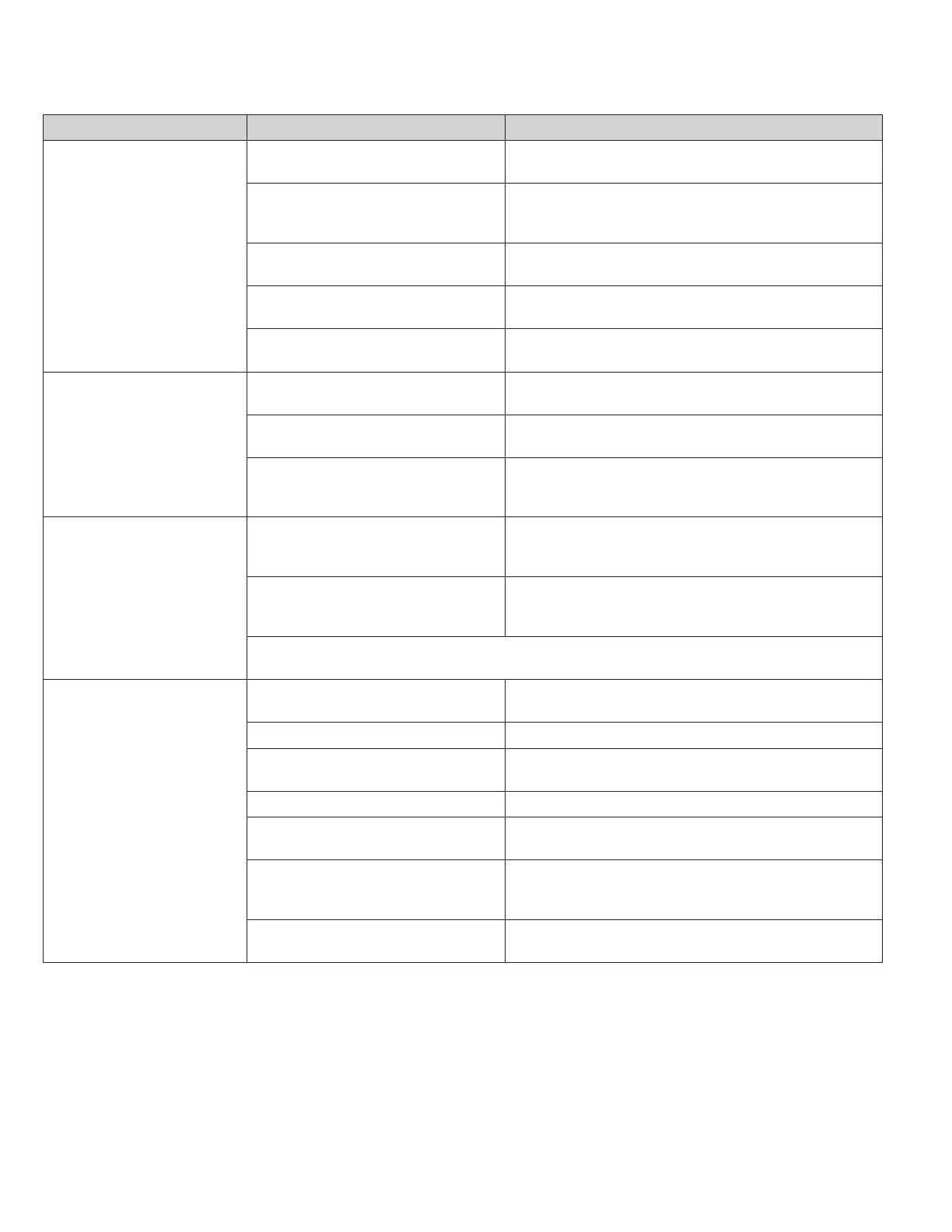
COMPLAINT CAUSE SOLUTION
Unit does not operate.
• The unit is turned to the off position, or the
thermostat is satised.
• Turn the unit to the on position and raise or lower temperature
setting (as appropriate) to call for operation.
• The LCDI power cord is unplugged.
• Plug into a properly grounded 3 prong receptacle. See “Electrical
Rating Tables” on Page 6 for the proper receptacle type for your
unit.
• The LCDI power cord has tripped (Reset
button has popped out).
• Press and release RESET (Listen for click. Reset button latches
and remains in.) to resume operation.
• The circuit breaker has tripped or the
supply circuit fuse has blown.
• Reset the circuit breaker, or replace the fuse as applicable. If
the problem continues, contact a licensed electrician.
• There has been a local power failure.
• The unit will resume normal operation once power has been
restored.
Unit Trips Circuit Breaker or
Blows Fuses.
• Other appliances are being used on the
same circuit.
• The unit requires a dedicated outlet circuit, not shared with other
appliances.
• An extension cord is being used.
• Do NOT use an extension cord with this or any other air condition-
er.
• The circuit breaker or time-delay fuse is
not of the proper rating.
• Replace with a circuit breaker or time-delay fuse of the proper
rating. See Table E.1 for the proper circuit breaker/ fuse rating for
your unit. If the problem continues, contact a licensed electrician.
LCDI Power Cord Trips
(Reset Button Pops Out).
• The LCDI power cord can trip (Reset
button pops out) due to disturbances on
your power supply line.
• Press and release RESET (Listen for click. Reset button latches
and remains in.) to resume normal operation.
• Electrical overload, overheating, or cord
pinching can trip (Reset button pops out)
the LCDI power cord.
• Once the problem has been determined and corrected, press
and release RESET (Listen for click. Reset button latches
and remains in.) to resume normal operation.
NOTE: A damaged power supply cord must be replaced with a new power supply cord obtained from the product manu-
facturer and must not be repaired. The power cord must be replaced by trained service personnel.
Unit Does Not Cool/ Heat Room
Sufciently, or Cycles On And Off
Too Frequently.
• The return/ discharge air grille is blocked.
• Ensure that the return and/ or discharge air paths are not blocked
by curtains, blinds, furniture, etc.
• Windows or doors to the outside are open. • Ensure that all windows and doors are closed.
• The temperature is not set at a cool
enough/ warm enough setting.
• Adjust the Temperature control to a cooler or warmer setting as
necessary.
• The lter is dirty or obstructed. • Clean the lter, (see Routine Maintenance), or remove obstruction.
• The indoor coil or outdoor coil is dirty or
obstructed.
• Clean the coils, (see Routine Maintenance), or remove obstruction.
• There is excessive heat or moisture
(cooking, showers, etc.) in the room.
• Be sure to use exhaust vent fans while cooking or bathing and,
if possible, try not to use heat producing appliances during the
hottest part of the day.
• The temperature of the room you are
trying to cool is extremely hot.
• Allow additional time for the air conditioner to cool off a very hot
room.



 To Next Page