
 Need help?
Do you have a question about the Frigidaire FFRA102WAE and is the answer not in the manual?
Covers warranty periods, Frigidaire's and consumer's duties, and exclusions.
Guide for recording model/serial numbers and registering the product.
Descriptions of expected unit sounds like chatter, gurgling, and pinging.
Crucial warnings about electrical hazards, fire prevention, and safe operation.
Advice on maximizing efficiency and reducing energy usage.
Introduces key features and details the electronic control panel and remote.
Step-by-step guides for essential functions like powering on, temperature adjustment, and fan speed selection.
Explains the functionality of specialized operating modes for various needs.
Details how to use the delay timer and the sleep mode for comfort and convenience.
Covers filter maintenance reminders, air purification, and remote sensing capabilities.
Instructions for powering down the unit and operating the fresh air vent.
Guidance on adjusting louvers, cleaning the air filter, and maintaining the unit's cabinet.
Steps for preparing the air conditioner for storage during winter months.
Common issues and their solutions to prevent unnecessary service calls.
This document serves as a comprehensive "Use & Care Manual" for an Air Conditioner with Variable Speed Electronic Control, providing essential information for its operation, maintenance, and troubleshooting.
The air conditioner is designed to provide cooling and air circulation within a room. Its primary function is to lower the ambient temperature to a desired set point, offering comfort during warm periods. Beyond basic cooling, it incorporates advanced features such as variable speed control for optimized airflow and noise reduction, and an ionic air filtration system for enhanced air quality. The unit can operate in various modes, including "Cool" for active temperature reduction, "Fan Only" for air circulation without cooling, and "Energy Saver" to optimize power consumption. It also includes a "Delay Stop/Start" timer feature, allowing users to program the unit to turn on or off at specific times, and a "Sleep" feature that adjusts the temperature gradually overnight for increased comfort and energy efficiency. The electronic control system, accessible via a touch pad on the unit or a remote control, allows for precise management of temperature, fan speed, and operating modes. The remote control, on some models, includes a "Remote Sensing" feature that measures the temperature at its location, enabling the unit to adjust its operation based on the temperature where the user is, rather than just at the unit itself.
Operating the air conditioner is straightforward, whether using the touch pad or the remote control. To begin, the unit must be plugged into a properly grounded wall receptacle; extension cords or adapter plugs are explicitly prohibited for safety reasons. After plugging in, the unit is turned on by pressing the "On/Off" button. For cooling, the "Mode" button is pressed to select "COOL," and the desired temperature is set using the "TEMP/TIME" up (^) or down (√) buttons. The temperature can be set between 60°F (16°C) and 90°F (32°C).
The variable speed electronic control offers a wide range of fan settings, from 10 to 99, providing granular control over airflow and noise levels. Users can adjust the fan speed using the "FASTER" or "SLOWER" buttons. The "Auto Cool" feature automatically adjusts the fan speed based on the room temperature, starting at high and slowing down as the room cools, and speeding up if the temperature rises quickly. In "Fan Only" mode, the unit circulates air without cooling, and the display shows the actual room temperature instead of a set temperature. This mode is useful for general air circulation or exhausting stale air, and users can select their preferred fan speed.
The "Energy Saver" feature is designed to reduce power consumption. In this mode, the fan continues to run for 3 minutes after the compressor shuts off, then cycles on for 2 minutes at 10-minute intervals until the room temperature exceeds the set temperature, at which point the unit reactivates cooling.
The "Timer" feature allows for delayed start or stop operations. For "Delay Stop," the unit must be on, and for "Delay Start," it must be off. The timer can be set in 0.5-hour increments up to 10 hours, and then in 1-hour increments up to 24 hours. The control counts down the remaining time, and the "Delay Start" mode automatically initiates cooling with maximum fan speed at the previously set temperature.
The "Sleep" feature is activated by pressing the "Sleep" button. In this mode, the selected temperature gradually increases by 2°F after 30 minutes, and then by another 2°F after an additional 30 minutes. This new temperature is maintained for 7 hours before returning to the original set temperature, ensuring comfortable sleep while conserving energy. This mode can be canceled at any time by pressing the "Sleep" button again.
Some models include a "Clean Air" feature, an ionic air filtration system that significantly improves air-cleaning efficiency. This feature is activated by pressing the "Clean Air" button on the unit's touch pad (it cannot be activated via the remote control). When active, an LED light illuminates.
The "Remote Sensing" feature, available on some models, is activated via the remote control. When activated, the remote control measures the temperature at its location and sends signals to the unit. The unit's control light will pulse to confirm signal reception. If the unit does not receive a signal for 3 minutes, it will beep, indicating the mode has ended. In "Fan Only" mode, the remote control's display shows the actual room temperature; in "Cool" mode, it shows the set temperature.
Airflow direction can be adjusted using the air directional louvers, which are of the "Auger Type" on this model. These louvers allow users to direct air up, down, left, or right by rotating the Auger Wheel, ensuring optimal air distribution throughout the room.
Regular maintenance is crucial for the air conditioner's efficient operation and longevity. The manual emphasizes the importance of unplugging the unit before any cleaning or maintenance to prevent electric shock or fire hazards.
Air Filter Cleaning: The air filter should be checked at least once a month, or more frequently if the unit is used heavily. Trapped particles can accumulate on the filter, leading to frost buildup on the cooling coils and reduced efficiency. To clean the filter:
Check Filter Feature: The unit includes a "Check Filter" reminder. An LED light illuminates after 250 hours of operation to prompt users to clean the air filter. After cleaning, pressing the "Check Filter" button resets the timer and turns off the light.
Cabinet Cleaning: The exterior cabinet and front panel can be dusted with an oil-free cloth or wiped with a cloth dampened in a solution of warm water and mild liquid dishwashing detergent. Harsh cleaners, wax, or polish should not be used on the cabinet front. Care must be taken to wring excess water from the cloth before wiping around the controls to prevent damage to the air conditioner's electronic components. After cleaning, the unit can be plugged back in.
Fresh Air Vent Control (on some models): The Fresh Air Vent allows for three settings:
Winter Storage: If the air conditioner is to be stored during winter, it should be carefully removed from the window according to the installation instructions and covered with plastic or returned to its original carton. It is important to store the air conditioner in an upright position and a dry place to prevent rust or damage to electrical connections. A winter cover can be purchased from a dealer for units left in place through the winter.
Troubleshooting (Avoid Service Checklist): The manual includes a comprehensive checklist to help users diagnose and resolve common issues before calling for service. This section addresses problems such as the unit not operating, insufficient cooling, ice formation on the coil, rapid cycling, unusual noise, and water dripping. Solutions range from checking power connections and circuit breakers to cleaning filters, adjusting temperature settings, and ensuring proper installation and airflow. For instance, if the unit is not operating, users should check if the wall plug is firmly connected, if a fuse is blown, or if the control is set to "OFF." If the air doesn't feel cold enough, solutions include checking the room temperature, ensuring the temperature sensing element is not touching the cold coil, resetting to a lower temperature, or waiting for the compressor to restart after a mode change. Ice formation on the coil typically indicates a dirty air filter or a temperature set too low, suggesting cleaning the filter or setting the unit to "FAN ONLY" mode to defrost. Noise issues might be normal air movement sounds or vibrations due to poor installation. Water dripping inside or outside the unit usually points to improper installation, requiring the unit to be tilted slightly to the outside for proper drainage. Remote sensing deactivation issues are often resolved by ensuring the remote control is within range and not obstructed. If the room is too cold, the set temperature should be increased, or the remote sensing feature (if active) should be relocated from a "hot spot."
 General
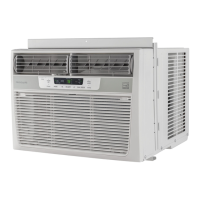
| Type | window |
|---|---|
| Color | white |
| Operating Area Size | 450 square feet |
| Cooling Capacity | 10000 british thermal units |
| Cooling Settings | 3 |
| Heater | no |
| Fan Airflow Rate | 285 cubic feet per minute |
| Remote Control | no |
| Timer | yes |
| Sleeping Mode | yes |
| Current | 9.4 amperes |


 To Next Page