SLEEP mode(Only for > 12000 Btu's)
Pressthe sleep button to activate the
sleep mode. To deactivate, press the
button again.
In cooling mode:
• The fan speed will be automatically
controlled
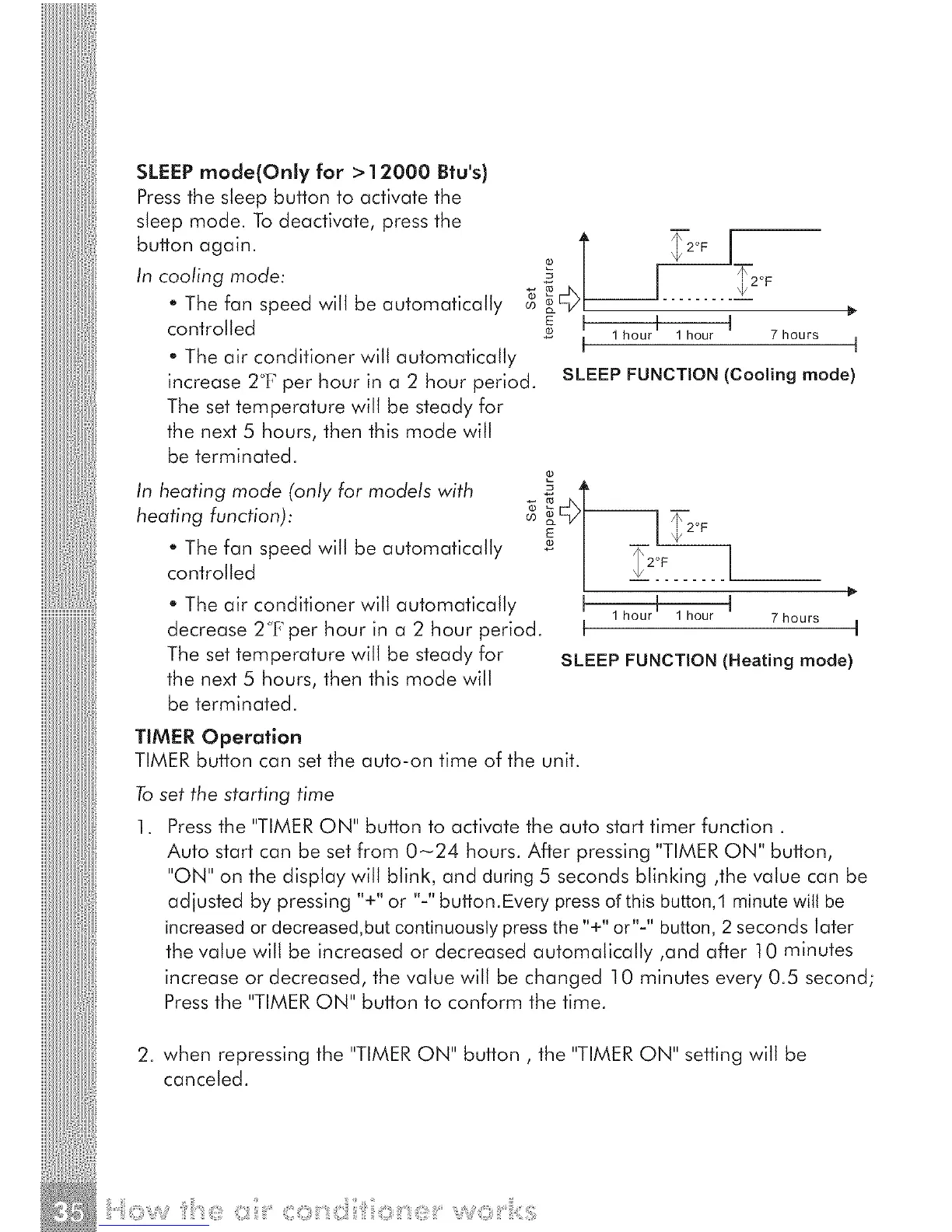
• The air conditioner will automatically
increase 2°['_per hour in a 2 hour period.
The set temperature will be steady for
the next 5 hours, then this mode will
be terminated.
In heating mode (only for models with
heating function):
• The fan speed will be automatically
controlled
• The air conditioner will automatically
decrease 2°F per hour in a 2 hour period.
The set temperature will be steady for
the next 5 hours, then this mode will
be terminated.
E I I I
1 hour 1 hour 7 hours
I I
SLEEP FUNCTION (Cooling mode)
_- I I i2°F
I 1houri 1hour I 7hours
I I
SLEEP FUNCTION (Heating mode)
TIMER Operation
TIMER button can set the auto-on time of the unit.
To
1.
set the starting time
Pressthe "TIMER ON" button to activate the auto start timer function.
Auto start can be set from 0-24 hours. After pressing "TIMER ON" button,
"ON" on the display will blink, and during 5 seconds blinking ,the value can be
adjusted by pressing "+" or "-" button.Every press of this button,1 minute will be
increased or decreased,but continuously press the"+" or"-" button, 2 seconds later
the value will be increased or decreased automatically ,and after 10 minutes
increase or decreased, the value will be changed 10 minutes every 0.5 second;
Pressthe "TIMERON" button to conform the time.
2. when repressing the "TIMERON" button, the "TIMER ON" setting will be
canceled.
v c7 'o c:7, o :



 To Next Page