How to use the indoor unit
Adjusting air flow direction
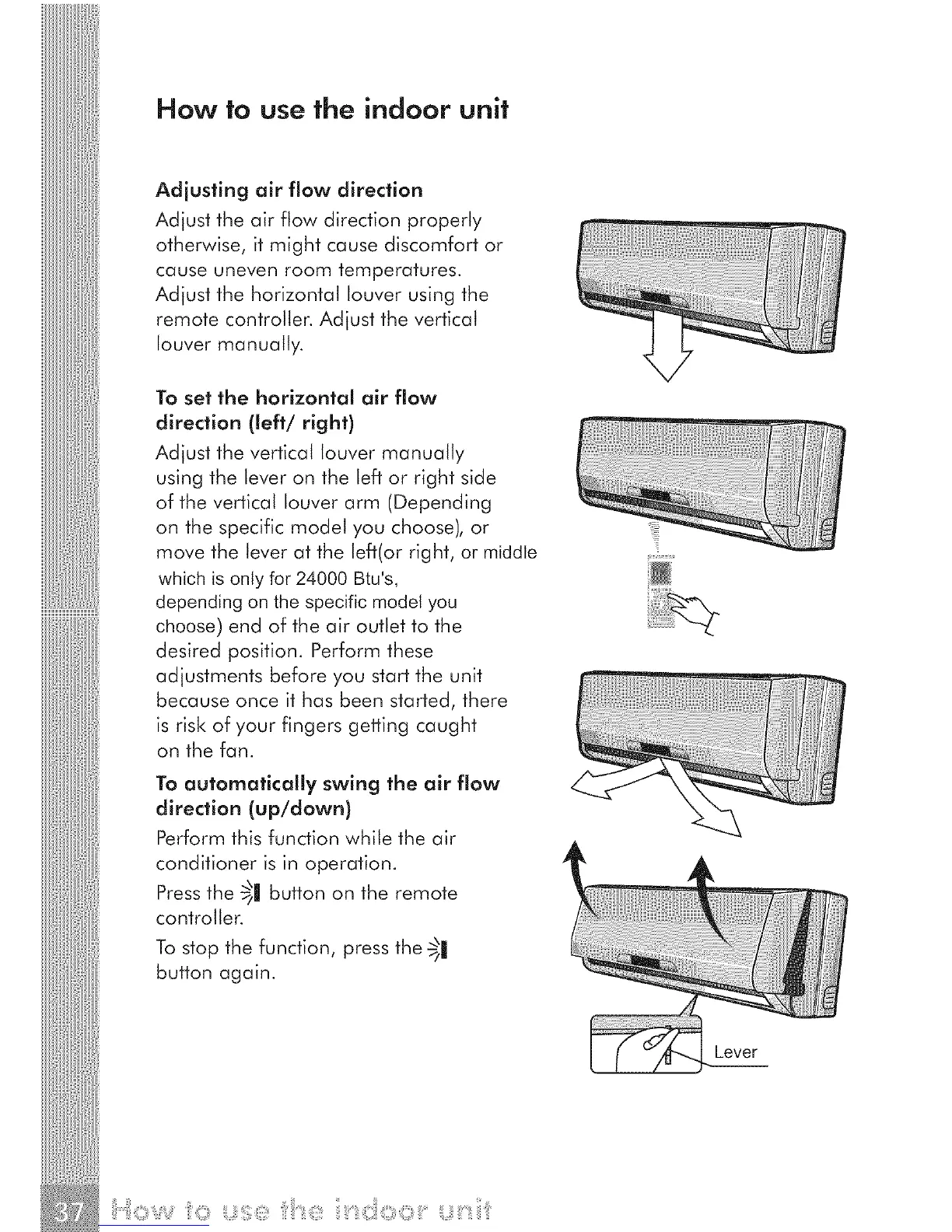
Adjust the air flow direction properly
otherwise, it might cause discomfort or
cause uneven room temperatures.
Adjust the horizontal louver using the
remote controller. Adjust the vertical
louver manually.
To set the horizontal air flow
direction (left/right)
Adjust the vertical louver manually
using the lever on the left or right side
of the vertical louver arm (Depending
on the specific model you choose), or
move the lever at the left(or right, or middle
which isonly for 24000 Btu's,
dependin9 on the specific modelyou
choose) end of the air outlet to the
desired position. Perform these
adjustments before you start the unit
because once it has been started, there
is risk of your fingers getting caught
on the fan.
To automatically swing the air flow
direction (up/down)
Perform this function while the air
conditioner is in operation.
Pressthe 5| button on the remote
controller.
To stop the function, press the _1
button again.
Lever



 To Next Page