Programming/Save mode
V-09 - 03/2017 - PM/Stme - English - © FRIMA
39 / 59
With Programming/Save mode you can create your own cooking programs. You can copy the
cooking processes from VarioCooking Control
®
mode to suit your individual needs, modify
them and save them under a new name, or create your own manual programs with up to
12 steps.
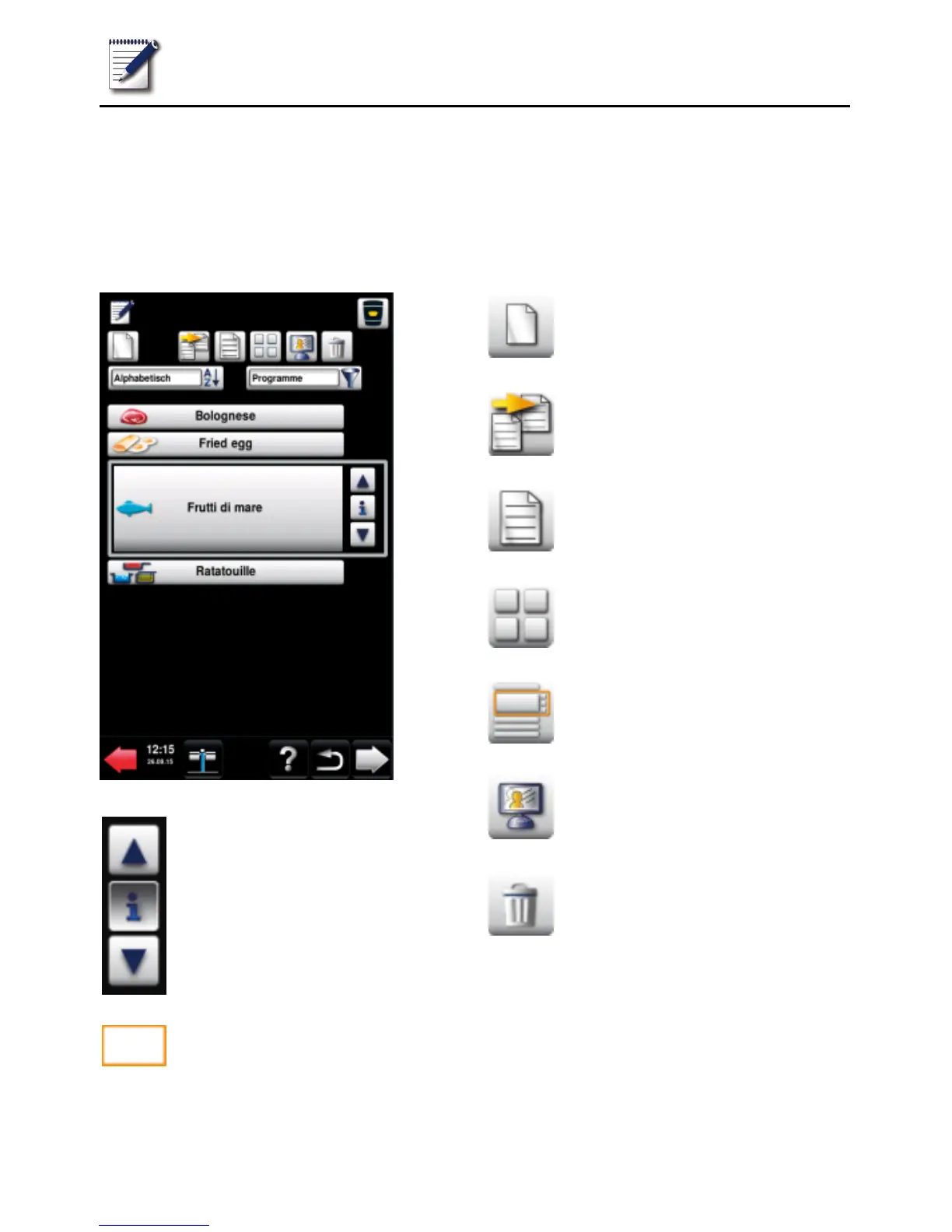
Buttons in Programming/Save mode
Press the arrow buttons or
turn the central dial to select a
program.
Program selection window
New program
Copy program
Change program
Image view
List view
MyDisplay (see MyVCC -
MyDisplay section)
Delete program



 To Next Page