4 USER’S INSTRUCTIONS
M-7.3-16 Rev. 05 09/03/15 BLOOD BANK REFRIGERATORS AND PLASMA FREEZER 24
Use and maintenance manual
HOW TO INSTALL A NEW BATTERY
1. Open the cover with the key (Fig. 6)
2. Lift up the pen (Fig. 9)
3. Lift up the chart disc (Fig. 10)
4. Remove the alkaline battery 1,5 V LR03 and put another new one taking care of polarity
(Fig. 11)
5. Lower the pen
6. Close the cover with key
Fig. 11
PEN ARM CALIBRATION
1. We suggest to check recorder's calibration every 6 months
2. If there is a difference greater than +/- 2% between the digital display and chart recorder,
proceed as follows:
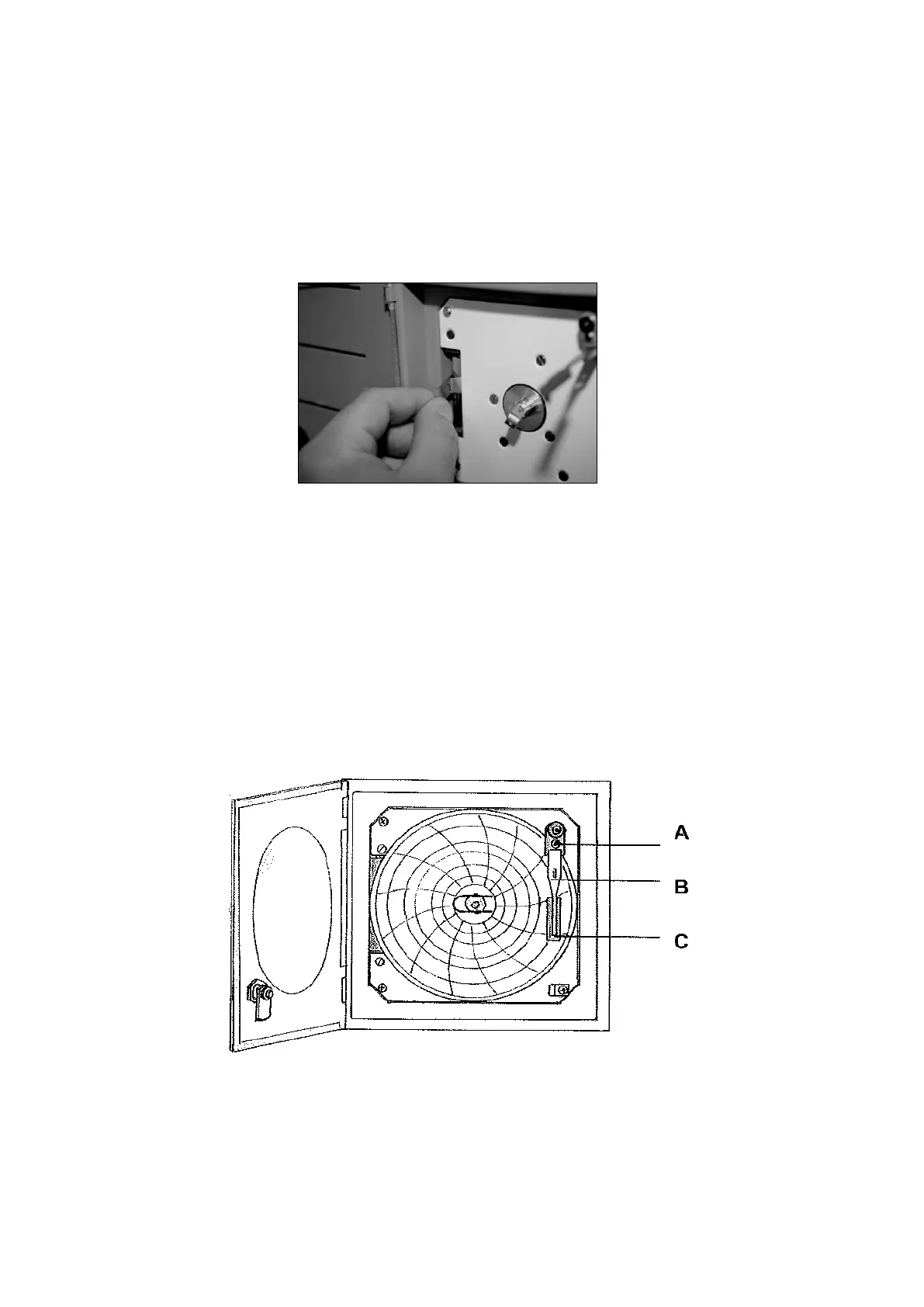
3. Take gently the arm (B) of the pen
4. With a small screwdriver calibrate the regulation screw (A) until the fibre pen comes to the
correct temperature.
Fig. 12



 To Next Page