Coupler Measurements 37
altered since the analyzer was last leveled, invalidating the leveling. When in doubt, level the sound
chamber again.
3.2.1 Leveling without the reference microphone (standard)
The leveling process described here is adequate for most testing situations. If you have the Probe
Option, you can also level the sound chamber using the reference (probe) microphone. That meth
-
od is described in Section 3.2.2.
1. Look in the Coupler Status Box. Make sure it says “REFERENCE MIC OFF.” If the reference
microphone is ON, turn it off in the General Setup Menu.
2. Open the sound chamber.
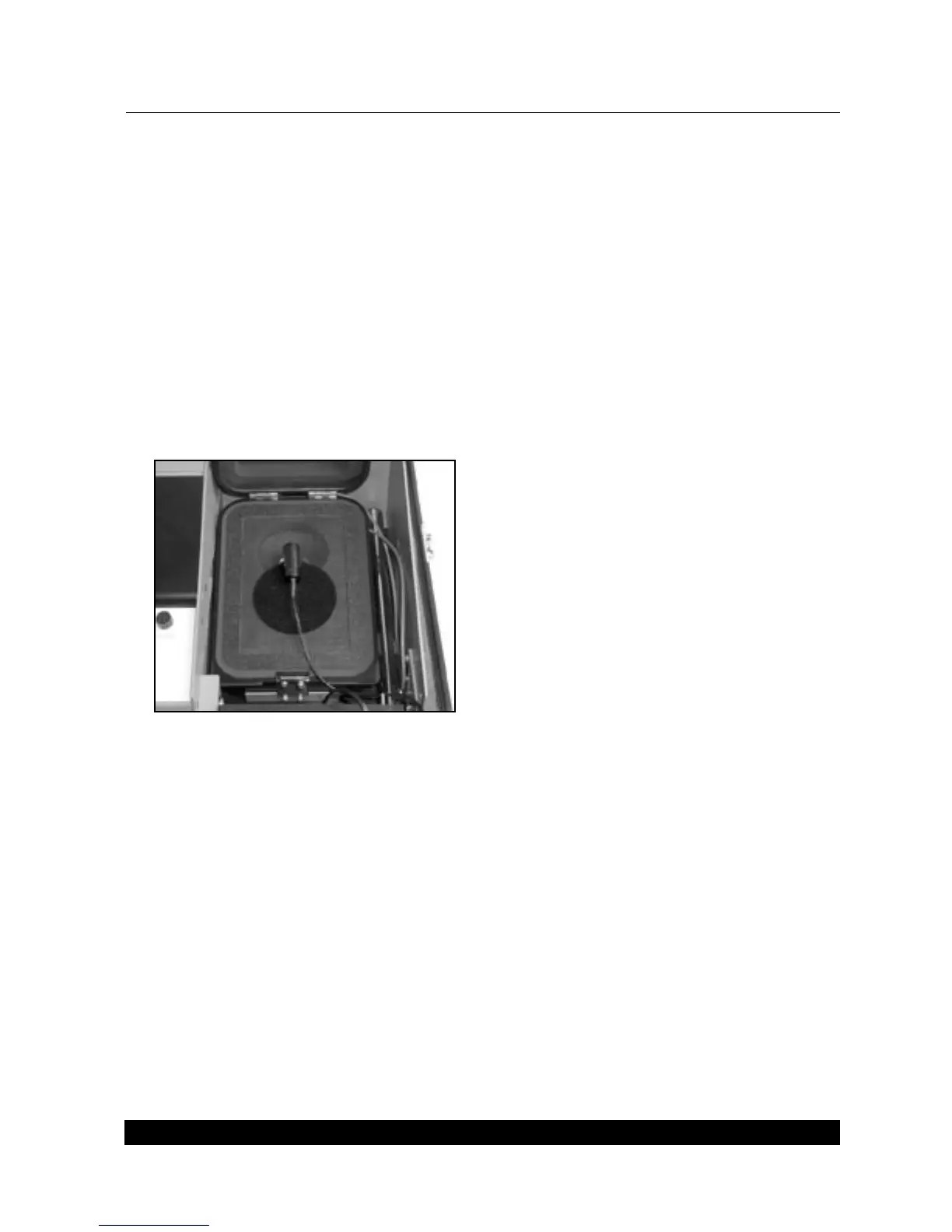
3. Place the measurement microphone at the center of the speaker cone in the sound chamber.
See Figure 3.2.1.
Figure 3.2.1—Leveling without the reference microphone.
4. Close the chamber lid.
5. Press LEVEL.
6. Press START/STOP.
To save the leveling information so it will be used the next time you turn on the analyzer, go to
Section 3.2.3.
3.2.2 Leveling with the reference microphone
If your unit has the Probe Option, you can use the probe microphone as a reference microphone in
leveling. This method is more exact than the leveling method described in Section 3.2.1, but you
must level the chamber every time you change the hearing aid.



 To Next Page