© 2015 Flanders Scientic, Inc.
24
Return to Table of Contents
System Menu
Main Menu System
Function DVI Selection DVI-D
Scopes & Audio Meters DVI Pixel Format Full RGB
Video Component Input COMPONENT
Audio Component Pixel Format YPbPr
Marker 3G Level B Stream 1
System SDI Hue Adjustment Off
Alarm Luminance 35
OSD Luminance Interval On
GPI LED Light On
Display Alignment UDisk Mode On
System Status DHCP On
Support Load Prole Default
Save Prole Prole 1
DVI Selection / DVI Pixel Format
FSI Monitors are equipped with a DVI-I Input, which supports both DVI Digital and DVI Analog sources. To select between
DVI-D (Digital) and DVI-A (Analog) simply toggle this control accordingly. Use DVI Pixel Format to select between Full RGB
(0-255), Limited RGB (16-235), or YCbCr modes.
Component Input / Component Pixel Format
Use Component Pixel Format to toggle the Analog Component Video Inputs between YPbPr or RGB mode on all models.
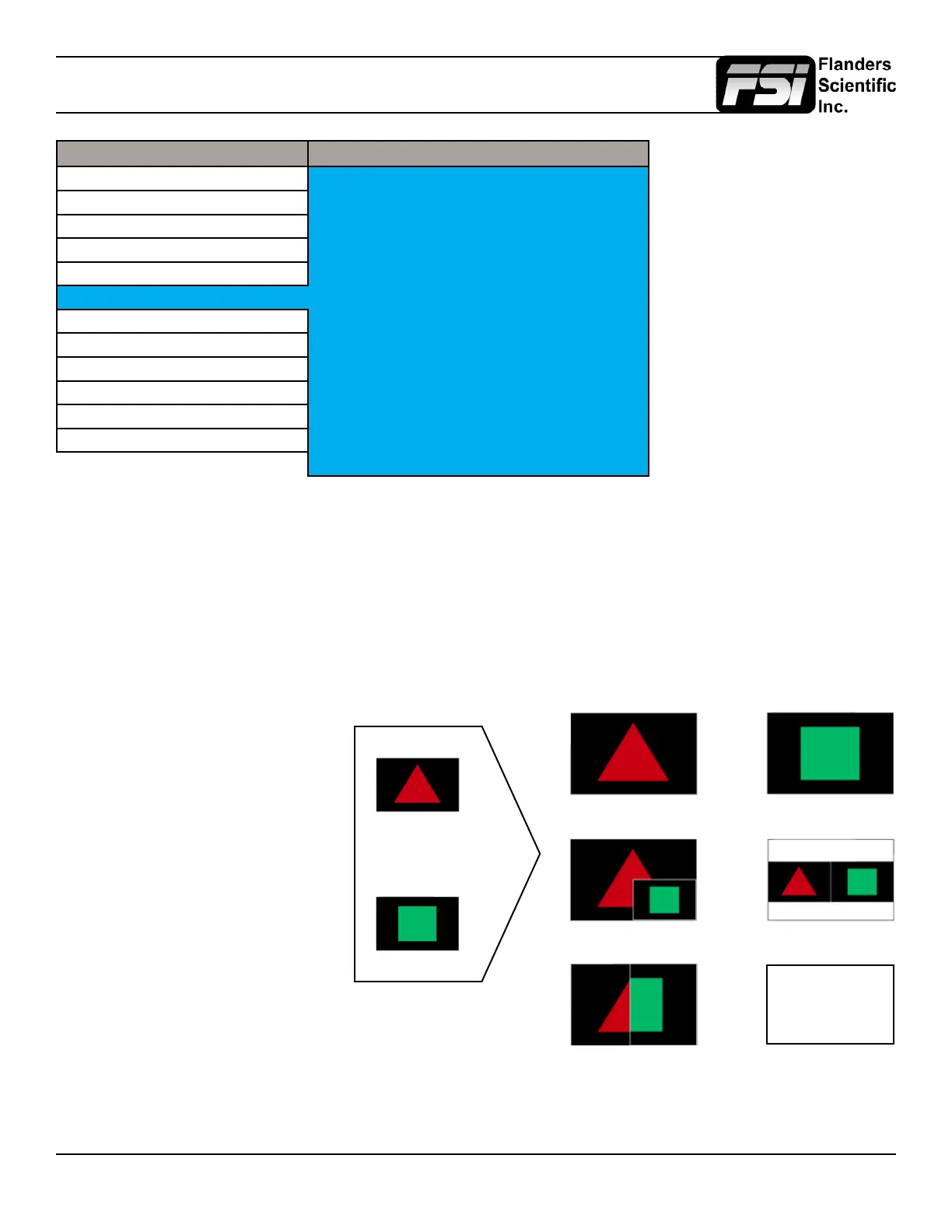
3G Level B
3Gbps SDI (Level B)
Split Screen (Vert or Horiz)
Picture in Picture Picture by Picture
Link B Full ScreenLink A Full Screen
Link A
Link B
Overlay Mode (4:4:4 or 1080p50/60)
4:4:4 SMPTE 425M-B
= 4:2:2 Link A +
0:2:2 Link B
When monitoring a 3Gbps SDI Level B
signal (monitor must be equipped with
3Gbps SDI Inputs) comprised of two
distinct 1.5Gbps HD-SDI signals that
have been muxed together you can
use this 3G Level B selection to select
different monitoring options including:
Stream 1, Stream 2, PAP, PIP, POP,
Vertical Split, Horizontal Split, Overlay
Mode. Please note that Level B 3Gbps
SDI requires that both 1.5Gbps signals
share the same frame rate and resolution
and that Link A and Link B are genlocked.


 To Next Page