FT500 SFI / FT500LITE SFI
14
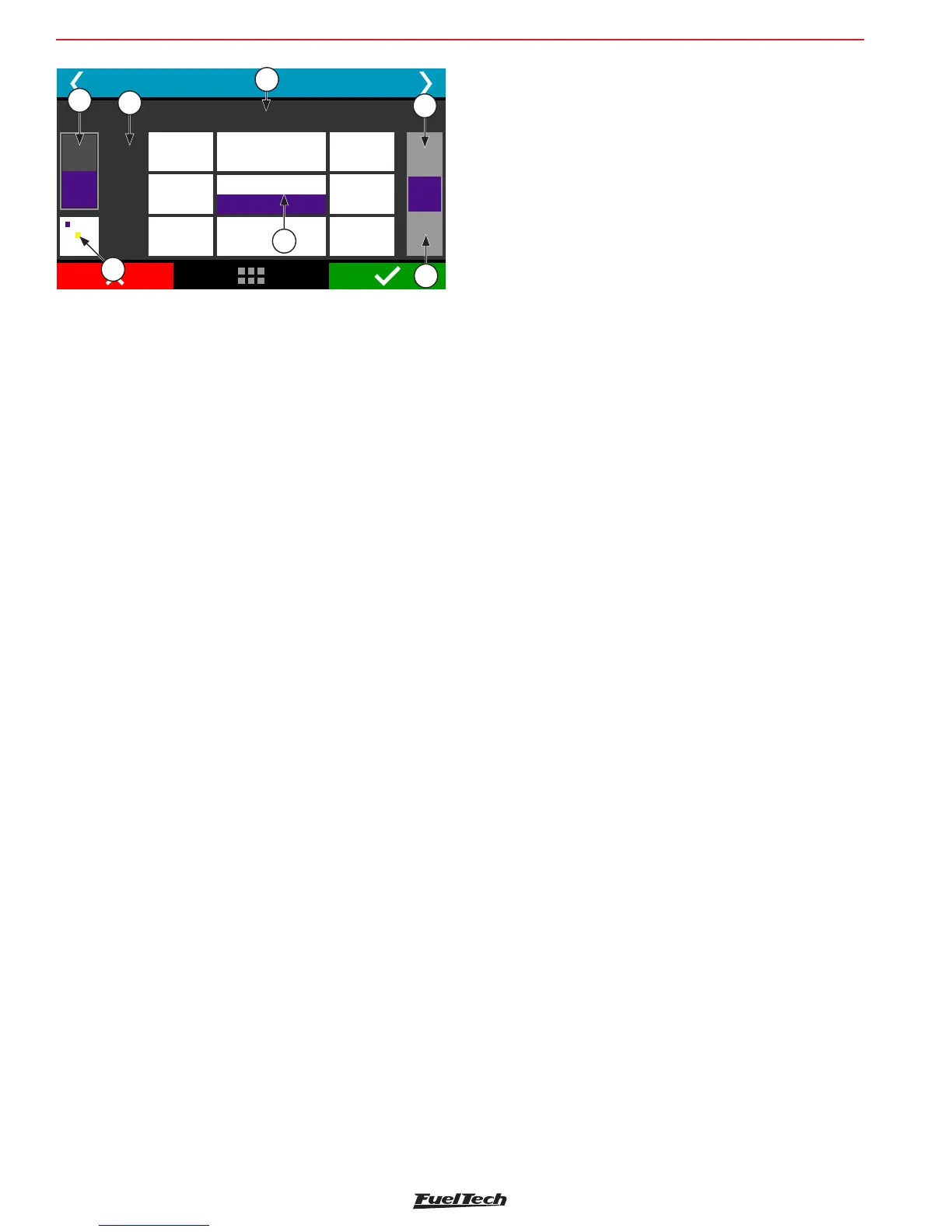
Main Fuel Injection Table
3500
RPM
4000
1,00
ms
+
-
B
A
3,220 4,052
3,943
0,80
bar
3,140 (20%)
15,980 (106%)
3,080 3,8602,300
2,338
2,388
3000
0,60
6.2 FTManager shortcuts
• F1 – Show and hide help panel;
• F2 - Show and hide quick access panel;
• F3 – Show and hide graph;
• F4 – Show and hide real time (FTManager real time dashboard);
• F5 – display main table and hide every other function;
• F6 – change the main fuel table measurement unit: miliseconds
(ms), volumetric efficiency (%VE), duty cycle (%DC), fuel flow
(lb/hr or customized unit)
• F7, F8, F9, F12 – no shortcut;
• F10 – datalog overlay - vertical split screen
• F11 – datalog overlay - horizontal split screen
• (Ctrl) + (C) – copy;
• (Ctrl) + (V) – paste;
• (Ctrl) + (+) – fast value increment. Increases 0,100ms in the
fuel table. On VE and DC the change is related to miliseconds;
• (Ctrl) + (-) – slow value decrement. Decreases 0,100ms in the
fuel table. On VE and DC the change is related to miliseconds
• (+) – increment in 0,010ms steps. On VE and DC the change is
related to miliseconds
(-) – decrement in 0,010ms steps. On VE and DC the change is
related to miliseconds
• (Shift) + (+) – slow value increment in 0,001ms steps. On VE
and DC the change is related to miliseconds
Getting to know the ECU
1
6
5
4
4
3
2
• (Shift) + (-) – slow value decrement in 0,001ms steps. On VE
and DC the change is related to miliseconds
• (A) – sum;
• (M) – multiply;
• (Space bar) – pops up a box to fill a value;
• (I) – interpolate the selected cells;
• (V) – interpolate vertically the selected cells;
• (H) – interpolate horizatally the selected values;
• (S) – site function. Moves the cursor to actual engine position;
• (Home) – moves the cursor to the leftmost cell;
• (End) – moves the cursor to the rightmost cell;
• (Page Up) – moves the cursor to the topmost cell;
• (Page Down) – moves the cursor to the bottomost;
6.3 Warning sounds in FT500LITE
The FT500LITE has several warning sounds that indicate error
conditions, safety alerts or gear shifting rpm. Check out the meaning
of these alerts:
Short duration alert at short intervals (40 ms with sound,
10 ms without sound)
• Shift alert: the alert turns on at a programmed rpm.
Average duration alert at short intervals (400 ms with
sound, 100 ms without sound)
This warning refers to any safety configuration inserted in the Alerts
Settings menu
It can refer to:
• Over rev
• Injector duty cycle
• Overboost
• High oil pressure
• Low oil pressure
• Minimum oil pressure @ RPM
• High engine temperature
• Low fuel pressure
• Base fuel pressure
The alert will only sound if the function is enabled at the Alert Settings
menu.


 To Next Page