Fax/Internet Fax Options
261
Fax
4
Cover Page (Transmitting Documents With a Cover Page)
This feature allows you to attach a cover page to the document.
The cover page includes the recipient name, comment, sender name, machine fax number,
number of pages, and date and time of transmission.
z
You can specify whether to attach a cover page for each address number. For information on how to register address numbers,
refer to "Tools" > "Setup" > "Add Address Book Entry" in the Administrator Guide.
z
This feature is not available for the Server Fax service.
z
When [Transmission Header Text] is set, the header information is not printed on the cover page.
z
You cannot use the Cover Page feature for Broadcast transmission using the numeric keypad. To use this
feature for Broadcast transmission, register recipients to address numbers.
z
The size and resolution of the cover page is based on the first page of the document.
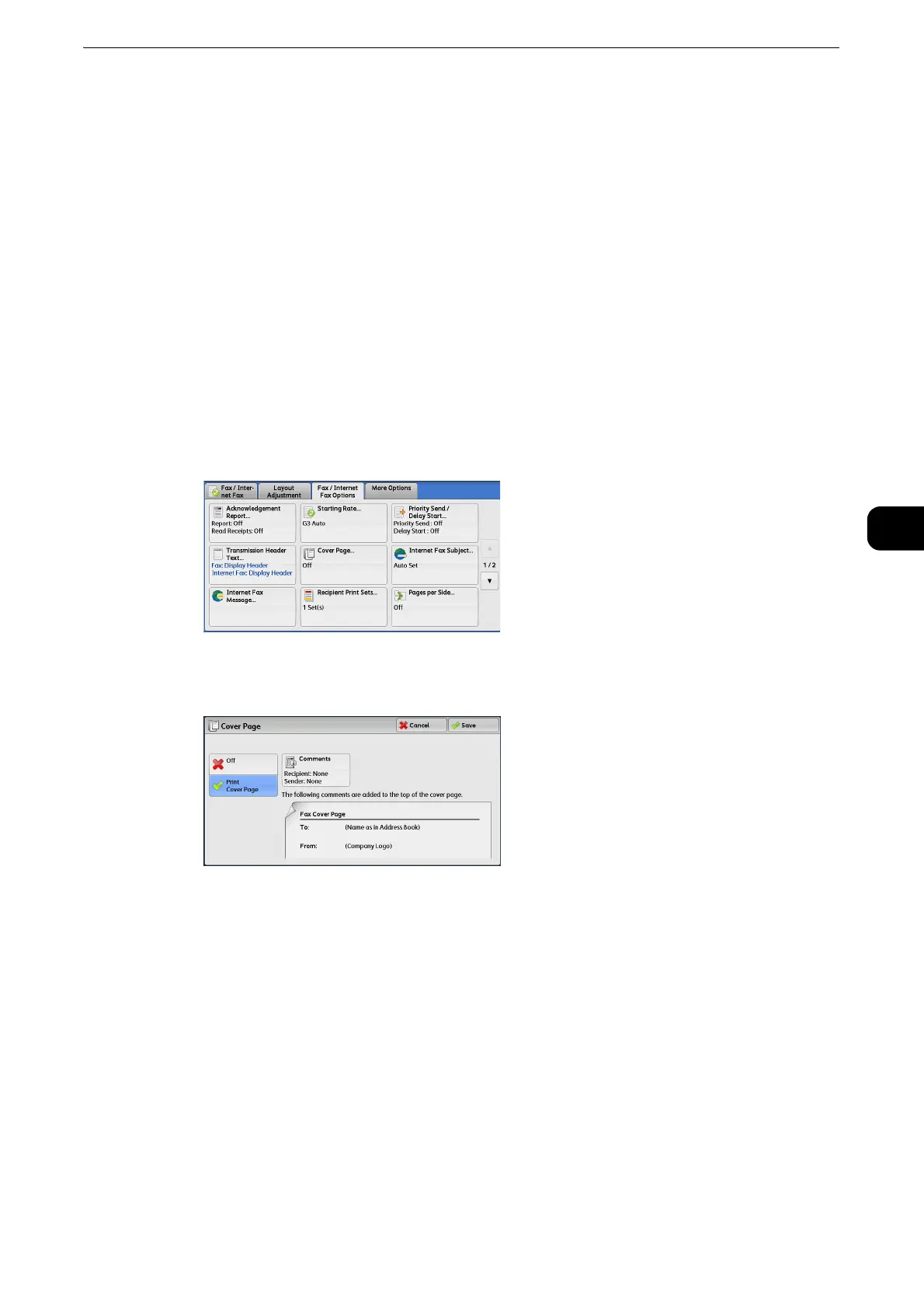
1 Select [Cover Page].
2 Select [Print Cover Page].
Off
No cover page is attached.
Print Cover Page
A cover page is attached.
Comments
Displays the [Cover Page - Comments] screen.
z
Refer to "[Cover Page - Comments] Screen" (P.261).
[Cover Page - Comments] Screen
This screen allows you to select comments to be added to the recipient and sender fields.



 To Next Page
 Loading...