EasyManua.ls Logo

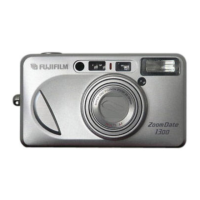
FujiFilm 120 - User Manual

FujiFilm 120
49 pages
Print Icon
To Next Page IconTo Next Page
Loading...
OWNER
,
S MANUAL
ENGLISH

Questions and Answers

  • M
    mcoxAug 12, 2025
    How to fix blurry pictures on my FujiFilm Digital Camera?
    • B
      Brian HendersonAug 12, 2025
      If your FujiFilm Digital Camera pictures are not sharp, there could be several reasons. First, ensure your fingers aren't covering the AF windows during shooting. Second, confirm you're aiming at the subject properly, using the AF frame or AF Lock. Third, check if the lens is dirty and clean it if necessary. Fourth, stabilize the camera and gently press the shutter release button, or use a tripod for slow shutter speeds. Finally, avoid using specific modes when shooting at close distances; select another mode instead.
  • J
    jon08Aug 16, 2025
    Why are my FujiFilm 120 Digital Camera pictures too dark?
    • J
      Justin MillerAug 16, 2025
      If your FujiFilm Digital Camera pictures are too dark, several factors could be the cause. Ensure the subject is within the specified coverage distance for flash photography in dark environments. Also, make sure your finger isn't covering the flash. If the subject is backlit, for example, next to a window, use the back light compensation flash mode when taking the picture.
  • M
    melinda68Aug 20, 2025
    What to do if the shutter release won’t trip on FujiFilm 120 Digital Camera?
    • R
      richard46Aug 20, 2025
      If the shutter release on your FujiFilm Digital Camera won’t trip, it could be due to a few reasons. First, if the “ ” symbol is blinking, replace the battery. Second, ensure the power switch is turned on by pressing the POWER button. Third, if “ ” is lit on the exposure counter, remove the film and load an unexposed roll.
  • J
    jessicaberryAug 25, 2025
    What to do if the exposure counter doesn't advance on my FujiFilm 120?
    • A
      Angela MooreAug 25, 2025
      If the exposure counter on your FujiFilm Digital Camera does not advance after loading film, it is likely that the film was not loaded correctly. Make sure to load the film correctly.
  • K
    Kevin SmithAug 27, 2025
    Why is the date not printing on my FujiFilm Digital Camera photos?
    • H
      Harold ClarkAug 27, 2025
      If the date isn't printing on the front of your FujiFilm Digital Camera pictures, it could be for a couple of reasons. First, check if “- - - - - -” was selected before taking pictures; if so, select a different date mode. Second, if there's something light-colored (white, yellow, orange) where the date appears, try to arrange the scene so there isn't.
  • K
    Kevin DavisAug 31, 2025
    Why is the exposure counter blinking on my FujiFilm 120 Digital Camera?
    • A
      Amanda WilkinsonAug 31, 2025
      If the numerals on the exposure counter of your FujiFilm Digital Camera are blinking, it might be because you removed the film without rewinding it after you began photographing. To resolve this, remove the battery momentarily, and then reload it.
  • J
    Joseph MurraySep 4, 2025
    Why can't I set the self-timer on my FujiFilm 120?
    • M
      Megan RoweSep 4, 2025
      If the self-timer cannot be set on your FujiFilm Digital Camera, it's possible that the date correction mode is currently active. Cancel the date correction mode to enable the self-timer.
  • S
    Sandra HowellSep 8, 2025
    Why did the film rewind during photographing on my FujiFilm 120 Digital Camera?
    • H
      Hector BarronSep 8, 2025
      If the film rewound during photographing with your FujiFilm Digital Camera, it's likely because you moved the camera back lock during photographing or prewinding. To prevent this, be sure not to move the camera back lock while film is loaded in the camera.

Summary

Camera Components

Part Identification

Identifies and labels the external parts of the camera models.

Liquid Crystal Display

Explains the various symbols and indicators on the camera's LCD screen.

Preliminary Steps

Attaching the Strap

Instructions on how to securely attach the camera strap.

Loading the Battery

Step-by-step guide for inserting the battery into the camera.

Turning On Your Camera

Procedure for powering the camera on and off.

Checking Your Battery

How to check the battery level using the LCD indicator.

Setting the Date

Guide to setting the camera's date and time for imprinting.

Selecting the Date Mode

Options for choosing how the date/time is displayed on photos.

Using Your Camera

Loading the Camera

Instructions on how to load 35mm film into the camera.

Using Your Finder

Explanation of the viewfinder components and their functions.

General Camera Usage

Basic steps and tips for operating the camera.

Using the Auto-Focus Lock

How to lock focus on a subject for accurate shots.

Unloading the Film or Removing Film in Mid-Roll

Procedures for rewinding and removing film.

Advanced Techniques

Selecting the Exposure Mode

Overview of the six available exposure modes for different shooting situations.

Using the Self-Timer

Instructions on how to use the self-timer for group shots or delayed activation.

Trouble Shooting

During Operation

Solutions for common operational problems encountered with the camera.

Printed Pictures

Troubleshooting tips for issues related to photo output and date display.

Common Sense Camera Care

ZOOM DATE120 Specifications

ZOOM DATE100 Specifications

ZOOM DATE90 Specifications

FujiFilm 120 Specifications

General IconGeneral
BrandFujiFilm
Model120
CategoryDigital Camera
LanguageEnglish

Related product manuals