EasyManua.ls Logo

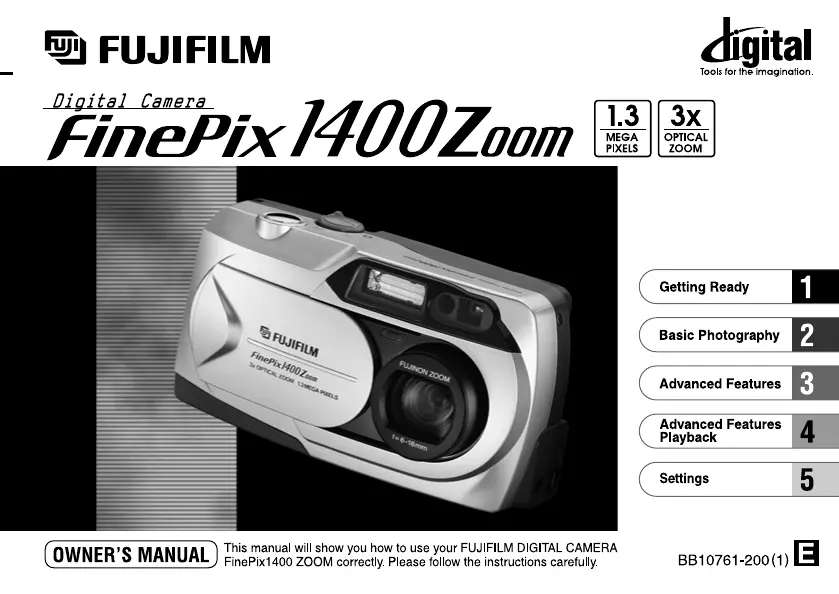
FujiFilm 1400 - User Manual

FujiFilm 1400
45 pages
Print Icon
To Next Page IconTo Next Page
Loading...

Table of Contents

Questions and Answers

  • K
    Kevin CohenAug 15, 2025
    Why my FujiFilm 1400 Digital Camera has no power?
    • J
      Joseph WalkerAug 16, 2025
      If your FujiFilm Digital Camera has no power, it could be due to the following reasons: * The battery may be exhausted, so load a new battery. * The AC power adapter plug may have come out of the power outlet, so plug the adapter back in.
  • P
    Patricia LongAug 18, 2025
    What to do if my FujiFilm 1400 Digital Camera doesn't take a photo when I press the shutter button?
    • B
      Brian ChristianAug 19, 2025
      If your FujiFilm Digital Camera is not taking pictures when you press the shutter button, there might be several reasons: * The lens cover might be on, so remove it. * A SmartMedia card might not be loaded, so load one. * The SmartMedia card might be full, so erase some images or use a card with free space. * The SmartMedia card might be write-protected, so remove the write-protection. * The SmartMedia card might not be formatted, so format it. * The SmartMedia contact area might be dirty, so wipe it with a clean, dry cloth. * The SmartMedia card might be damaged, so load a new one. * The camera might have switched off with the Auto Power Off function, so switch it back on. * The battery might be exhausted, so load new batteries.
  • J
    Jay OwenAug 21, 2025
    Why does the battery run out quickly on my FujiFilm 1400 Digital Camera?
    • L
      Laura ScottAug 21, 2025
      If the battery in your FujiFilm Digital Camera runs out quickly, it could be due to several reasons: * You might be using the camera in extremely cold conditions, so put the battery in your pocket or another warm place to heat it and then load it into the camera just before you take a picture. * The terminals might be soiled, so wipe the battery terminals with a clean, dry cloth. * The batteries might be flat, so load a new battery.
  • P
    Paul GuzmanAug 25, 2025
    Why does my FujiFilm 1400 power cut out during operation?
    • S
      Sharon GreenAug 25, 2025
      If your FujiFilm Digital Camera's power cuts out during operation, the battery is likely exhausted. In this case, you should load new batteries.
  • Z
    Zachary WeissAug 27, 2025
    How to fix blurred images on FujiFilm 1400 Digital Camera?
    • B
      Bruce GomezAug 27, 2025
      If your FujiFilm Digital Camera is producing blurred images, it could be due to: * A soiled lens, so clean the lens. * Using macro photography to photograph scenery, so cancel macro photography.
  • M
    Melissa RobinsonAug 30, 2025
    Why is the playback image too dark on my FujiFilm Digital Camera even though I used the flash?
    • K
      Kathy QuinnAug 31, 2025
      If the playback image on your FujiFilm Digital Camera is too dark even when using the flash, consider these possibilities: * The subject might be too far away, so move closer to the subject. * Your finger might be covering the flash, so hold the camera correctly.
  • M
    Miss Lisa BaileySep 2, 2025
    Why the flash will not charge on my FujiFilm 1400?
    • T
      Timothy EdwardsSep 2, 2025
      If the flash on your FujiFilm Digital Camera will not charge, there are a few potential causes: * An incompatible SmartMedia card might be loaded, so load a compatible SmartMedia card, erase a frame, or remove the write-protection. * The camera might be set to Suppressed Flash mode, so set the flash mode to Auto, Red-eye Reduction, Forced Flash, or Night Scene. * The battery might be exhausted, so load new batteries.
  • J
    jessica83Sep 5, 2025
    Why I cannot format the SmartMedia on my FujiFilm Digital Camera?
    • J
      Jacob AdkinsSep 5, 2025
      If you cannot format the SmartMedia in your FujiFilm Digital Camera, it is likely because the SmartMedia is write-protected. Remove the write-protection to format the card. (Peel off the write-protect sticker.)
  • T
    Tara BurtonSep 8, 2025
    What to do if nothing happens when I use the camera buttons and switches on my FujiFilm 1400 Digital Camera?
    • N
      Natasha OrtegaSep 8, 2025
      If nothing happens when you use the buttons and switches on your FujiFilm Digital Camera, it could be due to: * Camera malfunction, so remove and re-insert the battery. * The Mode Switch has been moved to another setting, so move the Mode Switch to the correct setting. * The battery is exhausted, so load new batteries.
  • J
    Jonathan MunozSep 12, 2025
    Why I cannot erase all the frames on my FujiFilm Digital Camera?
    • D
      Denise StanleySep 12, 2025
      If you cannot erase all the frames on your FujiFilm Digital Camera, it means that the frame is protected. Remove the frame protection to erase it.

Summary

Camera Nomenclature and Controls

Camera Body Components

Identifies buttons, ports, and physical features of the camera body.

LCD Monitor Displays

Explains shooting and playback screen indicators and icons.

Getting Started: Initial Camera Setup

Attaching the Camera Strap

How to securely attach the camera strap to the camera body.

Power Supply Options

Details on using batteries and the AC adapter for camera power.

SmartMedia Card Handling

Instructions for loading and removing the SmartMedia memory card.

Powering the Camera On and Off

Procedures for switching the camera on and off.

Setting Date and Time

Configuration steps for setting the camera's date and time.

Basic Photography: Capturing Images

Taking Pictures

Step-by-step guide for capturing photographs.

AF;AE Lock for Better Shots

Locking focus and exposure for improved composition and accuracy.

Framing Guidelines for Composition

Utilizing on-screen guides for better shot composition.

Advanced Camera Operations

Image Playback and Management

Reviewing, zooming, and managing captured photos.

Advanced Shooting Modes

Explains flash, macro, digital zoom, self-timer, and manual modes.

Camera Settings Configuration

Adjusting image quality, file size, and other camera settings.

Troubleshooting and Safety Information

Troubleshooting Common Issues

Solutions for common camera problems and error messages.

Important Safety Notes

Precautions for safe camera usage and handling.

FujiFilm 1400 Specifications

General IconGeneral
Sensor TypeCCD
Optical Zoom3x
Zoom3x optical, 2.5x digital
TypeDigital Camera
Image Resolution1280 x 960
Focus RangeNormal: 80 cm to infinity, Macro: 20 cm to 80 cm
Shutter Speed1/2 sec to 1/1000 sec
Flash ModesAuto, Red-Eye Reduction, Forced Flash, Suppressed Flash, Slow Synchro
StorageSmartMedia card
Screen Size1.8"

Related product manuals