EasyManua.ls Logo

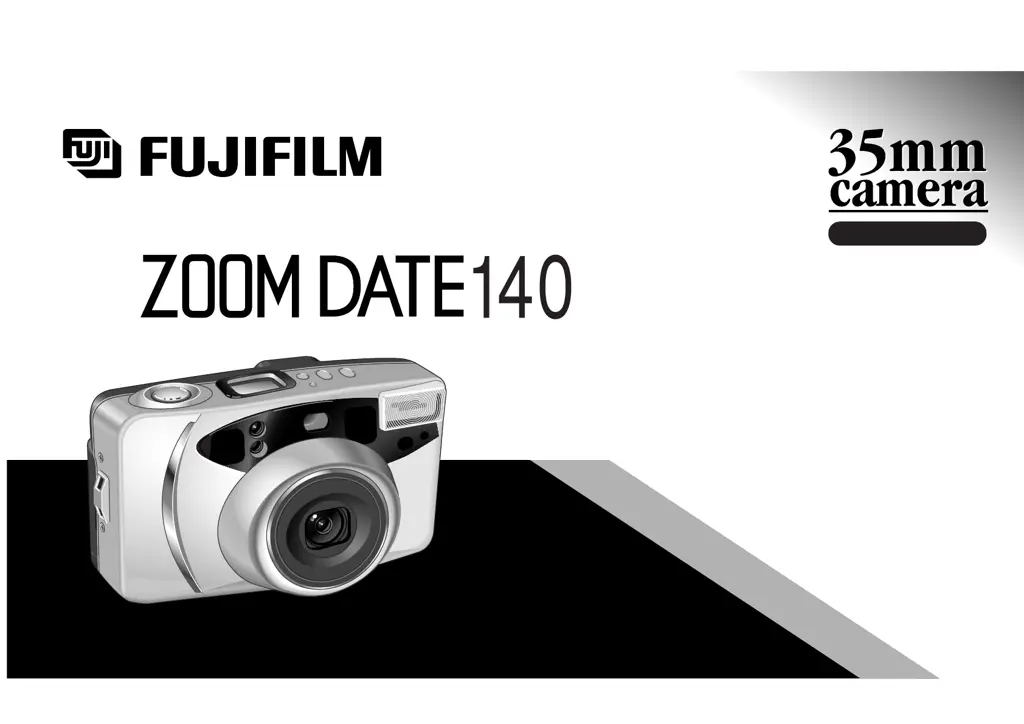
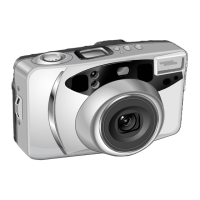
FujiFilm Zoomdate 140 - User Manual

FujiFilm Zoomdate 140
44 pages
Print Icon
To Next Page IconTo Next Page
Loading...
OWNER
,
S MANUAL
Fujinon 38-140mm Auto Focus Zoom Lens
Sure-loading System with Automatic Pre-
winding
Automatic Exposure and Flash
Date/Time Imprinting
Red Eye Reduction
ENGLISH

Questions and Answers

  • C
    carrollalexaJul 28, 2025
    Why is my FujiFilm Zoomdate 140 picture too dark?
    • B
      Brenda KirkJul 29, 2025
      If your FujiFilm Digital Camera picture is too dark, consider these points: First, ensure the subject is within the flash's coverage range in low-light conditions. Second, make sure your finger isn't obstructing the flash. Finally, if the subject is backlit, for example, near a window, activate the backlight compensation flash mode before pressing the shutter.
  • D
    Diana SmithAug 1, 2025
    How to fix a blurry picture on my FujiFilm Zoomdate 140 Digital Camera?
    • K
      Kyle BrooksAug 2, 2025
      If your FujiFilm Digital Camera picture isn't sharp, consider these potential causes: Ensure your finger isn't covering the AF windows during shooting. Properly aim at the subject within the AF frame, or use AF Lock. Keep the lens clean. Hold the camera steady, using a tripod for slow shutter speeds. Finally, avoid using the mode when shooting at close range; select another mode.
  • W
    Wendy GlassAug 6, 2025
    What to do if the shutter release won’t trip on my FujiFilm Zoomdate 140?
    • J
      Jessica MayerAug 6, 2025
      If the shutter release on your FujiFilm Digital Camera won’t trip, check the following: If the “ ” symbol is blinking, replace the battery. If the power switch is not on, press the POWER button. If “ ” is lit on the exposure counter, remove the film and load an unexposed roll.
  • P
    Patrick PorterAug 10, 2025
    Why isn't the date printing on my FujiFilm Zoomdate 140 Digital Camera photos?
    • R
      robert57Aug 10, 2025
      If the date isn't printing on the front of your FujiFilm Digital Camera pictures, make sure you've selected a date mode other than “- - - - - -” before taking the pictures. Also, try to ensure that there isn't anything light-colored where the date is supposed to appear on the photo.
  • J
    Joe Green PhDAug 14, 2025
    Why is the exposure counter blinking on my FujiFilm Digital Camera?
    • K
      Kimberly PattersonAug 14, 2025
      If the numerals on the exposure counter of your FujiFilm Digital Camera are blinking, it might be because you removed the film without rewinding it after you began photographing. To solve this, remove the battery momentarily, then reload it.
  • S
    sshafferAug 18, 2025
    Why did the film rewind while photographing with my FujiFilm Digital Camera?
    • A
      alucasAug 18, 2025
      If the film rewound during photographing with your FujiFilm Digital Camera, it might be because you moved the camera back lock during photographing or prewinding. Be sure not to move the camera back lock while film is loaded in the camera.
  • V
    Vanessa AlexanderAug 23, 2025
    What to do if the exposure counter doesn't advance on my FujiFilm Zoomdate 140 after loading film?
    • D
      Deanna GriffithAug 23, 2025
      If, after loading the film and closing the back cover of your FujiFilm Digital Camera, the exposure counter does not advance, consider these points: Ensure you pull the end of the film out to the mark when loading the film and load the film correctly. Note that a picture cannot be taken by pressing the shutter release button in that condition. Open the camera back a little and close it again.

Summary

Part Names

Preliminary Steps

Attaching the Strap

Slip the thin cord on the carrying strap through the strap lug on the side of the camera.

Loading the Battery

Insert the 3V lithium battery (CR123A/DL 123A) into the compartment correctly.

Turning On Your Camera

Press the power supply button to turn on the camera; pressing again turns it off.

Checking Your Battery

Check the battery capacity indicator on the LCD panel for status.

Setting the Date

Set the year, month, day, hour, and minute for date imprinting.

Selecting the Date Mode

Choose the format for date and time imprinting on photographs.

Using Your Camera

Loading the Camera

Insert the 35mm film roll into the camera correctly.

Using Your Finder

Understand the framing area, AF frame, and close-up frame in the viewfinder.

Camera Operation Basics

How to hold and operate the camera correctly to take pictures.

Using the Auto-Focus Lock

Lock focus on a subject by half-pressing the shutter button.

Unloading Film or Mid-Roll Removal

How to unload exposed film or remove film before completion.

Advanced Techniques

Selecting the Exposure Mode

Choose from six exposure modes for different photographic situations.

Using the Self-Timer

Set the self-timer for delayed shots or up to three consecutive exposures.

Common Sense Camera Care

Handling and Storage Guidelines

Protect the camera from shock, moisture, heat, and store properly.

Cleaning and Maintenance

Instructions for cleaning the lens, AF window, and film compartment.

Operational and Travel Precautions

Notes on handling erroneous operations, storing in cars, and air travel.

Specifications

Film and Lens Specifications

Details on film type, picture size, lens, and viewfinder.

Focusing and Exposure Control

Information on autofocus, shutter speeds, and automatic exposure.

Flash and Self-Timer Features

Details on flash modes, recycle time, and self-timer operation.

Display and Power Details

Information on LCD display, power supply, dimensions, and weight.

FujiFilm Zoomdate 140 Specifications

General IconGeneral
TypeCompact
Film Type35mm
FocusAuto Focus
FlashBuilt-in
ModelZoomdate 140
CategoryDigital Camera
LensFujinon
Optical Zoom3.7x
BatteryCR123A

Related product manuals