EasyManua.ls Logo

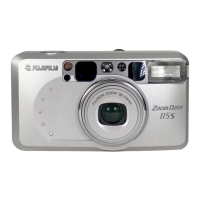
FujiFilm ZOOMDATE115S - User Manual

FujiFilm ZOOMDATE115S
51 pages
Print Icon
To Next Page IconTo Next Page
Loading...
OWNER’S MANUAL

Questions and Answers

  • C
    Cynthia JonesAug 13, 2025
    Why are my FujiFilm Digital Camera pictures too dark?
    • R
      Roger EvansAug 13, 2025
      If your FujiFilm Digital Camera pictures are too dark, it might be because the subject was too far for the flash in a dark place. Ensure you are within the flash's specified coverage distance. Also, avoid covering the flash with your finger. If the subject is backlit, try turning on the mode and pressing the shutter release button.
  • J
    Joseph MasseyAug 17, 2025
    How to fix blurry pictures with FujiFilm ZOOMDATE115S?
    • E
      emily43Aug 17, 2025
      If your FujiFilm Digital Camera pictures are not sharp, ensure your finger isn't on the AF windows while shooting. Aim the subject properly within the AF frame, or use AF Lock. A dirty lens can also cause this, so clean it. Hold the camera firmly, gently press the shutter release, and use a tripod for slow shutter speeds. Finally, if shooting at a close distance, select a mode other than mode.
  • A
    Ashley JimenezAug 21, 2025
    What to do if the shutter release won’t trip on FujiFilm ZOOMDATE115S Digital Camera?
    • L
      Linda CollinsAug 21, 2025
      If the shutter release won’t trip on your FujiFilm Digital Camera, and you see the “ ” symbol blinking, replace the battery. Ensure the power switch is on by pressing the POWER button. If “ ” is blinking on the LCD, the flash is charging; wait until it stops blinking. If “ ” is lit on the exposure counter, remove the film and load an unexposed film.
  • K
    Kevin PowersAug 25, 2025
    Why is the exposure counter blinking on my FujiFilm ZOOMDATE115S?
    • C
      Cassandra MillerAug 26, 2025
      If the numerals on the exposure counter blink after loading film and closing the camera back on your FujiFilm Digital Camera, it may be because you removed the film without rewinding it after you began photographing. Remove the film, then remove the battery, press the POWER button, and check that the exposure counter is no longer displayed. Then, re-insert the battery.
  • J
    Joseph MartinezAug 29, 2025
    Why did the film rewind while photographing with my FujiFilm Digital Camera?
    • J
      Jamie JacobsAug 29, 2025
      If the film rewound during photographing with your FujiFilm Digital Camera, it's possible you moved the camera back lock while a film was loaded. Avoid moving the camera back lock while film is loaded in the camera. When removing the film, check that the motor has stopped and that “ ” is displayed before opening the camera back.
  • J
    James ColemanSep 1, 2025
    Why is the date not printing correctly on my FujiFilm ZOOMDATE115S?
    • P
      patrickmurphySep 1, 2025
      If the date is not printed on the front or not printed clearly on your FujiFilm Digital Camera, ensure that you have selected a date mode other than “- - - - - -” before taking pictures. Also, try to arrange that there is nothing light-colored where the date appears.
  • L
    Laura HuntSep 5, 2025
    What to do if the exposure counter is not displayed on my FujiFilm Digital Camera?
    • M
      Mark RosalesSep 5, 2025
      If the exposure counter is not displayed after loading the film and closing the camera back on your FujiFilm Digital Camera, make sure you pull the end of the film out to the FILM TIP mark when loading the film. If you haven't, pull the end of the film out to the FILM TIP mark and correctly load the film.
  • A
    acrawfordSep 8, 2025
    Why can't I set the self-timer on my FujiFilm ZOOMDATE115S?
    • J
      jennifer35Sep 8, 2025
      If the self-timer cannot be set on your FujiFilm Digital Camera, it might be because the date correction mode is on. Cancel the date correction mode.

Summary

Preliminary Steps

Inserting the Battery

Guide on correctly inserting the 3V lithium battery into the camera.

Setting the Date and Time

Steps to set the camera's date and time for imprinting.

Using Your Camera

Loading the Camera with Film

Guide to loading standard 35mm film into the camera correctly.

Unloading Film

Instructions for unloading exposed film or mid-roll rewinding.

Using the Self-Timer

Troubleshooting Guide

Shutter Release and Film Loading Issues

Solutions for problems with shutter not tripping or incorrect film loading.

Exposure Counter and Date Setting Issues

Addressing problems with exposure counter display and date correction mode.

Important Safety Notice

General Warnings and Cautions

Crucial safety warnings regarding electric shock, heat, and eye safety.

Handling Precautions and Risks

Safety advice on volatile substances, battery handling, and flash use.

FujiFilm ZOOMDATE115S Specifications

General IconGeneral
ModelZOOM DATE 115S
Film Type35mm
Optical Zoom3x
AutofocusYes
FlashBuilt-in
Self-TimerYes
Date ImprintYes
Lens38-115mm Fujinon lens
StorageFilm
BatteryCR123A

Related product manuals