28
UNLOADING THE FILM OR REMOVING FILM IN MID-ROLL
To Unload the Film
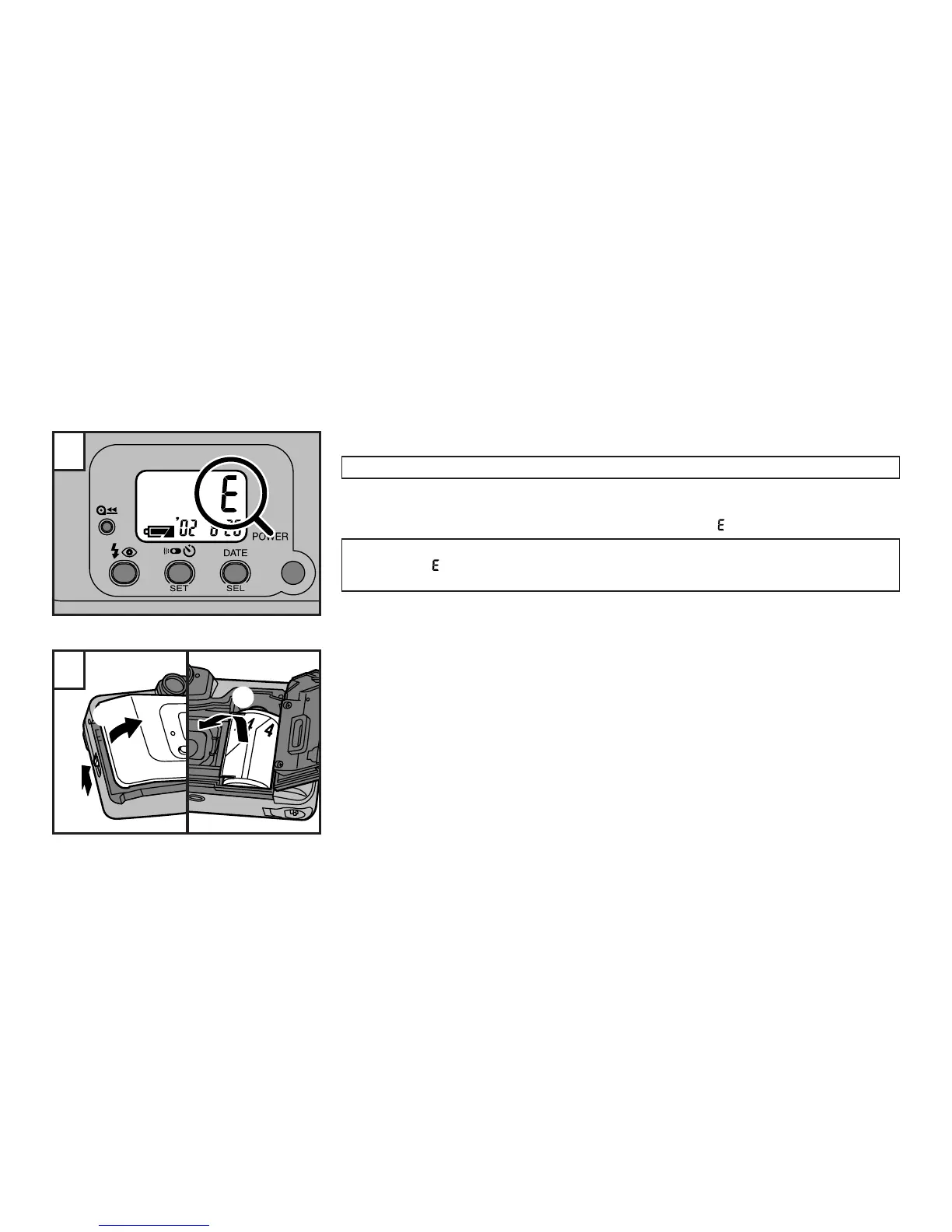
When the last frame in the film has been exposed, the film automatically rewinds
into the film cassette which can then be removed for processing.
☞
When rewinding is complete, the exposure counter will read “ ”.
Before opening the camera back, check that the rewinding is completed and the motor stopped.
At this point, “ ” is displayed. If you don’t take this precaution, the exposed film in the camera
may be exposed to light. (→p.30)
1
1 Slide the camera back lock in the direction indicated by the arrow.
2 Open the camera back in the direction indicated by the arrow.
3 Remove the film.
∗
Do not apply unnecessary force to the camera back.
2
1
3
2



 To Next Page