13
SETTING THE DATE (YEAR-MONTH-DAY/ HOUR-MINUTE)
Setting the date
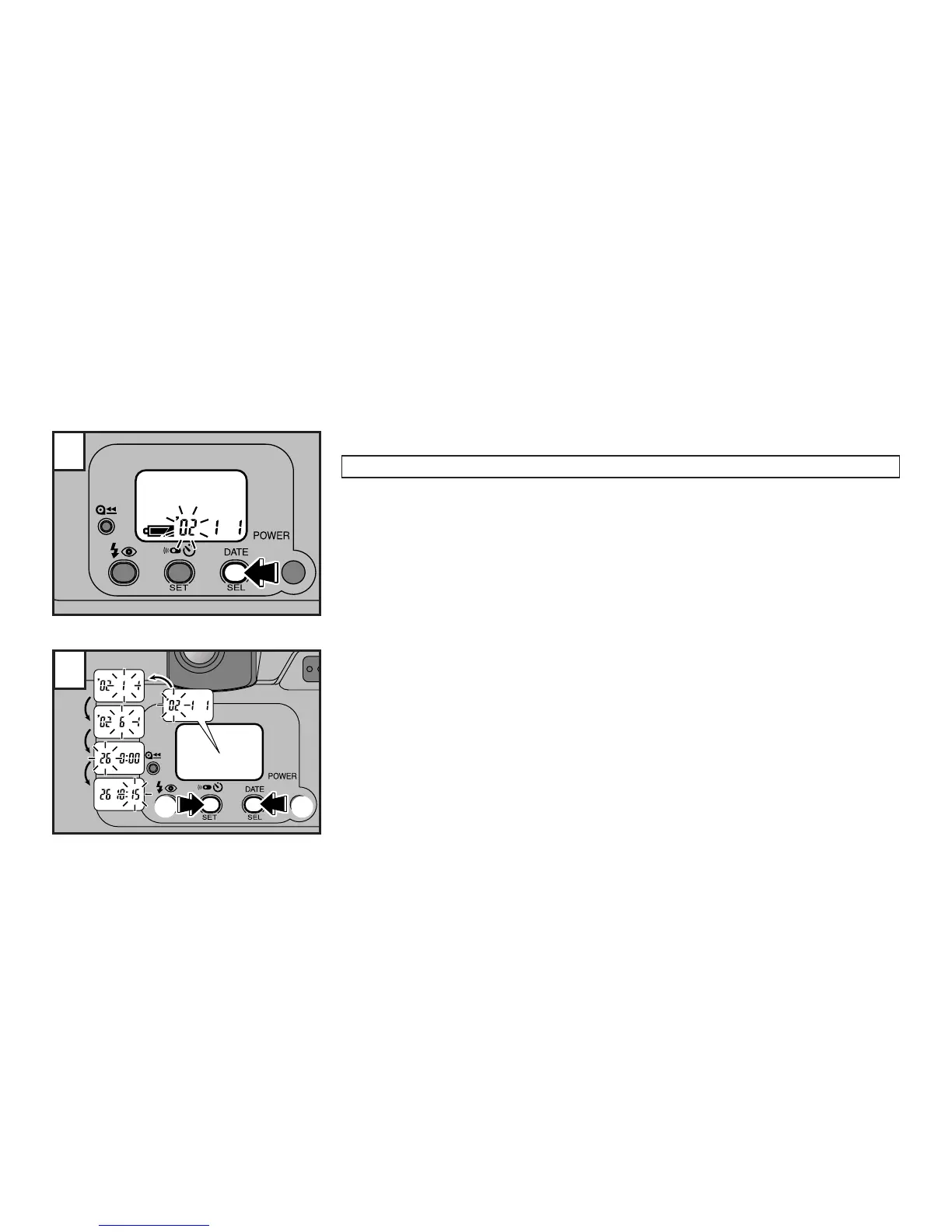
Turn the camera on and then press the DATE button.
☞
The “Year” blinks and the camera will enter the date/time setting mode. You can set:
Year : ’02 to ’32 (2002 to 2032)
Month : 1 to 12 Day : 1 to 31
Time : 0 to 23 hours; 00 to 59 minutes
1 Press the SET button to change the blinking setting.
2 Press the SEL button to select the next part of the date/time information.
☞
Each press of the SEL button selects a different element in the date/time information in the
following order:
Year→Month→Day→Hours→Minutes
1
2
1 2



 To Next Page