9
INSERTING THE BATTERY
Your camera requires one 3V lithium battery,
type CR123A/DL 123A.
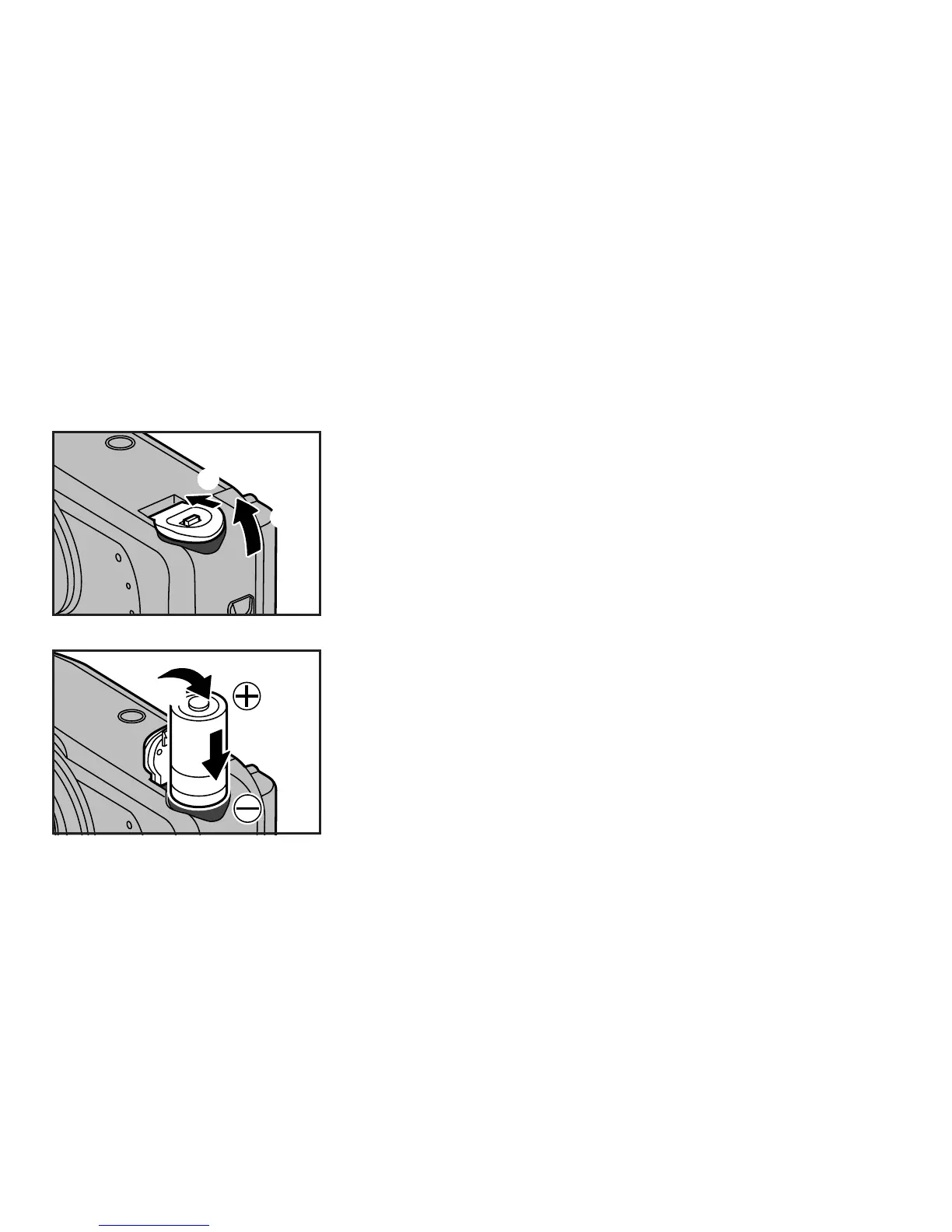
To insert the battery:
1 Move the battery compartment cover release knob in the direction of the arrow.
2 Flip open the battery compartment cover.
1
2
3 Insert the battery following the instructions shown in the diagram on the inside of the
battery compartment cover. Important: Pay careful attention to the polarity of the battery
as indicated by the , and . markings on the battery. The battery must be inserted the
correct way or the camera will not function.
4 When the battery has been inserted correctly, close the battery compartment cover by
pressing it until it snaps into place. If it does not snap into place, do not force it but
recheck the position of the battery to make sure it fits properly.
3
4



 To Next Page