- 2 -
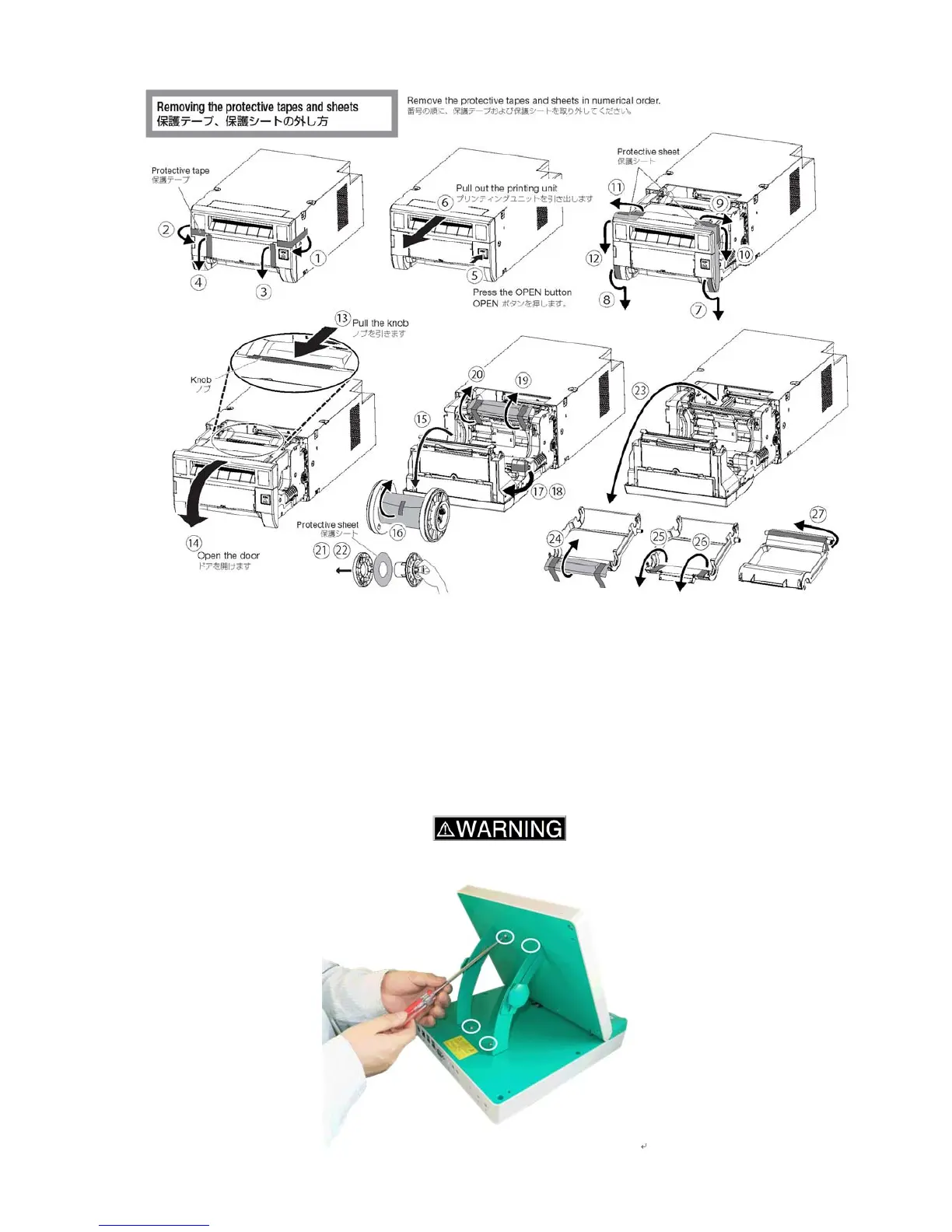
1-1-2. Remove the protective tapes and sheets as described below.
1-2. Paper and ink ribbon
Open the box of the paper and ink ribbon set, and take out each roll of paper and ink ribbon.
1-3. PC
1-3-1. Open the box of PC and take out the PC and the accessory box.
1-3-2. Confirm the items in the box:
PC, AC adaptor, angle stand, screws x 4, user/service manual, and this guide
1-3-3. Lift up the panel, and position the angle stand. Fasten it with the four screws using a
screwdriver.
When installing the kiosk, consult your technical representative.





 To Next Page