- 4 -
3. PC setting and printer connection
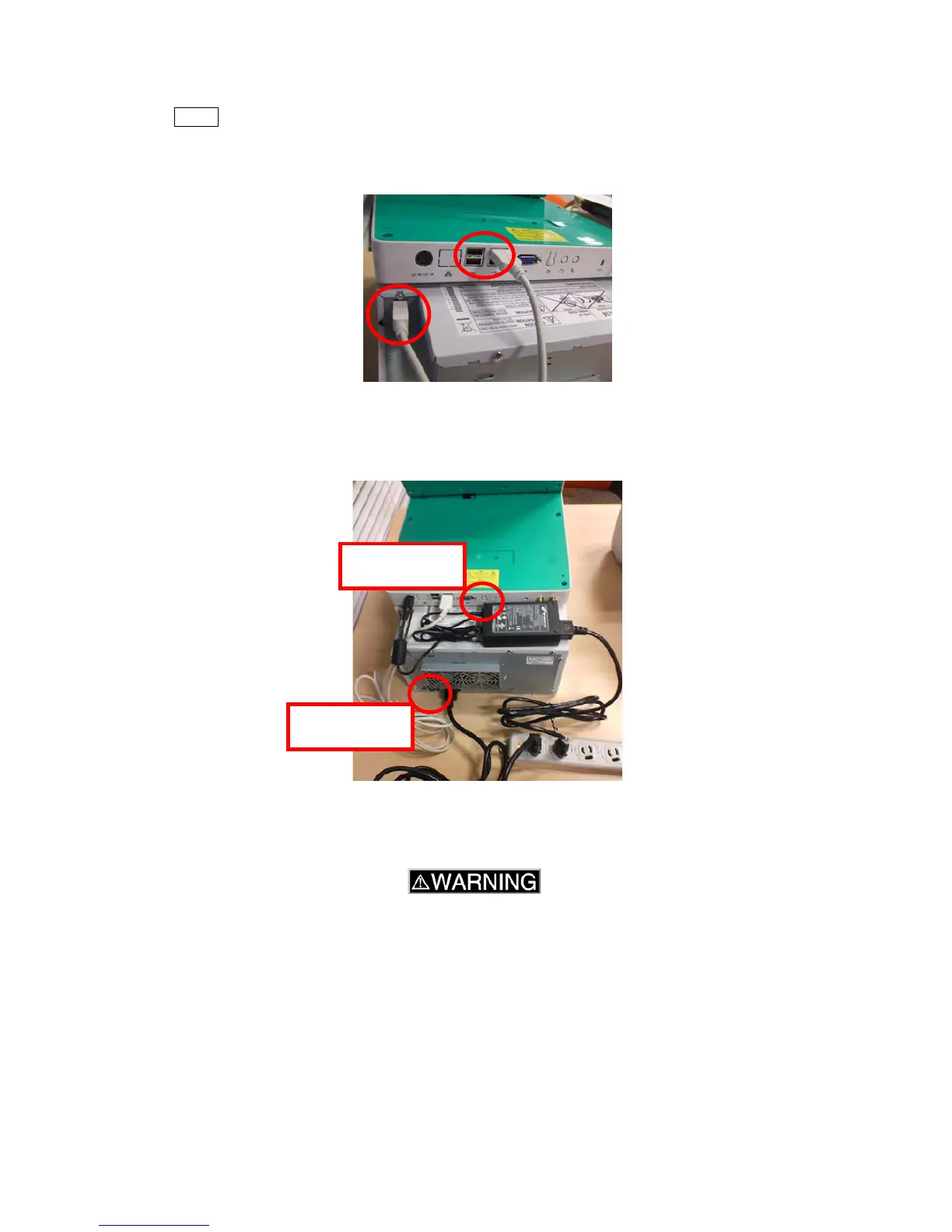
3-1. USB cable
Connect between PC and printer with the USB cable.
NOTE The USB ports on the PC are for the printer and other device. You can connect 4 printers
(max).If you want to make network with several PCs, please see “order-it” manual(chapter
5.) which is in Windows desktop for more details.
3-2. Power cable
Connect the power adapter and cable to the PC. If you have not option items, turn on the power.
If you have option items, please refer to 3) 4) 5) before turning on the power.
3-3. Wireless module (manufacture’s option)
If you have “Wireless module”, attach the module to DPC Portable according to next procedure.
A Mini PCI-e card and two antenna cables and antennas are supplied as the Wireless module.
When installing this module, consult your technical representative.
3-3-1. Remove the two screws on the back cover of the panel and the four screws on the bottom.
Power button
Power button



 To Next Page