- 5 -
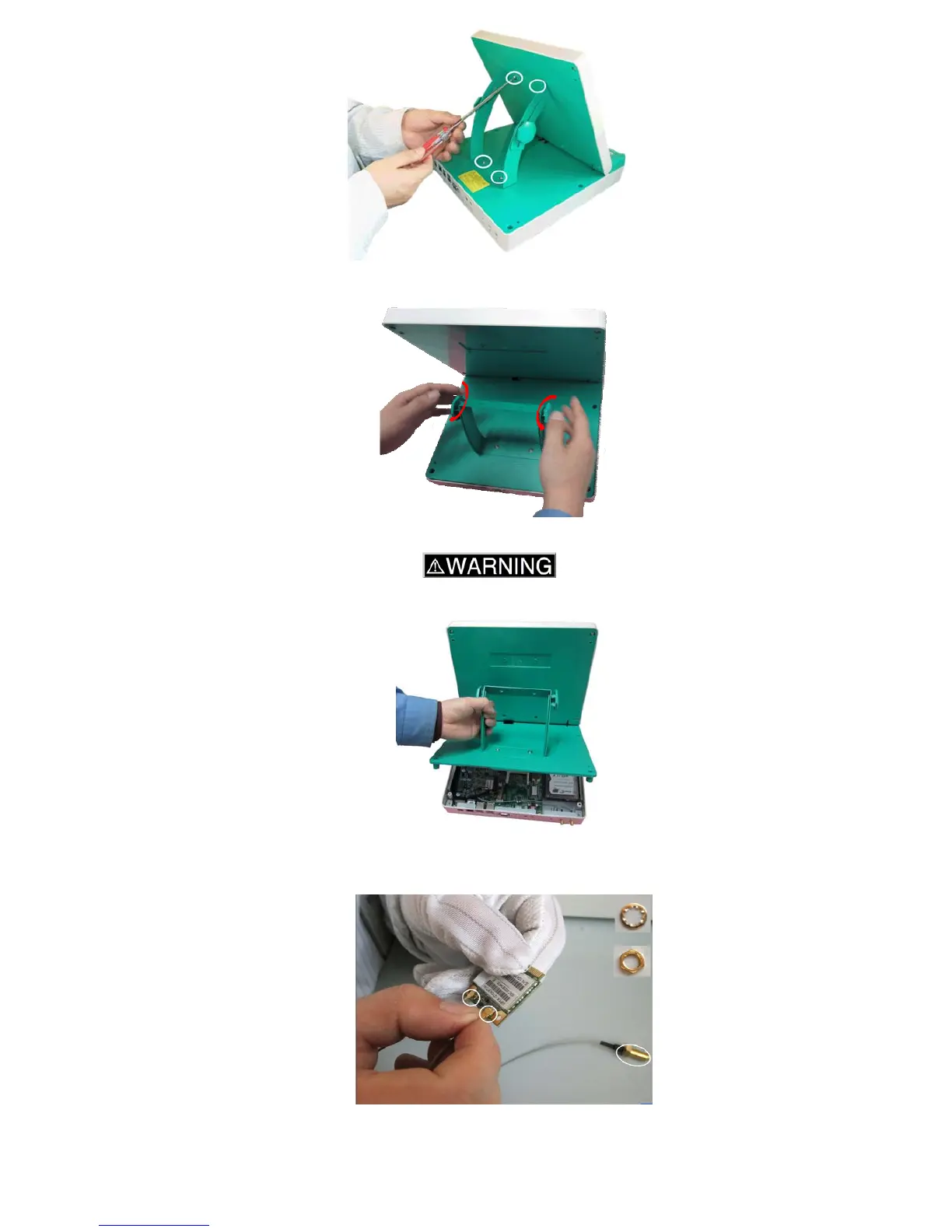
3-3-2. Rotate the screws to loosen the angle stand.
3-3-3. Take off the bottom cover with angle stand.
To avoid injuring hands, do not put down the panel when cover is opened.
3-3-4. Take the Wireless module and cables from the box, and connect one end of the cable to the
Wireless module. Remove the washers and a screw on another side of the cable.
3-3-5. Insert the Wireless module into the Mini PCI-e connector on the middle of the motherboard.



 To Next Page