EasyManua.ls Logo

FujiFilm FINEPIX A205 - User Manual

FujiFilm FINEPIX A205
43 pages
Print Icon
To Next Page IconTo Next Page
Loading...
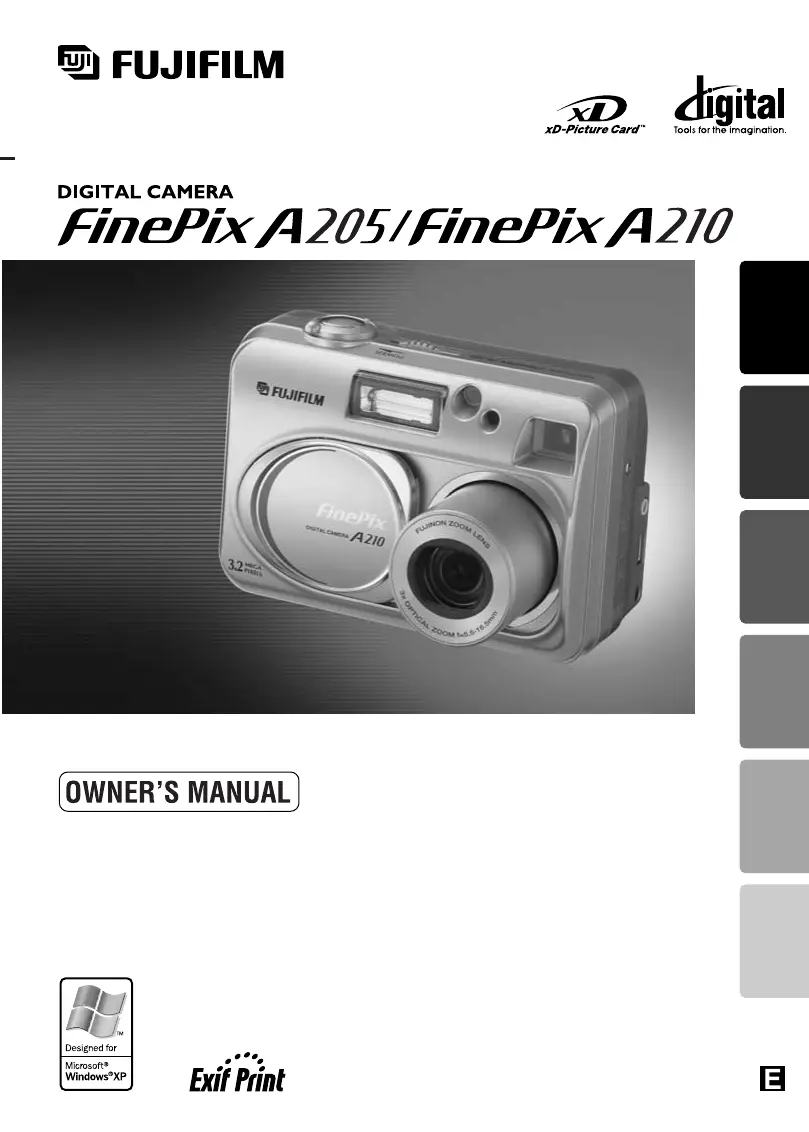
This manual will show you how to use your FUJIFILM
DIGITAL CAMERA FinePix A205/FinePix A210 correctly.
Please follow the instructions carefully.
BL00278-200
(
2
)
Getting Ready
Using
the Camera
Advanced
Features
Software
Installation
Viewing ImagesSettings

Table of Contents

Other manuals for FujiFilm FINEPIX A205

Questions and Answers

  • A
    andrewpriceAug 18, 2025
    Why my FujiFilm FINEPIX A205 has no power?
    • L
      littlestacyAug 18, 2025
      If your FujiFilm Digital Camera has no power, there are several possible causes: * The batteries may be depleted. Replace them with new or fully charged batteries. * The batteries might be loaded incorrectly. Ensure they are loaded in the correct direction. * The battery cover may not be closed properly. Make sure it is closed correctly. * If using an AC power adapter, the plug may have come out of the power outlet. Plug the adapter back in.
  • J
    Justin FranklinAug 21, 2025
    What to do if my FujiFilm FINEPIX A205 no longer works correctly?
    • D
      Derek AtkinsonAug 21, 2025
      If your FujiFilm Digital Camera is not working correctly, it may have encountered an unforeseen problem. Briefly remove the batteries or disconnect the AC power adapter. Then, reload the batteries or reconnect the AC power adapter and try again.
  • V
    Victoria ThompsonAug 23, 2025
    What to do if my FujiFilm FINEPIX A205 does not take a photo when pressing the shutter button?
    • R
      Robert ShieldsAug 23, 2025
      If your FujiFilm Digital Camera isn't taking pictures when you press the shutter button, consider these possibilities: * The xD-Picture Card may be full. Insert a new card or erase unwanted frames. * The xD-Picture Card might not be formatted. Format the card. * The xD-Picture Card contact area could be soiled. Wipe it with a clean, dry cloth. * The xD-Picture Card may be damaged. Insert a new card. * The camera might be switched off. Switch the camera on. * The batteries may be depleted. Fit new or fully charged batteries. * No xD-Picture Card is inserted. Insert an xD-Picture Card.
  • J
    jessicahughesAug 26, 2025
    Why do the batteries run out so quickly on my FujiFilm Digital Camera?
    • R
      Robert ShepardAug 26, 2025
      If the batteries in your FujiFilm Digital Camera are running out quickly, consider the following: * The terminals may be soiled. Wipe the battery terminals with a clean, dry cloth. * Extremely cold conditions can affect battery life. Put the batteries in your pocket or another warm place to heat them, and then load them into the camera just before taking a picture. * The batteries may no longer be rechargeable. Replace them with new batteries.
  • A
    Ashley RussoAug 27, 2025
    Why does my FujiFilm FINEPIX A205 power cut out during operation?
    • A
      Ashley LeeAug 27, 2025
      If your FujiFilm Digital Camera is losing power during operation, it's likely that the batteries have run out. Try fitting new or fully charged batteries.
  • P
    Peter LucasAug 30, 2025
    Why can’t I use the flash to take pictures with my FujiFilm FINEPIX A205?
    • L
      lauren68Aug 30, 2025
      If you can't use the flash on your FujiFilm Digital Camera, it could be due to the following reasons: * The flash may be set to Suppressed Flash mode. Change the flash mode to Auto, Red-eye Reduction, or Forced Flash. Note that the flash cannot be used in some modes. * Charging may not be completed. Wait until charging is completed before pressing the Shutter button. * The batteries may be depleted. Fit new or fully charged batteries.
  • B
    bradley94Sep 1, 2025
    Why is the image blurred on my FujiFilm FINEPIX A205?
    • B
      Bradley JohnsonSep 1, 2025
      If the images from your FujiFilm Digital Camera are blurred, here are some possible causes and solutions: * The lens may be dirty. Clean the lens. * You may have photographed scenery with Macro mode selected. Cancel Macro mode. * You might be shooting a subject that is not suited to autofocusing. Use AF/AE lock to take the picture. * You may have taken a close-up shot without selecting Macro mode. Select Macro mode. * The photographed subject may have been too dark. Try standing approximately 2 m (6.6 ft.) from your subject to take the picture.
  • J
    Jeremy FrenchSep 3, 2025
    Why is there no image on the TV when connecting my FujiFilm FINEPIX A205?
    • S
      simonryanSep 3, 2025
      If there is no image on the TV when your FujiFilm Digital Camera is connected, consider the following: * The video output setting may be incorrect. Change the setting to “NTSC” or “PAL”. * “TV” may be selected as the TV input. Set the TV input to “VIDEO”. * The included video cable may have been connected during movie playback. After stopping movie playback mode, correctly connect the camera and TV. * The camera may not be connected to the TV correctly. Ensure the camera and TV are connected correctly.
  • A
    angelaleeSep 6, 2025
    What to do if nothing happens when I use the Mode Switch on my FujiFilm FINEPIX A205 Digital Camera?
    • R
      Rhonda SimmonsSep 6, 2025
      If nothing happens when you use the Mode Switch on your FujiFilm Digital Camera: * The batteries may have run out. Fit new or fully charged batteries. * As a general troubleshooting step, briefly remove the batteries or disconnect the AC power adapter. Then reload the batteries or reconnect the AC power adapter and try again.
  • J
    James IngramSep 8, 2025
    Why is the playback image too dark on my FujiFilm FINEPIX A205 Digital Camera even though the flash was used?
    • J
      jjohnsonSep 8, 2025
      If the playback image on your FujiFilm Digital Camera is too dark even though you used the flash: * Your finger may have been covering the flash/flash control sensor. Hold the camera correctly. * The subject might be too far away. Move to within the effective flash range before taking the shot.

Summary

Getting Started

Preface

Introduction to the camera manual, including important notes and disclaimers.

Nomenclature

Identifies and labels the various parts and controls of the digital camera.

Getting Ready

Instructions for initial setup, including loading batteries and media, and powering on.

Camera Operation

Basic Operation Guide

Overview of fundamental camera operations like changing modes and using buttons.

Still Photography Mode

Detailed steps for taking still photographs using the camera's various modes.

Playback Mode

How to view, zoom, pan, and trim recorded images and movies on the camera.

Erasing Images

Procedures for deleting single or multiple image files from the xD-Picture Card.

Advanced Features & Modes

Macro Photography and Flash

Using close-up photography and understanding the different flash modes available.

Photography Menu Operation

Navigating and adjusting settings within the photography menu for custom control.

EV and White Balance

Adjusting exposure compensation (EV) and selecting white balance for optimal lighting.

Movie Mode

Instructions for shooting and adjusting quality settings for video recordings.

Settings, Software & Support

Camera Settings

How to adjust camera settings like monitor brightness, setup options, and power save.

Software Installation

Steps for installing camera software on Windows and Macintosh computers.

Viewing Images and Accessories

Connecting the camera to view images, using FinePixViewer, and accessory guide.

Warning Displays

Explanations of various warning messages that may appear on the camera's LCD.

Troubleshooting

Solutions for common problems and issues encountered while using the camera.

Specifications

Technical details and specifications for the FinePix A205 and FinePix A210 cameras.

Explanation of Terms

Definitions of technical terms and features used throughout the camera manual.

Safety Notes

Crucial safety precautions and warnings for proper and safe camera operation.

FujiFilm FINEPIX A205 Specifications

General IconGeneral
Megapixel2 MP
Digital zoom2.5 x
Optical zoom3 x
Display diagonal1.5 \
Digital SLRNo
Focal length (35mm film equivalent)36 - 108 mm

Related product manuals