EasyManua.ls Logo

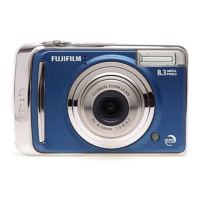
FujiFilm FinePix A805 - User Manual

FujiFilm FinePix A805
156 pages
Print Icon
To Next Page IconTo Next Page
Loading...
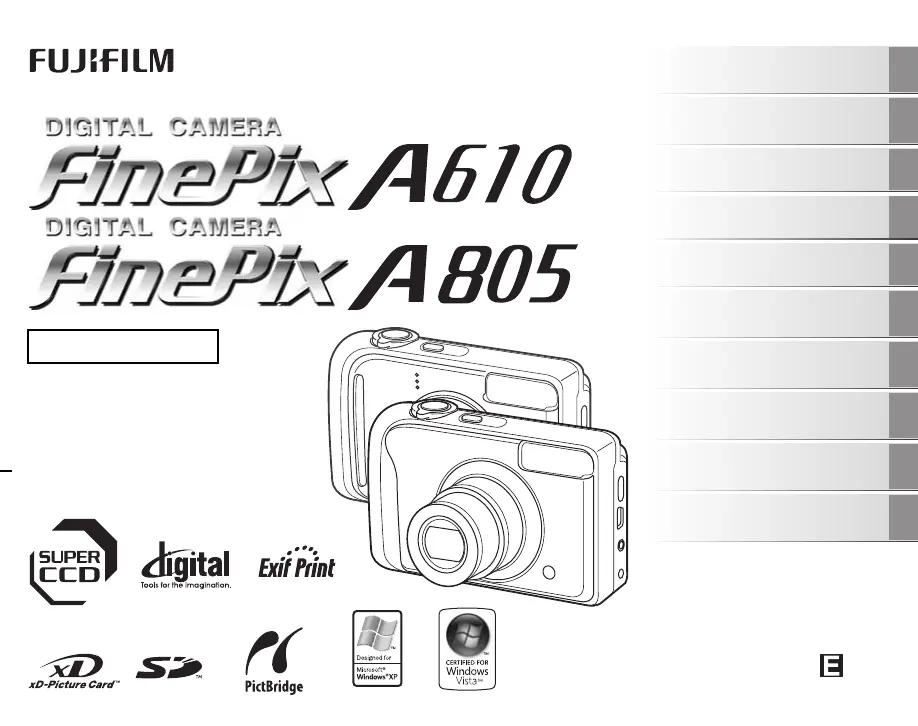
OWNER’S MANUAL
This manual will show you how to use
your FUJIFILM DIGITAL CAMERA
FinePix A610/FinePix A805 correctly.
Please follow the instructions carefully.
BL00638-200(1)
Getting Ready
Using the Camera
Advanced Features
Photography
Settings
Camera Connection
Software
Installation
Playback
•Movie
Appendices
Troubleshooting

Table of Contents

Questions and Answers

  • A
    Adam CobbAug 13, 2025
    Why FujiFilm FinePix A805 is not taking a photo when I press the shutter button?
    • R
      rachel96Aug 14, 2025
      Your FujiFilm Digital Camera might not be taking photos for several reasons: the memory card or internal memory could be full or not formatted, or the memory card contact area might be soiled or the card itself damaged. The batteries may have run out, so try inserting a new memory card; format the memory card or internal memory; wipe the card contact area with a soft, dry cloth; load new or fully charged batteries. Also, the auto power off function might have turned the camera off, so turn the camera on.
  • T
    Tonya StantonAug 17, 2025
    What to do if nothing happens when pressing the buttons on FujiFilm FinePix A805 Digital Camera?
    • Y
      ysmithAug 17, 2025
      If pressing the buttons on your FujiFilm Digital Camera elicits no response, it may be due to a temporary camera malfunction or depleted batteries. Briefly remove and reload the batteries or disconnect and reconnect the AC power adapter to address a potential malfunction. Alternatively, load new or fully charged batteries.
  • M
    Michael LoweAug 21, 2025
    What to do if my FujiFilm Digital Camera no longer works correctly?
    • V
      vincent47Aug 21, 2025
      If your FujiFilm Digital Camera is malfunctioning, it may be a temporary issue. Try briefly removing the batteries or disconnecting the AC power adapter, then reload the batteries or reconnect the adapter. If the problem persists, it may indicate a fault, and in that case, you should contact your FUJIFILM dealer.
  • T
    tmayAug 25, 2025
    Why FujiFilm FinePix A805 Digital Camera has difficulty focusing on the subject?
    • A
      Alexandra LoweAug 26, 2025
      If your FujiFilm Digital Camera is struggling to focus, it might be because you're taking a close-up shot without Macro mode, or photographing scenery with Macro mode enabled, or the subject isn't suited for autofocus. Select Macro mode for close-ups, cancel Macro mode for scenery, or use AF/AE lock for difficult subjects.
  • C
    christina13Aug 29, 2025
    Why the image from my FujiFilm FinePix A805 Digital Camera is blurred?
    • D
      Dylan LarsenAug 29, 2025
      A blurred image from your FujiFilm Digital Camera is often caused by a dirty lens. To fix this, simply clean the lens.
  • D
    Dana WilliamsSep 1, 2025
    What to do if my FujiFilm Digital Camera cannot use the flash?
    • K
      Kelly BaileySep 1, 2025
      If the flash on your FujiFilm Digital Camera isn't working, it could be due to several reasons. You might have pressed the shutter button while the flash was charging, the shooting mode might be incompatible, or the batteries may have run out. The flash could also be set to C SUPPRESSED FLASH mode, or the subject might be too far away, or your finger might be covering the flash. Wait until charging is complete, change the shooting mode, load new batteries, select a different flash mode, move closer to the subject, and ensure your finger isn't covering the flash.
  • K
    Katie HudsonSep 5, 2025
    Why my FujiFilm FinePix A805 does not emit any sound?
    • B
      bradleyaliSep 5, 2025
      If your FujiFilm Digital Camera isn't producing sound, the volume might be too low, the microphone could be blocked during recording, or the speaker might be covered during playback. Adjust the volume, ensure the microphone isn't blocked while recording, and make sure the speaker is uncovered during playback.
  • J
    Joseph BrooksSep 9, 2025
    Why CONT. in the frame number setting does not function on FujiFilm Digital Camera?
    • L
      Lindsay SantosSep 9, 2025
      The CONT. function in the frame number setting of your FujiFilm Digital Camera might not work if you opened the battery cover without turning the camera off when replacing the batteries or memory card. Always turn the camera off when replacing these components, as opening the cover without doing so can disrupt the frame number memory.

Summary

Warning

Safety Precautions

Safety advice to prevent fire, shock, and damage from moisture.

About each model’s functions

Camera Parts and Features (FinePix A610)

Camera Parts and Features (FinePix A805)

Getting Ready

Charging the Batteries (FinePix A805)

Instructions for charging the camera's rechargeable batteries.

Loading the Batteries

Guide on how to properly insert batteries into the camera.

Loading the Memory Card

Steps for inserting xD-Picture Card or SD Memory Card.

Turning On and Off

Procedures for powering the camera on and off in different modes.

Using the Camera

Taking Pictures (AUTO Mode)

Basic steps for taking photos in AUTO mode.

Taking pictures with the focus and exposure locked

How to use AF/AE lock for better focus and exposure.

Viewing the Images

How to enter Playback mode and view photos.

Erasing the Images;Movies

Methods for deleting unwanted images or movies.

Advanced Features - Photography

Using the Photography Functions - Procedure of Setting

General guide to setting camera for best results.

Setting the Shooting Mode (FinePix A610)

Selecting appropriate shooting modes for the A610 model.

Setting the Shooting Mode (FinePix A805)

Selecting shooting modes via mode dial for the A805 model.

Macro (Close-up)

How to use the Macro mode for close-up shots.

Setting the Flash (Intelligent Flash)

Guide to various flash modes and their usage.

Self-Timer

Using the self-timer for group shots or steadying the camera.

Using SHOOTING MENU

Adjusting image quality and other settings via the SHOOTING MENU.

Adjusting exposure compensation (EXP. COMPENSATION)

Adjusting exposure for high-contrast scenes.

Adjusting color balance (WHITE BALANCE)

Adjusting color balance based on ambient light.

Advanced Features - Playback

Using PLAYBACK MENU

Navigating the PLAYBACK MENU for image management.

Protecting the images (PROTECT)

Preventing accidental erasure of selected images.

Advanced Features - Movie

Recording Movies

Instructions for recording video clips.

Record movies

Steps to start and stop movie recording.

Playing Back Movies

How to select and play movie files.

Settings

Using the SET-UP menu

Overview of accessing and navigating the SET-UP menu.

Camera Connection

Connecting Camera Directly to Printer - PictBridge Function

Printing photos directly from the camera using PictBridge.

Software Installation

Installation on a Windows PC

Requirements and steps for installing software on Windows.

Installation on a Mac OS X

Requirements and steps for installing software on Mac OS X.

Connecting to a PC

Procedures for connecting the camera to a PC.

Appendices

Power Supply and Batteries

Details on applicable batteries and power supply.

Warning Displays

Explanations and remedies for various warning messages on the LCD.

Troubleshooting

Shooting

Troubleshooting problems encountered during shooting.

Safety Notes

WARNING

Critical safety warnings regarding fire, electric shock, and handling.

CAUTION

Important cautions regarding usage in specific environments and handling.

FujiFilm FinePix A805 Specifications

General IconGeneral
BrandFujiFilm
ModelFinePix A805
CategoryDigital Camera
LanguageEnglish

Related product manuals