EasyManua.ls Logo

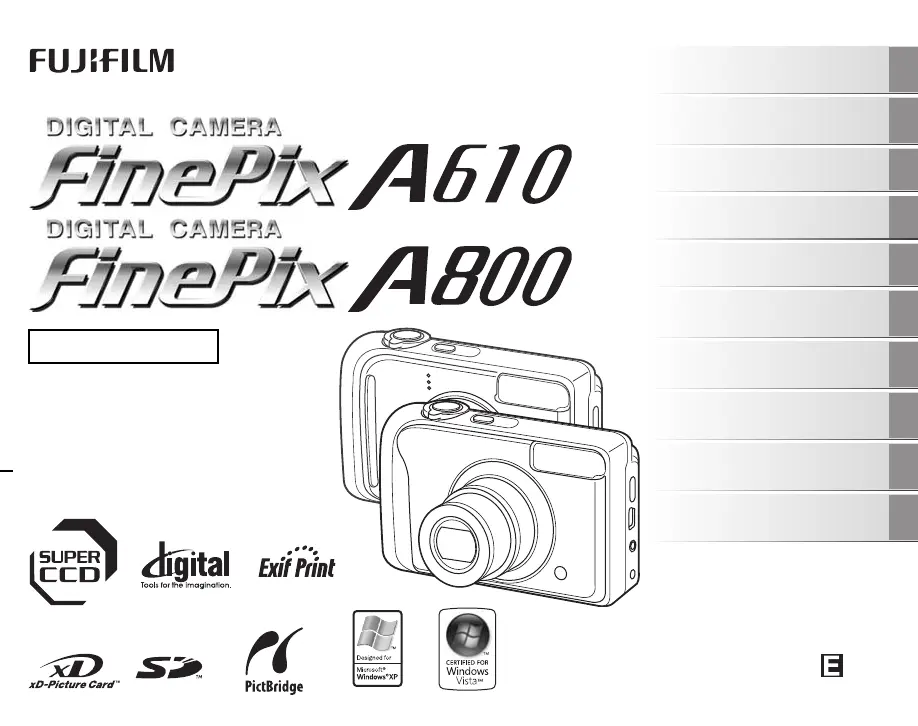
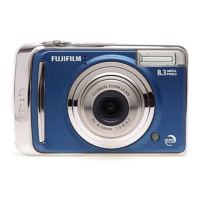
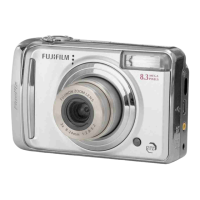
FujiFilm FinePix A800 - User Manual

FujiFilm FinePix A800
164 pages
Print Icon
To Next Page IconTo Next Page
Loading...
OWNER’S MANUAL
This manual will show you how to use
your FUJIFILM DIGITAL CAMERA
FinePix A610/FinePix A800 correctly.
Please follow the instructions carefully.
BL00593-201(1)
Getting Ready
Using the Camera
Advanced Features
Photography
Settings
Camera Connection
Software
Installation
Playback
•Movie
Appendices
Troubleshooting

Table of Contents

Other manuals for FujiFilm FinePix A800

Questions and Answers

  • J
    James Larson IIIAug 13, 2025
    Why FujiFilm Digital Camera won't take a picture?
    • L
      lancemeltonAug 13, 2025
      Your FujiFilm Digital Camera might not be taking pictures due to several reasons: * The memory card or internal memory could be full. Try inserting a new memory card or erasing unnecessary frames. * The memory card or internal memory might not be formatted. Format the memory card or internal memory on the camera. * The memory card contact area may be soiled. Wipe the memory card contact area with a soft, dry cloth. * The memory card might be damaged. Try inserting a new memory card. * The batteries may have run out. Load new or fully charged batteries. * The auto power off function may have turned the camera off. Turn the camera on.
  • R
    rebeccakingAug 16, 2025
    Why is my FujiFilm FinePix A800 Digital Camera image blurred?
    • D
      Don VaughanAug 16, 2025
      If your FujiFilm Digital Camera images are blurred, consider the following: * The lens might be dirty. Clean the lens. * Ensure the subject is in focus before taking the picture. Check the focus on the subject and take pictures. * Camera shake can cause blur. Hold the camera steadily.
  • D
    Daniel PerezAug 20, 2025
    Why is my FujiFilm Digital Camera having difficulty focusing?
    • S
      Sarah SantiagoAug 20, 2025
      If your FujiFilm Digital Camera is having trouble focusing, consider these possibilities: * If you're taking a close-up shot, make sure you've selected Macro mode. Select Macro mode. * If you're photographing scenery, ensure Macro mode is off. Cancel Macro mode. * If the subject is not suited to autofocusing, use AF/AE lock to take the picture.
  • T
    Tony GrahamAug 25, 2025
    What to do if FujiFilm Digital Camera playback image is dark even though the flash was used?
    • S
      Steven HopkinsAug 25, 2025
      If the playback image on your FujiFilm Digital Camera is dark even though you used the flash: * The subject may be too far away. Move to within the effective flash range before taking the picture. * Your finger might have been covering the flash. Hold the camera correctly.
  • C
    Christopher GutierrezAug 28, 2025
    What to do if FujiFilm FinePix A800 Digital Camera flash doesn't work?
    • W
      Wendy BoyerAug 28, 2025
      If the flash on your FujiFilm Digital Camera isn't working, here are a few things to check: * Ensure you wait until charging is completed before pressing the shutter button, as the shutter button may have been pressed while the flash was charging. * The shooting mode may be set to a mode that doesn't allow flash. Change the shooting mode. * The batteries may have run out. Load new or fully charged batteries. * The flash may be set to C SUPPRESSED FLASH mode. Set to another flash mode excluding the C SUPPRESSED FLASH mode. * The shooting mode may be set to AUTO or another restricted mode. Change the shooting mode for a wider range of flash settings, as the flash settings are restricted because the camera settings are tailored to the scene being shot.
  • A
    Anthony SerranoSep 1, 2025
    Why FujiFilm Digital Camera LCD monitor darkens after taking a picture?
    • A
      Ashley WeberSep 1, 2025
      The LCD monitor on your FujiFilm Digital Camera may darken after taking a picture because you took pictures with flash. The LCD monitor may darken for charging flash. Wait a short time.
  • L
    Lisa SimpsonSep 4, 2025
    Why FujiFilm Digital Camera cannot set to Macro mode?
    • E
      Erik MyersSep 4, 2025
      If you cannot set your FujiFilm Digital Camera to Macro (close-up) mode, it might be because the shooting mode is set to b, m, ,, ., /, , , , , or .. Change the shooting mode.
  • J
    Joseph AliSep 7, 2025
    Why there is speckling on FujiFilm FinePix A800 image?
    • J
      John WilkinsSep 8, 2025
      Speckling on a FujiFilm Digital Camera image can occur if the picture was taken with a slow shutter speed (long exposure) in a high-temperature environment. This is a characteristic of CCDs and does not indicate a camera fault.

Summary

Getting Ready

Loading Batteries and Memory Card

Instructions for inserting batteries and memory cards into the camera.

Initial Camera Setup

Guide to turning the camera on/off and setting language, date, and time.

Using the Camera

Taking Pictures in AUTO Mode

Basic steps for capturing photos using the automatic camera settings.

Advanced Photography Features

Photography Mode Selection

Overview and settings for various photography modes like Portrait, Landscape, etc.

Advanced Playback and Movie Features

Camera Settings and Connectivity

Troubleshooting Common Issues

Power and Battery Related Problems

Solutions for problems related to camera power and battery operation.

Safety Notes and Precautions

FujiFilm FinePix A800 Specifications

General IconGeneral
Megapixel8.3 MP
Sensor typeCCD
Image sensor size1/1.6 \
Digital zoom6.9 x
Optical zoom3 x
Focal length range8 - 24 mm
Digital SLRNo
Video capabilityYes
Aperture range (F-F)2.8 - 5.2
Camera shutter speed4 - 1/1600 s
Focal length (35mm film equivalent)36 - 108 mm
Normal focusing range0.6 - ∞ m
Macro focusing range (tele)0.35 - 0.80 m
Macro focusing range (wide)0.10 - 0.80 m
ISO sensitivity100
Light exposure modesAuto
Internal memory10 MB
Compatible memory cardssd, xd
Motion JPEG frame rate30 fps
Video formats supportedAVI
Maximum video resolution320 x 240 pixels
Display diagonal2.5 \
Image editingrotating, trimming
White balanceauto, daylight, Fluorescent, Incandescent, Shade
Camera playbackSlide show
Self-timer delay10 s
Product colorSilver
Battery type2xAA
Battery technologyAlkaline
Flash modesRed-eye reduction
Weight and Dimensions IconWeight and Dimensions
Depth31 mm
Width97.5 mm
Height61.9 mm
Weight151 g

Related product manuals