EasyManua.ls Logo

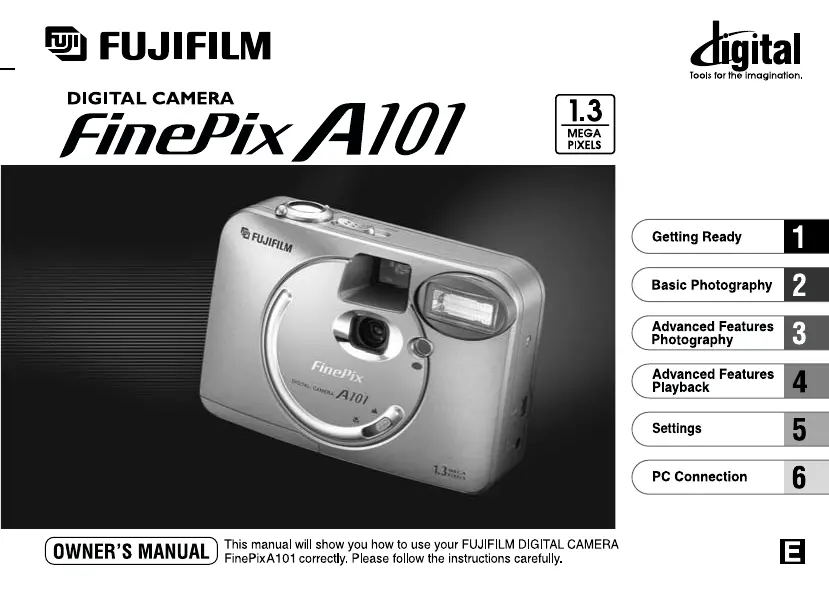
FujiFilm FinePix A101 - User Manual

FujiFilm FinePix A101
44 pages
Print Icon
To Next Page IconTo Next Page
Loading...
Printed in Japan FGS
-
103107
-
FG
Printed on recycled paper.
26
-
30, Nishiazabu 2
-
chome, Minato
-
ku, Tokyo 106
-
8620, Japan
BL00034-200
(
1
)

Table of Contents

Other manuals for FujiFilm FinePix A101

Questions and Answers

  • W
    woodslindaAug 18, 2025
    How to fix a FujiFilm Digital Camera with no power?
    • C
      Christopher CastanedaAug 18, 2025
      If your FujiFilm Digital Camera has no power, it could be due to an exhausted battery. Try replacing the batteries. Alternatively, check if the AC power adapter plug has come out of the power outlet and plug the adapter back in.
  • S
    Shannon MasseyAug 20, 2025
    Why does my FujiFilm Digital Camera battery run out so quickly?
    • J
      Jennifer PriceAug 20, 2025
      If your FujiFilm Digital Camera's battery runs out quickly, especially in cold conditions, try warming the battery in your pocket before use. Also, clean the battery terminals with a dry cloth. If the battery is flat, purchase a new one.
  • E
    eric45Aug 23, 2025
    Why my FujiFilm FinePix A101 Digital Camera won't take a photo?
    • F
      frodriguezAug 23, 2025
      If your FujiFilm Digital Camera won’t take a photo when you press the shutter button, check the following: * Ensure a SmartMedia card is loaded. * If the SmartMedia is full, insert a new one or erase unwanted frames. * Remove write-protection from the SmartMedia. * Format the SmartMedia if it is not formatted. * Clean the SmartMedia contact area. * Replace a damaged SmartMedia. * Ensure the camera is switched on if the Power Save function activated.
  • K
    Karen LoveAug 26, 2025
    Why are my FujiFilm Digital Camera photos too dark with flash?
    • M
      Martin GonzalesAug 26, 2025
      If images are too dark even when using the flash on your FujiFilm Digital Camera, it might be because the subject is too far away; try moving closer. Alternatively, your fingers may be obscuring the flash or flash control sensor; ensure you hold the camera correctly.
  • P
    Peter JohnsonAug 28, 2025
    How to fix blurred images on FujiFilm FinePix A101?
    • K
      Kayla WhiteAug 28, 2025
      If your FujiFilm Digital Camera images are blurred, clean the lens. If you're photographing a distant subject in macro mode, cancel Macro mode. Conversely, for close-up shots, ensure the camera is set to Macro mode.
  • Z
    zmoonAug 31, 2025
    What to do if my FujiFilm FinePix A101 Digital Camera no longer works correctly?
    • K
      Kevin HudsonAug 31, 2025
      If your FujiFilm Digital Camera no longer works correctly, it may have encountered an unforeseen problem. Try removing the battery briefly, then reload it and try again.
  • C
    cynthiacummingsSep 2, 2025
    What to do if my FujiFilm Digital Camera power cuts out during operation?
    • F
      fsanchezSep 2, 2025
      If your FujiFilm Digital Camera cuts out during operation, it is likely that the battery is exhausted. Replace the batteries to resolve this issue.
  • V
    vdiazSep 5, 2025
    Why can't I use the flash on my FujiFilm FinePix A101 Digital Camera?
    • R
      Regina TrujilloSep 5, 2025
      If you can’t use the flash on your FujiFilm Digital Camera, the flash might be set to Suppressed Flash mode. Change it to Auto, Red-Eye Reduction, or Forced Flash mode. Also, wait for the flash to complete charging before pressing the shutter button. Finally, ensure the battery is not exhausted by loading a new one.
  • S
    Sarah RobertsonSep 7, 2025
    Why Frame erase does not erase the frame on FujiFilm Digital Camera?
    • T
      Tony PerrySep 7, 2025
      If your FujiFilm Digital Camera frame erase function isn't working, it may be because the frame is protected. Unprotect the frame using the camera on which the protection was first applied. Alternatively, DPOF settings may be specified for the frame. Cancel the DPOF settings and try again.
  • D
    deanna20Sep 9, 2025
    What to do if nothing happens when I use the Mode switch on FujiFilm Digital Camera?
    • S
      Steven HansenSep 9, 2025
      If the mode switch on your FujiFilm Digital Camera isn't working, it could be due to a camera malfunction. Try removing and reloading the batteries or disconnecting and reconnecting the AC power adapter. It could also be due to exhausted batteries, so try purchasing new batteries.

Summary

Warning

Safety Precautions

General warnings about preventing fire, shock hazard, and exposure to moisture.

FCC Compliance Statement

Details FCC rules and compliance for digital devices in the USA.

Getting Ready

Loading the Batteries

Guide on how to insert AA-size alkaline or Ni-MH batteries correctly.

Loading the SmartMedia

Instructions for inserting the SmartMedia card into the camera.

Removing the SmartMedia

Procedure for safely removing the SmartMedia card from the camera.

Switching On and Off

Steps for powering the camera on and off, including battery status indicators.

Setting the Date and Time

Guide on setting the camera's date and time for accurate image metadata.

Basic Photography

Still Image Mode

Introduction to taking still photographs using the camera's auto mode.

Taking Pictures (Auto Mode)

Detailed steps for taking photos in the automatic shooting mode.

Macro (Close-Up) Photography

Guide to taking close-up shots, including effective range and viewfinder limitations.

Viewing Images (Playback)

Instructions on how to navigate and view recorded images in playback mode.

Playback Zoom

How to enlarge images in playback to check details.

Erasing Single Frame

Steps to delete individual image files from the SmartMedia.

Advanced Features Photography

Selecting Auto or Manual Mode

Explains how to switch between AUTO and MANUAL shooting modes.

Photography Menu: Flash

Auto Flash Mode

How to use the automatic flash for general photography.

Red-Eye Reduction Mode

Steps to minimize red-eye effect when photographing people.

Self-Timer Photography

Exposure Compensation (EV)

White Balance (Light Source Selection)

Movie Mode: Recording Movies

Movie Mode: Playing Back Movies

Playback Menu

Erasing Files and Formatting

Steps for deleting individual files, all files, or formatting the SmartMedia.

Settings

Setting File Size and Quality

Set-Up: Power Save

PC Connection

PC Connection Overview

Overview of connecting the camera to a computer via USB.

Connecting in DSC Mode

Connecting in PC-CAM Mode

Disconnecting from the PC

Notes on Power Supply

Notes on the SmartMedia

Warning Displays

Troubleshooting

Specifications

Safety Notes

FujiFilm FinePix A101 Specifications

General IconGeneral
BrandFujiFilm
ModelFinePix A101
CategoryDigital Camera
LanguageEnglish

Related product manuals