EasyManua.ls Logo

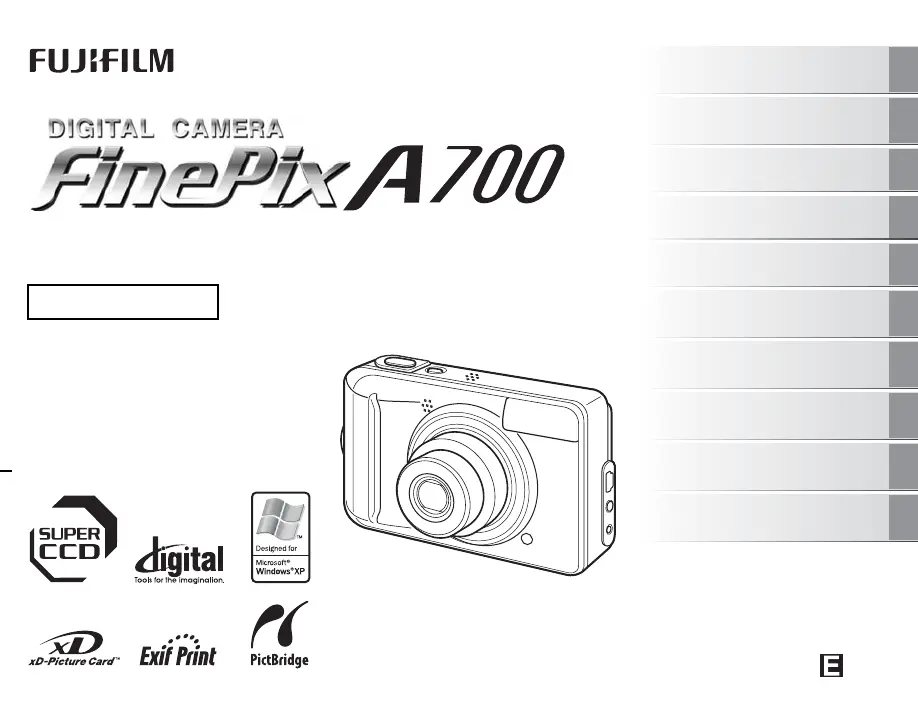
FujiFilm FinePix A700 - User Manual

FujiFilm FinePix A700
132 pages
Print Icon
To Next Page IconTo Next Page
Loading...
OWNER’S MANUAL
This manual will show you how to use
your FUJIFILM DIGITAL CAMERA
FinePix A700 correctly.
Please follow the instructions carefully.
BL00570-200(1)
Getting Ready
Using the Camera
Advanced Features
Photography
Settings
Camera Connection
Software
Installation
Playback
•Movie
Appendices
Troubleshooting

Table of Contents

Other manuals for FujiFilm FinePix A700

Questions and Answers

  • T
    Toni BairdJul 25, 2025
    What to do if my FujiFilm Digital Camera images are blurred?
    • K
      Krystal HowellJul 26, 2025
      Blurred images can result from a dirty lens, ensure you clean the lens. Also, make sure to check the focus on the subject and take pictures. Camera shake can also cause blurriness, so hold the camera steadily.
  • K
    Kara JohnsonJul 31, 2025
    Why can't I use the flash on my FujiFilm Digital Camera?
    • E
      Elizabeth WangJul 31, 2025
      There are several reasons why the flash might not work: * The shutter button may have been pressed before charging was complete. Wait until charging finishes. * The shooting mode may be set to a mode that disables the flash. Change the shooting mode. * The batteries may be low. Load new or fully charged batteries. * The flash settings may be restricted due to the camera settings. Change the shooting mode for more flash settings. * You may be too far from the subject. Move closer to the subject. * Your finger may be covering the flash. Hold the camera correctly.
  • J
    Joanne HendersonAug 5, 2025
    Why does my FujiFilm Digital Camera not emit any sound?
    • M
      Mandy StarkAug 5, 2025
      If your camera isn't making any sound, it could be due to a few reasons. First, check if the camera volume is set too low and adjust it. Also, ensure that the microphone isn't blocked during shooting or recording. Finally, make sure that the speaker is uncovered during playback.
  • J
    Jacob RodriguezAug 10, 2025
    Why is there speckling on my FujiFilm Digital Camera images?
    • B
      Bradley CollinsAug 10, 2025
      Speckling on images can occur if the picture was taken with a slow shutter speed (long exposure) in a high- temperature environment. This is a characteristic of CCDs and does not indicate a camera fault.
  • B
    Brian ChapmanAug 14, 2025
    Why does erasing FRAME not erase the frame on my FujiFilm FinePix A700?
    • A
      Angela CampbellAug 14, 2025
      Some frames may be protected. Unprotect frames using the camera on which the protection was first applied.
  • J
    Jennifer CampbellSep 10, 2025
    Why is CONT. in the frame number setting not functioning on my FujiFilm FinePix A700 Digital Camera?
    • N
      Nicholas HooverSep 12, 2025
      CONT. in the frame number setting does not function, because you opened the battery cover without turning the camera off when replacing the batteries or xD-Picture Card. Always turn the camera off when replacing the batteries or xD-Picture Card. Opening the battery cover without turning the camera off may cause the frame number memory to not function.

Summary

Warning

Regulatory Compliance and Safety

Safety precautions for users in the USA and Canada regarding FCC compliance and general warnings.

Getting Ready

Loading the Batteries

Instructions for inserting AA-size alkaline or Ni-MH rechargeable batteries into the camera.

Loading the xD-Picture Card

Guide to inserting an xD-Picture Card into the camera's internal memory card slot.

Setting the Date and Time

Procedure for setting the camera's date and time after initial purchase or power loss.

Using the Camera

Taking Pictures (AUTO Mode)

Basic operations for capturing images in the automatic photography mode.

Viewing the Images

Instructions on how to set the camera to Playback mode and view recorded images.

Advanced Features - Photography

Setting the Shooting Mode

Guide to selecting appropriate shooting modes like AUTO, PORTRAIT, LANDSCAPE, SPORT, NIGHT, MANUAL.

Setting the Flash

Explanation of different flash modes like Auto, Red-eye reduction, Forced flash, etc.

Settings

Adjusting LCD Brightness or Playback Volume

Instructions to adjust the brightness of the LCD monitor or the volume for playback.

SET-UP

Guide to accessing and using the camera's SET-UP menu for various configurations.

Camera Connection

Connecting to a TV

Steps to connect the camera to a TV for displaying images on a wider screen.

Connecting Camera Directly to Printer - PictBridge Function

Instructions for printing images directly from the camera to a PictBridge-compatible printer.

Software Installation

Installation on a Windows PC

Steps and requirements for installing the camera software on a Windows operating system.

Installation on a Mac OS X

Steps and requirements for installing the camera software on a Mac OS X operating system.

Troubleshooting

Getting ready

Troubleshooting common issues related to camera setup and power supply.

Shooting

Solutions for problems encountered during shooting, including focus, flash, and image quality issues.

Connecting

Troubleshooting steps for connecting the camera to a TV, PC, or printer.

FujiFilm FinePix A700 Specifications

General IconGeneral
Megapixel7.3 MP
Sensor typeCCD
Image sensor size1/1.6 \
Digital zoom6.3 x
Optical zoom3 x
Focal length range8 - 24 mm
InterfaceUSB
Camera shutter speed2 - 1/1600 s
Focal length (35mm film equivalent)36 - 108 mm
Internal memory12 MB
Compatible memory cardsxd
Video recordingYes
Motion JPEG frame rate10 fps
Video formats supportedAvi
Maximum video resolution320 x 240 pixels
Display diagonal2.4 \
Display resolution (numeric)112000 pixels
Product colorSilver
Battery typeAA
Number of batteries supported2
Flash modesRed-eye reduction, Red-eye Reduction
Weight and Dimensions IconWeight and Dimensions
Depth30.1 mm
Width93 mm
Height60 mm
Weight139 g

Related product manuals