EasyManua.ls Logo

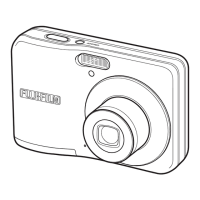
FujiFilm FINEPIX A400 - User Manual

FujiFilm FINEPIX A400
132 pages
Print Icon
To Next Page IconTo Next Page
Loading...
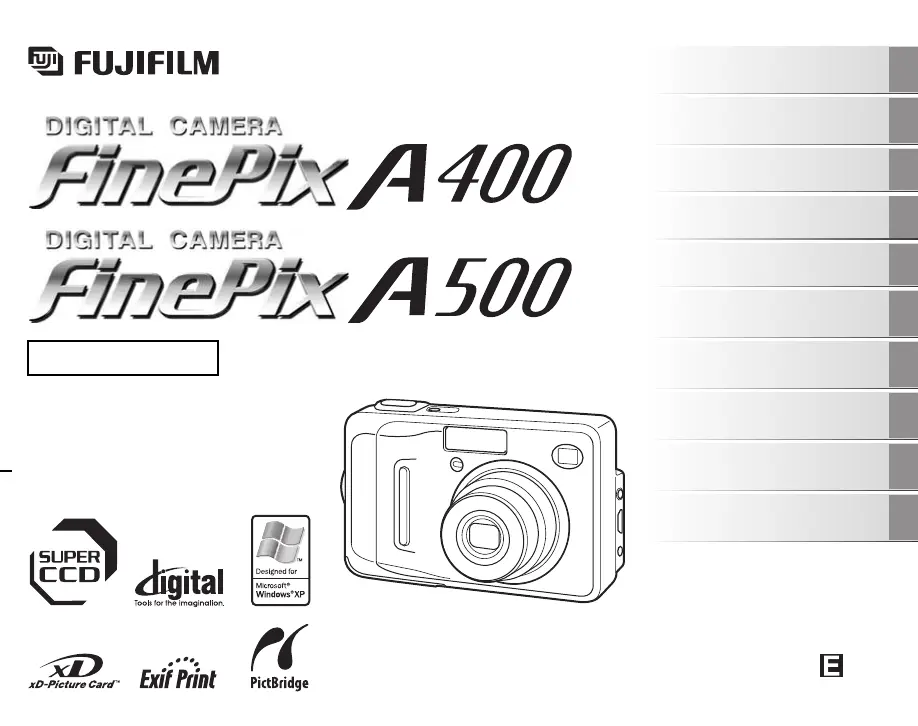
OWNER’S MANUAL
This manual will show you how to use
your FUJIFILM DIGITAL CAMERA
FinePix A400 / FinePix A500 correctly.
Please follow the instructions carefully.
BL00529-200(2)
Getting Ready
Using the Camera
Advanced Features
Photography
Settings
Camera Connection
Software
Installation
•Playback
•Movie
Appendices
Troubleshooting

Table of Contents

Other manuals for FujiFilm FINEPIX A400

Questions and Answers

  • M
    michael97Aug 20, 2025
    What to do if nothing happens when pressing POWER on FujiFilm FINEPIX A400 Digital Camera?
    • A
      Anna DodsonAug 20, 2025
      If nothing happens when you press the power button on your FujiFilm Digital Camera, the batteries may have run out, so load new or fully charged batteries. Also, ensure the batteries are loaded in the correct direction and that the battery cover is securely closed. If you're using an AC power adapter, make sure it's correctly connected to both the camera and the power outlet.
  • P
    Paul BrownAug 22, 2025
    What to do if FujiFilm FINEPIX A400 does not take a photograph when pressing the shutter button?
    • M
      Michaela CarterAug 22, 2025
      If your FujiFilm Digital Camera isn't taking photos when you press the shutter button, the xD-Picture Card or internal memory might be full. Try inserting a new card or erasing unnecessary frames. The card or memory may also need formatting, or the card's contact area could be soiled; wipe it with a soft, dry cloth. The card might be damaged, so try a new one. Ensure the batteries aren't depleted by loading new, fully charged batteries. Also, check if the Auto power off function has turned the camera off, and if so, turn the camera back on.
  • M
    Michael MitchellAug 25, 2025
    Why do the batteries run out quickly on FujiFilm FINEPIX A400?
    • L
      Luis KleinAug 25, 2025
      If the batteries in your FujiFilm Digital Camera are running out quickly, it might be due to extremely cold conditions; try warming the batteries in your pocket before use. Soiled terminals can also cause this issue, so wipe them with a clean, dry cloth. If the batteries have been used for a long time, replace them with new or fully charged ones. If you're using rechargeable batteries, they may have become deactivated or diminished in capacity; use the rechargeable battery discharging function to restore them.
  • B
    Bryan JonesAug 26, 2025
    What to do if FujiFilm Digital Camera power cuts out during operation?
    • N
      Nicole OliverAug 26, 2025
      If your FujiFilm Digital Camera is losing power during operation, the batteries may have run out, so load new or fully charged batteries. Also, if you're using an AC power adapter, check that the plug hasn't come out of the power outlet, and plug it back in if necessary.
  • A
    Alicia LeeAug 27, 2025
    Why FujiFilm FINEPIX A400 Digital Camera has difficulty in focusing on the subject?
    • B
      Barbara ClarkAug 27, 2025
      If your FujiFilm Digital Camera is having trouble focusing, and you're taking a close-up shot, make sure you've selected Macro mode. If you're photographing scenery, ensure Macro mode is canceled. For subjects not suited to autofocusing, use AF/AE lock to take the picture.
  • J
    Julie LopezAug 29, 2025
    Why the playback image is dark even though the flash was used on FujiFilm FINEPIX A400 Digital Camera?
    • N
      Nicholas WangAug 30, 2025
      If the playback image on your FujiFilm Digital Camera is dark even though you used the flash, the subject may be too far away. Move to within the effective flash range before taking the picture.
  • J
    Jill LivingstonAug 31, 2025
    How to fix blurred image on FujiFilm FINEPIX A400 Digital Camera?
    • D
      David HowardAug 31, 2025
      If the image from your FujiFilm Digital Camera is blurred, the lens might be dirty. Clean the lens.
  • E
    Eric JensenSep 2, 2025
    Why I cannot use the flash on my FujiFilm FINEPIX A400 Digital Camera?
    • J
      Jeffrey ThompsonSep 2, 2025
      If you cannot use the flash on your FujiFilm Digital Camera, it might be because you pressed the shutter button while the flash was charging; wait until charging is completed before pressing the shutter button. Also, check if the Shooting mode is set to the wrong mode and change it if necessary. Finally, ensure that the batteries are not depleted by loading new or fully charged batteries.
  • L
    Laura WebbSep 4, 2025
    What to do if nothing happens when pressing the buttons on FujiFilm Digital Camera?
    • S
      Samantha OwensSep 4, 2025
      If nothing happens when you press the buttons on your FujiFilm Digital Camera, it could be due to a temporary camera malfunction. Try briefly removing the batteries or disconnecting the AC power adapter, then reload or reconnect them. Also, ensure that the batteries are not depleted by loading new or fully charged batteries.
  • E
    elliottkristinaSep 6, 2025
    Why there is no image on the TV from FujiFilm Digital Camera?
    • R
      rubenmcmillanSep 6, 2025
      If there is no image on the TV when connecting your FujiFilm Digital Camera, ensure the camera is correctly connected to the TV. Check that “VIDEO” is selected as the TV input, and verify that the video output setting is set to either NTSC or PAL.

Summary

Getting Ready

Loading the Batteries

Instructions on how to insert batteries into the camera.

Checking the battery charge

How to check the remaining battery power level on the camera.

Loading the xD-Picture Card

Guide on inserting and replacing the xD-Picture Card.

Turning On and Off

Steps for powering the camera on and off in different modes.

Setting the Date and Time

Procedure for setting the camera's date and time after initial setup.

Using the Camera

Taking Pictures (AUTO Mode)

Basic steps for taking photos in AUTO mode, including camera handling.

Taking pictures with focus and exposure locked

Using AF/AE lock for optimal results with difficult subjects.

Erasing the Images

How to delete unwanted photos from the camera or memory card.

Advanced Features - Photography

Adjusting exposure compensation (EXP. COMPENSATION)

How to adjust image brightness for high-contrast scenes.

Adjusting color balance (WB)

Method to adjust color tones to match ambient light conditions.

Settings

Camera Connection

Connecting Camera Directly to Printer - PictBridge Function

Printing photos directly from the camera to a PictBridge-compatible printer.

Troubleshooting

Shooting

Troubleshooting common problems encountered during photography.

Safety Notes

FujiFilm FINEPIX A400 Specifications

General IconGeneral
Image Sensor1/2.5-inch CCD
Sensor TypeCCD
Optical Zoom3x
LensFujinon
Focal Length6.3 - 18.9 mm
Storage MediaxD-Picture Card
Battery2 x AA batteries
Camera TypeCompact
LCD Screen Size1.5 inches
LCD Pixels60, 000 pixels
Shutter Speed1/2000 - 1 sec
ISO SensitivityAuto, 100, 200, 400
Video Recording320 x 240 pixels, 10 fps

Related product manuals