EasyManua.ls Logo

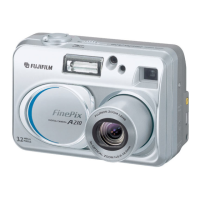
FujiFilm FINEPIX A310 - User Manual

FujiFilm FINEPIX A310
43 pages
Print Icon
To Next Page IconTo Next Page
Loading...
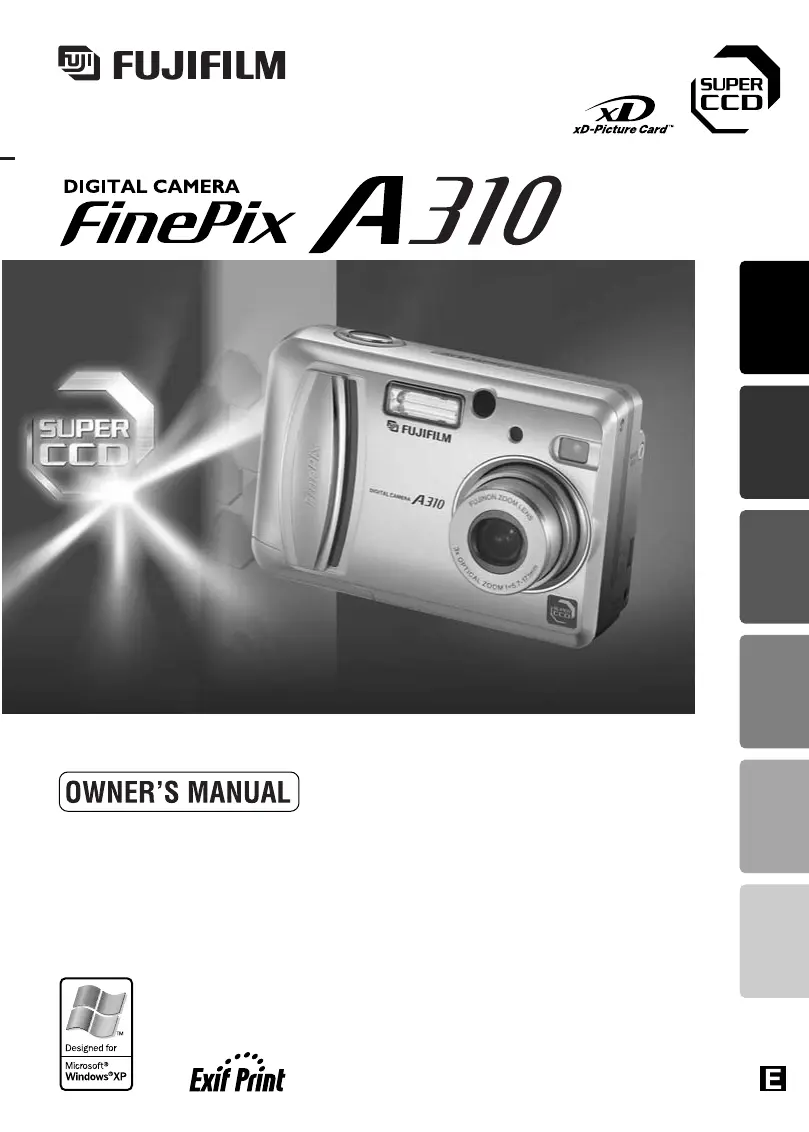
This manual will show you how to use your FUJIFILM
DIGITAL CAMERA FinePix A310 correctly.
Please follow the instructions carefully.
BL00254-200
(
2
)
Getting Ready
Using
the Camera
Advanced
Features
Software
Installation
Viewing ImagesSettings

Table of Contents

Other manuals for FujiFilm FINEPIX A310

Questions and Answers

  • P
    Pamela TateAug 15, 2025
    How to fix no power on FujiFilm FINEPIX A310 Digital Camera?
    • N
      nmolinaAug 15, 2025
      If your FujiFilm Digital Camera isn't powering on, there are a few potential reasons. First, the batteries might be exhausted, so try fitting new or fully charged batteries. Another possibility is that the batteries are loaded backwards; ensure they are in the correct direction. Also, check that the battery cover is properly closed. Finally, the AC power adapter plug may have come out of the power outlet, so plug it back in.
  • S
    Stephanie RobersonAug 18, 2025
    Why does my FujiFilm Digital Camera power cut out?
    • T
      Tina SmithAug 18, 2025
      If your FujiFilm Digital Camera stops working during use, it's likely that the batteries are exhausted. Try replacing them with new or fully charged batteries to resolve this issue.
  • A
    Adam RomeroAug 21, 2025
    What to do if my FujiFilm Digital Camera won't take a photo?
    • J
      John DavisAug 21, 2025
      If your FujiFilm Digital Camera isn't taking pictures when you press the shutter button, here are a few things to check: * Make sure you have an xD-Picture Card inserted. * If the card is full, insert a new one or erase unwanted frames. * The card may need to be formatted. * Ensure the card's contact area is clean. * The card might be damaged, try a new one. * If the camera has been idle for 2 minutes, switch it on. * Lastly, the batteries might be exhausted, so try new ones.
  • D
    Dean HernandezAug 25, 2025
    Why do the batteries run out so quickly on FujiFilm FINEPIX A310 Digital Camera?
    • X
      xjonesAug 25, 2025
      If your FujiFilm Digital Camera's batteries are draining quickly, it could be due to a few reasons. If you're using the camera in extremely cold conditions, try warming the batteries in your pocket before use. Also, check if the battery terminals are soiled and wipe them with a clean, dry cloth. Finally, ensure that the batteries are fully charged or replace them with new ones.
  • J
    Jeffrey MoralesAug 27, 2025
    Why can't I use the flash on my FujiFilm FINEPIX A310 Digital Camera?
    • T
      Timothy ClarkAug 27, 2025
      If you can't use the flash on your FujiFilm Digital Camera, it might be because the flash is set to Suppressed Flash mode. Try setting the flash mode to Auto, Red-eye Reduction, or Forced Flash. Note that the flash cannot be used in some modes. Also, make sure you wait until the flash is fully charged before pressing the shutter button. Lastly, check if the batteries are exhausted and replace them with new ones if needed.
  • K
    Kimberly MartinezAug 30, 2025
    Why are my FujiFilm Digital Camera photos too dark with flash?
    • P
      Perry KruegerAug 30, 2025
      If your playback image is too dark even when using the flash on your FujiFilm Digital Camera, the subject might be too far away. Try moving closer to the subject, ensuring you are within the effective flash range. Also, make sure your finger isn't covering the flash or the flash control sensor while taking the picture; hold the camera correctly.
  • C
    Christian CurtisSep 2, 2025
    Why are my FujiFilm FINEPIX A310 Digital Camera images blurred?
    • J
      Joseph MillerSep 2, 2025
      If the images from your FujiFilm Digital Camera are blurred, several factors could be the cause. Start by cleaning the lens. If the subject was too dark, try standing approximately 2 meters (6.6 ft) away. Ensure you're using the correct mode; if photographing scenery, cancel Macro mode, and if taking a close-up, select Macro mode. If your subject isn't suited to autofocusing, use AF/AE lock to take the shot.
  • J
    jordanevansSep 5, 2025
    Why can I only select 'Suppressed Flash' on FujiFilm FINEPIX A310?
    • Q
      qwilliamsSep 6, 2025
      If you can only select “Suppressed Flash” mode on your FujiFilm Digital Camera, it is likely that continuous shooting is selected. Set continuous shooting to OFF to regain access to other flash modes.
  • M
    Molly DennisSep 8, 2025
    Why can I only select the '1' quality setting on my FujiFilm FINEPIX A310?
    • D
      duranjessicaSep 8, 2025
      If you can only select the “1” quality setting on your FujiFilm Digital Camera, check if the sensitivity is set to 800 (high-sensitivity photography) in the Photography menu. If it is, set the sensitivity to 400 or less to enable other quality settings.
  • R
    Robin HallSep 12, 2025
    What to do if I can't format xD-Picture Card on FujiFilm Digital Camera?
    • C
      cynthia62Sep 12, 2025
      If you can't format the xD-Picture Card in your FujiFilm Digital Camera, it might be because the card's contact area is soiled. Try wiping the xD-Picture Card contact area with a clean, dry cloth.

Summary

Battery Management

Ni-MH Battery Care

Explains the 'Discharging rechargeable batteries' function for Ni-MH batteries.

Getting Ready: Loading Media and Power

Initial Camera Setup Procedures

Switching On;Off and Setting Date;Time

How to power the camera on/off and set the initial date and time.

Using the Camera: Still Image Mode

Shooting Still Images (Auto Mode)

Guide to taking photos using the automatic mode.

Still Image Shooting Techniques

Zooming, Framing, and Focus

Explains zoom functions, framing, and achieving focus.

Still Image Mode: Storage and Focus Lock

Autofocus and Auto-Exposure Lock

How to lock focus and exposure for better shots.

Playback Mode: Editing and Deletion

Erasing Images (Erase Frame)

Step-by-step guide to deleting individual images.

Advanced Features: Image Quality and ISO

Shooting Modes and Scene Positions

Selecting Photography Modes

Choosing between AUTO, Manual, and Scene Position modes.

Special Shooting Techniques

Macro (Close-up) Photography

Instructions for taking close-up shots.

Continuous Shooting and Subject Tracking

Continuous Shooting Modes

Explains Top 4-frame and Final 4-frame shooting.

Exposure and White Balance Control

EV (Exposure Compensation) Guide

How to adjust brightness for subjects with high/low contrast.

White Balance Settings

Adjusting color balance for different lighting conditions.

Movie Mode Operations

Shooting Movies

Guide to recording video clips.

Playback Menu: Image Deletion

Erasing Single Frames

Step-by-step process to delete individual photos.

Erasing All Frames

How to delete all unprotected photos at once.

Playback Menu: Image Protection

Camera Setup Menu: General Settings

Setup Menu: Card and File Management

Formatting the xD-Picture Card

Process to initialize the memory card for camera use.

Software Installation: Windows PC

Software Installation: Macintosh OS

Connecting the Camera to Peripherals

Connecting to a Computer (DSC Mode)

Transferring images using Mass Storage mode.

Camera Connection and PC Operation

Disconnecting Camera and Using FinePixViewer

Safely Disconnecting the Camera

Proper procedures to detach the camera from a computer.

Camera Usage Notes and Battery Precautions

Important Notes and Warning Displays

xD-Picture Card Usage Guidelines

Guidelines for handling and using memory cards.

Warning Displays Explained

Explanations and remedies for camera error messages.

Troubleshooting Common Issues

Resolving Camera Malfunctions

Solutions for common camera malfunctions like no power or errors.

Addressing Specific Warning Messages

How to address specific error messages like 'FOCUS ERROR'.

Technical Specifications and Terminology

Camera Specifications

Detailed technical data about the camera model.

Safety Notes and Precautions

General Safety Warnings

Essential safety information for using the camera.

FujiFilm FINEPIX A310 Specifications

General IconGeneral
Digital zoom2.9 x
Optical zoom3 x
Megapixel3.1 MP
Display diagonal1.5 \
Digital SLRNo
Focal length (35mm film equivalent)38 - 114 mm
Flash modesRed-eye reduction

Related product manuals