EasyManua.ls Logo

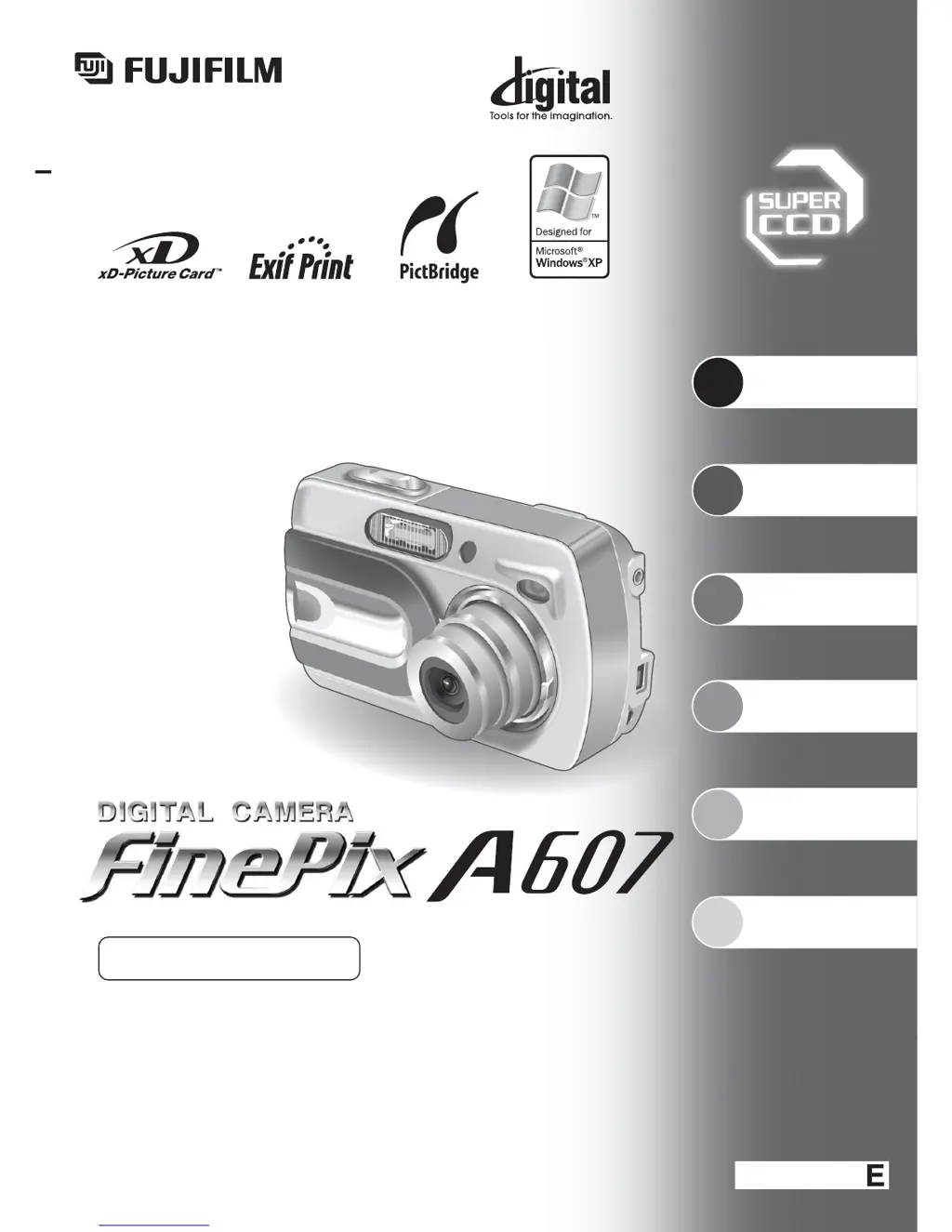
FujiFilm FinePix A607 - User Manual

FujiFilm FinePix A607
88 pages
Print Icon
To Next Page IconTo Next Page
Loading...
Getting Ready
Using
the Camera
Advanced
Features
Software
Installation
Settings
Viewing Images
BL00398-100
(
1
)
This manual will show you how to use your
FUJIFILM DIGITAL CAMERA FinePix A607 correctly.
Please follow the instructions carefully.
OWNER’S MANUAL
3
4
5
6
2
1

Table of Contents

Questions and Answers

  • D
    Donna Kramer MDAug 20, 2025
    Why does my FujiFilm FinePix A607 have no power?
    • T
      twilliamsAug 20, 2025
      Your FujiFilm Digital Camera might not have power for several reasons: * The batteries may be depleted. Try loading new or fully charged batteries. * The batteries might be loaded incorrectly. Make sure to load them in the correct direction. * The battery cover might not be closed properly. Ensure it is closed correctly. * If using an AC adapter, the plug may have come out of the power outlet. Ensure the adapter is plugged back in.
  • M
    Martha HartAug 22, 2025
    What to do if FujiFilm FinePix A607 Digital Camera won't take a photograph when pressing the shutter button?
    • J
      Justin LongAug 22, 2025
      If your FujiFilm Digital Camera isn't taking a photo when you press the shutter button, it could be due to several reasons: * No xD-Picture Card is inserted. Insert an xD-Picture Card. * The xD-Picture Card is full. Insert a new one or erase unwanted frames. * The xD-Picture Card is not formatted. Format the card. * The card's contact area is dirty. Wipe it with a clean, dry cloth. * The xD-Picture Card is damaged. Insert a new card. * The camera is off due to the Auto power off function. Turn the camera on. * The batteries are depleted. Load new or fully charged batteries.
  • J
    Jeremy BraunAug 25, 2025
    What to do if my FujiFilm FinePix A607 no longer works correctly?
    • K
      Katie JacksonAug 25, 2025
      If your FujiFilm Digital Camera no longer works correctly due to an unforeseen problem, briefly remove the batteries or disconnect the AC power adapter. Then reload the batteries or reconnect the AC power adapter and try again.
  • J
    Jennifer CoxAug 26, 2025
    What to do if my FujiFilm FinePix A607 batteries run out quickly?
    • D
      David RobertsAug 26, 2025
      If the batteries in your FujiFilm Digital Camera are running out quickly, consider these potential causes and solutions: * If you're using the camera in extremely cold conditions, try warming the batteries in your pocket or another warm place before loading them into the camera. * The battery terminals may be soiled. Clean them with a dry cloth. * The batteries might be old and un-rechargeable, so try loading new batteries.
  • A
    Anthony CoxAug 28, 2025
    Why FujiFilm Digital Camera power cuts out during operation?
    • S
      Stacy ClarkAug 28, 2025
      If the power to your FujiFilm Digital Camera cuts out during operation, it is likely that the batteries have run out. Try loading new or fully charged batteries.
  • V
    vhernandezAug 29, 2025
    Why is the image blurred on my FujiFilm FinePix A607 Digital Camera?
    • M
      mcneiljenniferAug 30, 2025
      If the image from your FujiFilm Digital Camera is blurred, here are some possible causes and solutions: * The lens might be dirty. Clean the lens. * The subject might be too dark. Try standing approximately 2 meters (6.6 ft) away from your subject. * You might be using the wrong mode. Cancel Macro mode for scenery or select it for close-up shots. * The subject may not be suited to autofocusing. Use AF/AE lock.
  • R
    Robert HendersonSep 1, 2025
    Why can’t I use the flash on my FujiFilm FinePix A607?
    • R
      robinrobertsSep 1, 2025
      If you can't use the flash on your FujiFilm Digital Camera, it could be due to: * The flash being set to Suppressed Flash mode. Change the Flash mode to Auto, Red-eye Reduction, or Forced Flash. Note that the flash cannot be used in some modes. * Pressing the Shutter button while the flash was charging. Wait until the flash has finished charging before pressing the Shutter button. * Depleted batteries. Load new or fully charged batteries.
  • B
    Brandy BakerSep 2, 2025
    Why is the playback image too dark on my FujiFilm Digital Camera, even though the flash was used?
    • B
      Brandon BarnettSep 2, 2025
      If the playback image on your FujiFilm Digital Camera is too dark even when the flash was used: * The subject might be too far away. Move closer to within the effective flash range. * Your finger might have been covering the flash. Hold the camera correctly.
  • A
    Alexandra MitchellSep 4, 2025
    Why is the frame erase not working on my FujiFilm FinePix A607 Digital Camera?
    • V
      Vanessa NelsonSep 5, 2025
      If the frame erase function is not working on your FujiFilm Digital Camera, it may be because some frames are protected. Unprotect frames using the camera on which the protection was first applied.
  • D
    David DoyleSep 7, 2025
    What to do if nothing happens when I press the Playback button on my FujiFilm FinePix A607 Digital Camera?
    • W
      Wesley HoffmanSep 7, 2025
      If nothing happens when you press the Playback button on your FujiFilm Digital Camera, consider the following: * The lens cover may be open. Close the lens cover. * There may be a camera malfunction. Briefly remove the batteries or disconnect the AC power adapter, then reload or reconnect them and try again. * The batteries may be depleted. Load new or fully charged batteries.

Summary

Preface

Test Shots Prior to Photography

Advice on taking test shots before important events to ensure camera functionality.

Notes on Copyright

Information regarding copyright laws for digital images and their usage.

Liquid Crystal Handling

Precautions for dealing with LCD monitor damage and liquid crystal exposure.

Notes on Electrical Interference

Warnings about camera interference in sensitive environments like hospitals or aircrafts.

Handling Your Digital Camera

Guidelines for safe physical handling of the camera to prevent damage.

Trademark Information

Lists of registered trademarks relevant to the camera and its software.

Explanation of Color Television System

Definitions of NTSC and PAL television standards.

Exif Print Format

Explanation of the Exif Print file format for optimal image printing.

Camera Parts and Features

Major Components

Identifies key external parts like lens, viewfinder, and LCD monitor.

Control Buttons and Dials

Identifies main operational buttons such as shutter, zoom, menu, and playback.

Ports and Slots

Identifies connection ports like USB, VIDEO OUT, DC IN, and card slot.

1 Getting Ready

Loading Batteries and Media

Instructions for inserting batteries and memory cards into the camera.

How to Use Batteries

Guidelines for proper battery usage, types, and care.

Checking Battery Charge

How to check the remaining battery power displayed on the camera's screen.

Power Save Function

Details on the automatic power-saving features to extend battery life.

Turning On and Off

Procedures for powering the camera on and off in different modes.

Setting the Date and Time

Guide to setting the camera's date and time after purchase or reset.

Correcting Date;Time and Changing Date Order

How to adjust date/time and reorder the date display format.

Selecting the Language

Steps to change the camera's display and menu language.

2 Using the Camera

Still Photography Mode

Guide to using the camera for taking still photographs.

Taking Pictures (Auto Mode)

Step-by-step instructions for taking photos in auto mode.

Autofocus Subjects

Lists subjects that may cause autofocus difficulty and solutions.

Using the Viewfinder

How to use the camera's viewfinder for framing shots.

Viewfinder Lamp Display

Explains the meaning of different viewfinder lamp indicators.

Number of Available Frames

Information on how many shots can be taken based on card size and quality.

Using AF;AE Lock

How to lock focus and exposure for better composition and results.

Using the Zoom (Optical;Digital)

Instructions on using the camera's optical and digital zoom functions.

Best Framing

Tips for composing shots using framing guidelines on the LCD.

Viewing Your Images (Playback)

How to view recorded images in single-frame and multi-frame modes.

Playback Zoom

How to zoom in on recorded images for closer inspection.

Erasing Images (Erase Frame)

Steps to delete individual images from the camera.

3 Advanced Features

Still Photography Functions

Exploring advanced settings and functions for still photography.

Selecting Camera Settings

Guide to choosing photography modes and specifying camera settings.

Macro (Close-Up)

How to enable and use macro mode for close-up shots.

Flash Modes

Explains the different flash modes available: Auto, Red-eye, Forced, Suppressed.

Still Photography Menu

Navigating and using the camera's still photography menu options.

Self-Timer Photography

Using the self-timer for group shots or self-portraits.

Shooting Mode

Selecting different shooting modes like Auto, Portrait, Scene, Sport, Night.

EV (Exposure Compensation)

Adjusting brightness for optimal exposure in manual mode.

White Balance (Light Source)

Adjusting color balance for different lighting conditions.

Erasing Single; All Frames

Procedures for deleting individual or all images from the camera.

DPOF Set Frame

Setting print options for digital prints using the DPOF format.

DPOF Set Frame (Reset All)

Resetting all DPOF print settings to their default values.

Protecting Images

Preventing accidental deletion of images by protecting them.

Auto Play (Automatic Playback)

Setting up automatic playback of recorded images.

Trimming Images

How to crop images directly on the camera.

Movie Mode Recording Movies

Instructions for recording video clips, including quality settings.

Playing Back Movies

How to play recorded video clips on the camera.

4 Settings

Adjusting Monitor Brightness

How to change the LCD screen brightness level.

Set-Up Menu

Accessing and changing various camera settings via the Set-Up menu.

Set-Up Menu Options

Overview of all available settings within the Set-Up menu.

Power Save Setting

Configuring power saving modes to extend battery life.

Format Memory Card

How to format the memory card to erase all data.

Time Difference Setting

Adjusting the camera's clock for different time zones.

Frame Number Settings

Settings for numbering image files and managing their sequence.

5 Software Installation

Installation on a Windows PC

Guide for installing camera software and drivers on Windows systems.

Installation on Mac OS 9.2

Guide for installing camera software and drivers on Mac OS 9.2.

Installation on Mac OS X

Guide for installing camera software and drivers on Mac OS X.

6 Viewing Images

Camera Connection

Connecting the camera to external devices like AC adapters, TVs, and computers.

Connecting Directly to Printer (PictBridge)

Printing images directly from the camera using PictBridge functionality.

Connecting to a Computer

Connecting the camera to a PC for data transfer via USB.

Using FinePixViewer Software

Using the FinePixViewer software for managing and viewing images.

System Expansion Options

Image Input;Output to PC

Connecting the camera and accessories to a PC for image transfer.

Print Creation

Connecting the camera and accessories for printing images.

Video Output

Connecting the camera to a TV for video output.

Accessories Guide

Memory Cards and Adapters

Information on xD-Picture Cards and various card adapters.

Power Accessories

Details on AC adapters, rechargeable batteries, and chargers.

Camera Peripherals

Information on cradles, cases, and card readers.

Using Your Camera Correctly

Places to Avoid

Locations and conditions to avoid for safe camera operation.

Damage by Water or Sand

Precautions against water and sand damage to the camera.

Damage by Condensation

Preventing and handling condensation on the camera and lens.

Power Supply and Batteries

Information on compatible batteries and power sources.

Notes on the xD-Picture Card

Image Memory Card

Introduction to the xD-Picture Card technology for image recording.

Protecting Your Data

Precautions to prevent data loss on the memory card.

Handling xD-Picture Card

Best practices for inserting, storing, and cleaning the memory card.

Using xD-Picture Card with a PC

Guidelines for using the memory card with a personal computer.

xD-Picture Card Specifications

Technical specifications of the xD-Picture Card.

Warning Displays

Battery Warnings

Interprets battery status warnings (low, depleted) and their remedies.

Card Warnings

Explains warnings related to xD-Picture Card (no card, error, full, etc.).

Other Warning Displays

Interprets other warnings like AE/AF errors, frame number limits, and write errors.

Troubleshooting

No Power or Operation Issues

Solutions for issues like no power, buttons not working, or power cuts.

Battery and Image Capture Problems

Resolves issues with batteries draining fast or photos not being taken.

Flash and Image Quality Issues

Fixes for flash not working, dark images, blurred images, or speckling.

Card Formatting and Error Issues

Solutions for formatting errors, card damage, or unreadable files.

Specifications

Camera System Specifications

Detailed technical specifications of the FinePix A607 camera.

Lens and Exposure Specifications

Specifications for the lens, aperture, focal length, and exposure controls.

Flash and Shooting Specifications

Specifications for flash modes, self-timer, and video output.

Input;Output Terminals

Details of the camera's video output and USB sockets.

Power Supply and Others

Power Supply Options

Lists available power sources and their usage, including battery types.

Battery Operation Guide

Estimates of available shots based on battery type and LCD usage.

Standard Frames per xD-Picture Card

How many images fit on cards of different sizes and quality settings.

Explanation of Terms

Battery Terms

Definitions for terms like Deactivated batteries and Memory effect.

Image and Print Terms

Definitions for terms like DPOF, EV, JPEG, and Exif Print.

Camera Operation Terms

Definitions for terms like Frame rate, Motion JPEG, and White Balance.

Safety Notes

General Safety Warnings

Critical warnings about fire, shock, and handling hazards.

Battery and Charger Safety

Safety warnings related to batteries, chargers, and their usage.

Environmental and Handling Precautions

Safety warnings regarding environmental conditions and camera handling.

FujiFilm FinePix A607 Specifications

General IconGeneral
BrandFujiFilm
ModelFinePix A607
CategoryDigital Camera
LanguageEnglish

Related product manuals