14
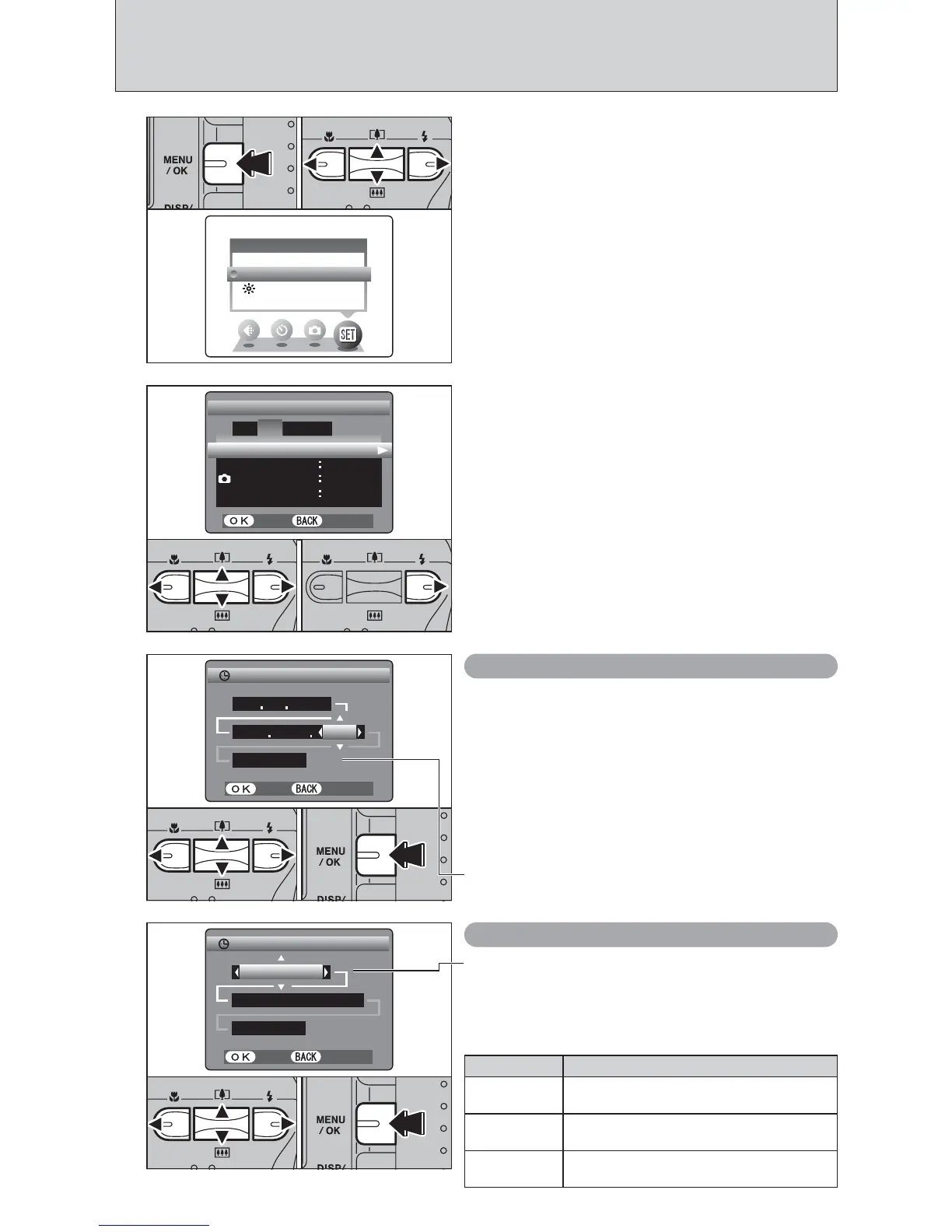
CORRECTING THE DATE AND TIME / CHANGING THE DATE ORDER
1
2
1Press “d” or “c” to move to option 2 and then
Press “a” or “b” to select “DATE/TIME”.
2Press “c”.
TIME DIFFERENCE TIME DIFFERENCE
SETSET
LCDLCD
ONON
CONT.CONT.
SET−UPSET−UP
SETSET
DATE/TIME DATE/TIME
FRAME NO.FRAME NO.
SETSET
CANCELCANCEL
1
2
43
12 : 00 AM12 : 00 AM
DATE/TIMEDATE/TIME
SETSET
CANCELCANCEL
DD MM YYYY DD MM YYYY
23 4 23 4 20042004
●
!
Holding down “a” or “b” changes the numbers continuously.
●
!
When the time displayed passes “12:00”, the AM/PM setting
changes.
01 02 03
1Press the “MENU/OK” button.
2Press “d” or “c” to select “F” OPTION and
then press “a” or “b” to select “SET-UP”.
3Press the “MENU/OK” button.
Correcting the date and time
1Press “d” or “c” to select Year, Month, Day,
Hour or Minute.
2Press “a” or “b” to correct the setting.
3Always press the “MENU/OK” button to
complete the settings.
DATE/TIMEDATE/TIME
SETSET
CANCELCANCEL
4 4 / 23 / 2004 / 23 / 2004
12 : 00 AM12 : 00 AM
MM/DD/YYYY MM/DD/YYYY
0301 02
Changing the date order
1Press “d” or “c” to select the date order.
2Press “a” or “b” to set the date order. Refer to
the table below for details of the settings.
3Always press the “MENU/OK” button to
complete the settings.
Date order Explanation
YYYY.MM.DD
Displays the date in the “year.month. day”
format.
MM/DD/YYYY
Displays the date in the “month/day/ year”
format.
DD.MM.YYYY
Displays the date in the “day.month. year”
format.
SET−UPSET−UP
OPTIONOPTION
LCDLCD













 To Next Page