43
Advanced Features
3
r RECORDING MOVIES
MOVIE MODE
3
1
Up to 60 seconds long (at the “$” setting) or 240 seconds long movie (at the “#” setting) can be
recorded.
h Specifications
Motion JPEG without sound
h Quality selection method
$ (320 × 240 pixels)
# (160 × 120 pixels)
h Frame rate: 10 frames per second
See P.84 for information on the frame rate.
●
!
See P.45. for information on changing the quality mode.
●
!
The available recording time for a movie may decrease
depending on the amount of free space on the xD-
Picture Card.
●
!
See P.83 for the available recording time with xD-Picture
Cards.
●
!
You cannot turn the LCD monitor off in this mode.
The available recording time and “œ”
appears on the LCD monitor.
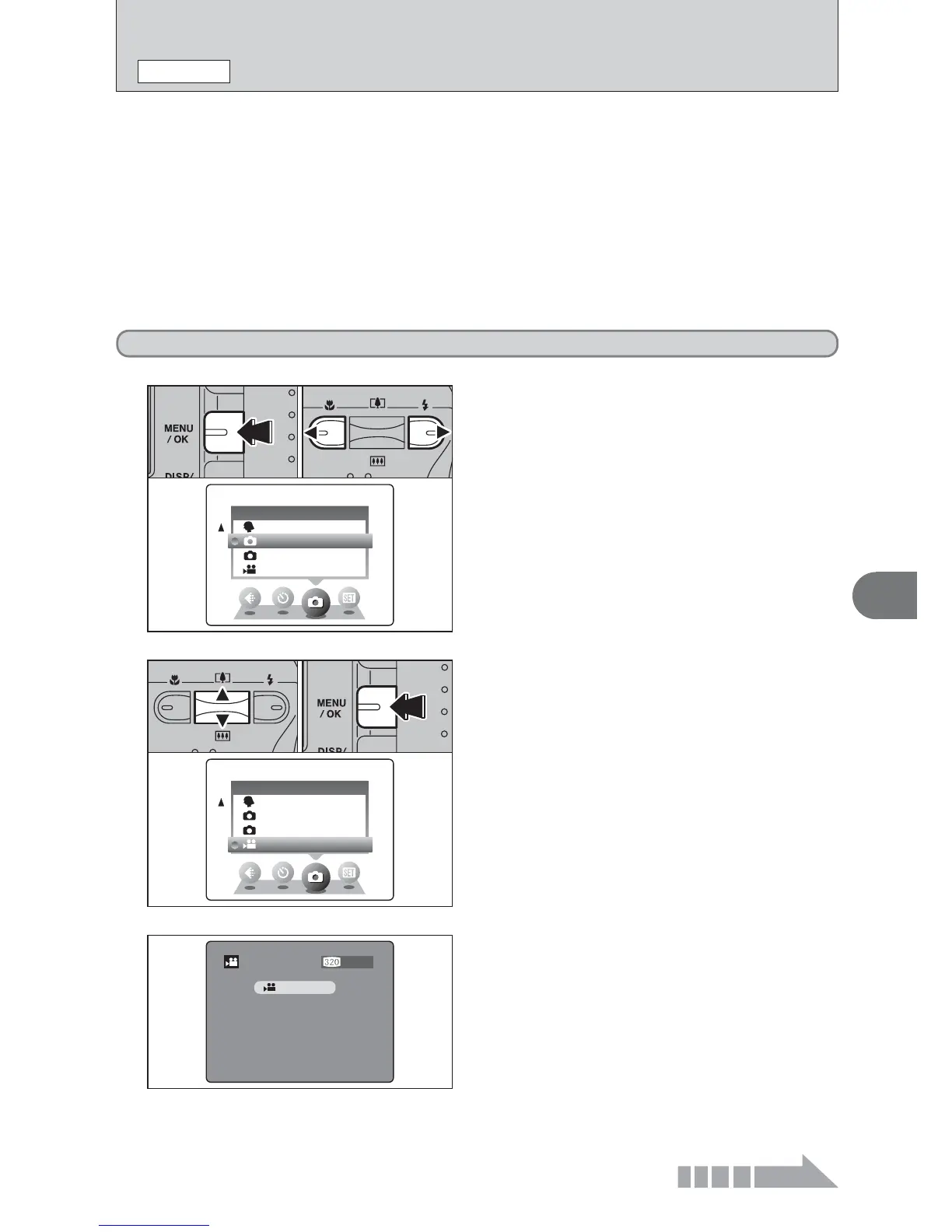
1Press the “MENU/OK” button to display the menu
on the LCD monitor.
2Press “d” or “c” to select “
q” SHOOTING
MODE.













 To Next Page